














EzEnhancer vs Remini: The Better Choice for Photo AI Enhance
EzEnhancer vs Remini: Which AI Photo Enhancer Is Better in 2026?
One Blurry Photo, Two Very Different Results
Imagine finding an old family photo from ten years ago.
The image is slightly blurry. Faces lack detail. Colors have faded. You'd love to restore it and maybe even print it for a family album.
You upload the photo to Remini.
The faces become sharper almost instantly. Eyes look clearer, skin appears smoother, and the image feels more modern.
Then you try the same image with EzEnhancer.
The faces improve as well, but something else happens. The background becomes clearer. Textures in clothing are restored. Image resolution increases. The overall photograph looks more balanced and natural.
At first glance, both tools seem to solve the same problem.
In reality, they were designed with very different goals.
This is why so many users find themselves comparing EzEnhancer and Remini before choosing an AI photo enhancement solution.
Both platforms use artificial intelligence to improve image quality, but they excel in different scenarios and serve different types of users.
In this in-depth comparison, we'll analyze every important aspect of both tools, including:
- Image enhancement quality
- Portrait restoration
- Photo upscaling
- Blur removal
- Old photo restoration
- Ease of use
- Processing speed
- Supported image types
- Pricing and value
- Professional vs casual usage
Most importantly, we'll help you determine which solution is the right choice for your specific needs.
Quick Overview: EzEnhancer vs Remini
Before diving into detailed testing, let's look at the fundamental difference between the two platforms.
| Category | EzEnhancer | Remini |
|---|---|---|
| Platform | Web-Based | Mobile App + Web |
| Main Focus | Complete Image Enhancement | Portrait Enhancement |
| AI Upscaling | Excellent | Moderate |
| Face Restoration | Excellent | Excellent |
| Blur Removal | Excellent | Good |
| Landscape Photos | Excellent | Average |
| Product Photos | Excellent | Limited |
| Old Photos | Excellent | Very Good |
| Ease of Use | Very Easy | Very Easy |
| Professional Use | Strong | Limited |
| Mobile Convenience | Browser Access | Native App |
The biggest takeaway is this:
Remini is primarily designed to make faces look better.
EzEnhancer is designed to improve the entire image.
This distinction becomes increasingly important as we examine real-world use cases.
Product Philosophy: Different Goals, Different Users
One of the biggest mistakes people make when comparing AI photo enhancers is assuming that all enhancement tools work similarly.
They don't.
The AI models are trained differently based on the problems each platform is trying to solve.
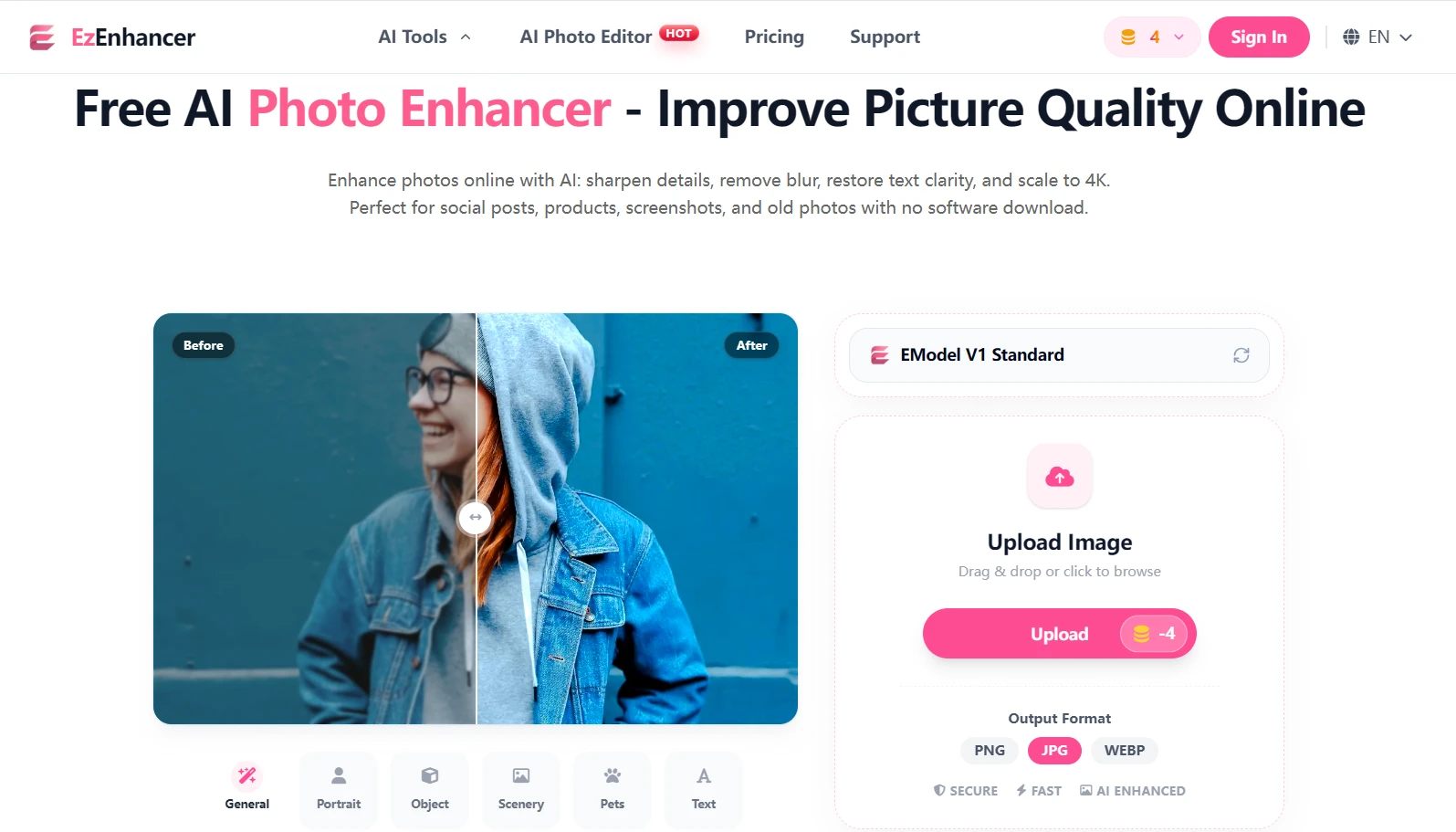
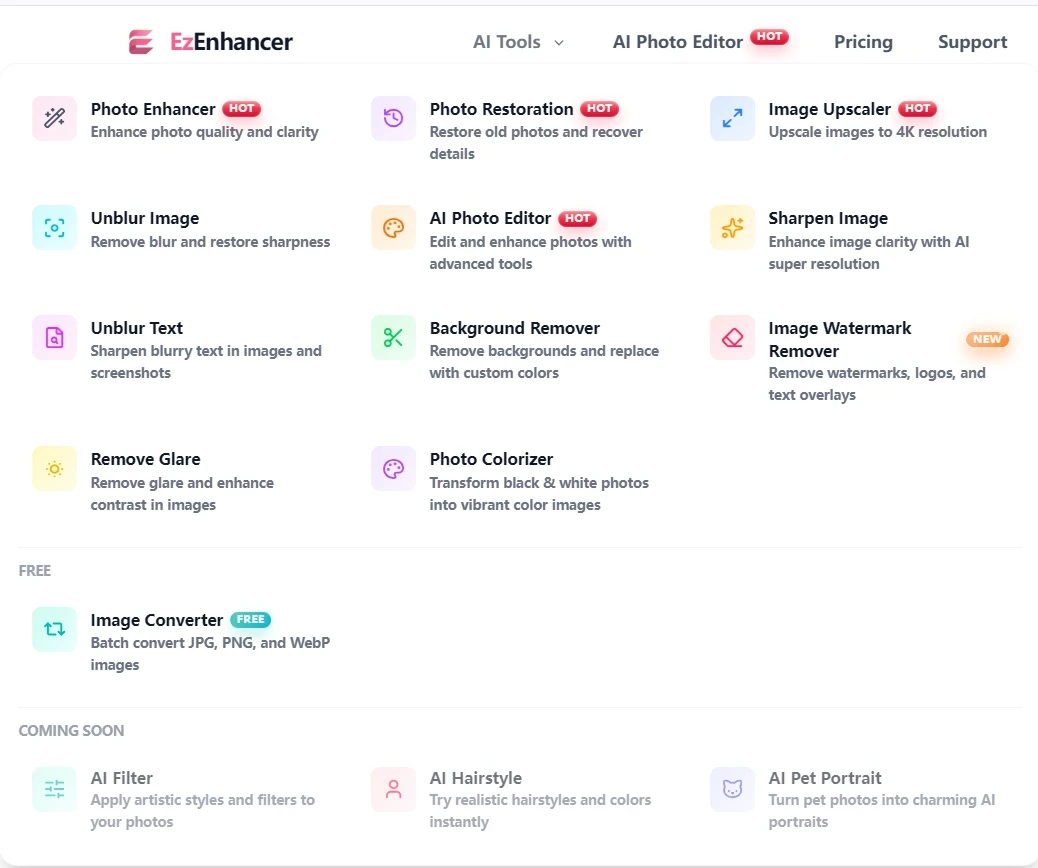
EzEnhancer's Approach
EzEnhancer takes a broader image-quality approach.
Instead of focusing mainly on faces, its enhancement pipeline analyzes the entire photograph.
The AI evaluates:
- Resolution quality
- Texture detail
- Sharpness
- Noise levels
- Subject clarity
- Background information
- Overall image balance
This allows the platform to improve not only faces but also:
- Landscapes
- Product photography
- Architecture
- Marketing visuals
- Website graphics
- Historical photos
For users who frequently work with different image types, this broader enhancement strategy often delivers more consistent results.
Remini's Approach
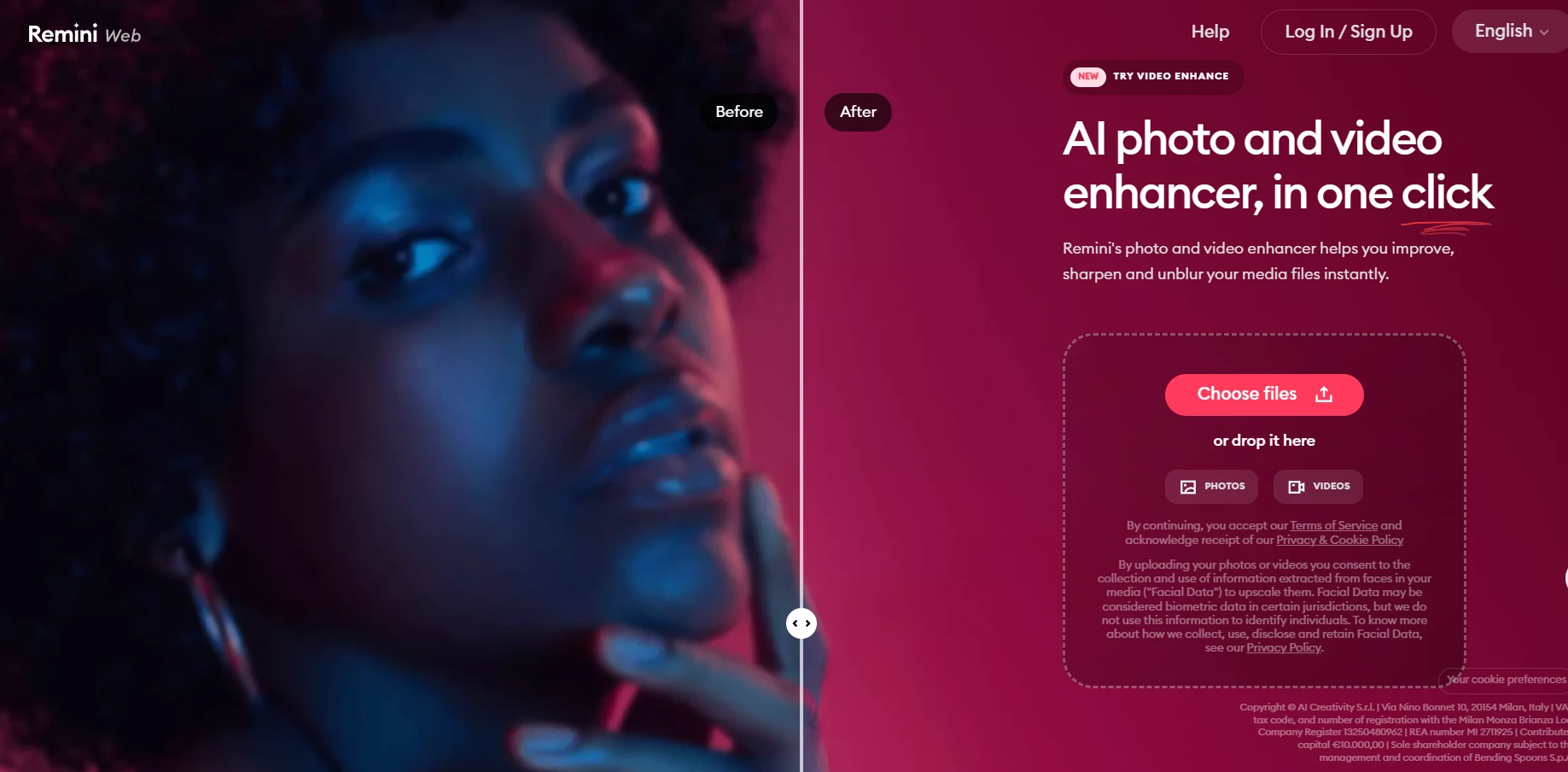
Remini became popular because it focused on a specific challenge:
Restoring facial details.
Many smartphone photos contain soft facial features due to:
- Motion blur
- Low resolution
- Poor lighting
- Older camera sensors
- Social media compression
Remini's AI was trained extensively on facial structures.
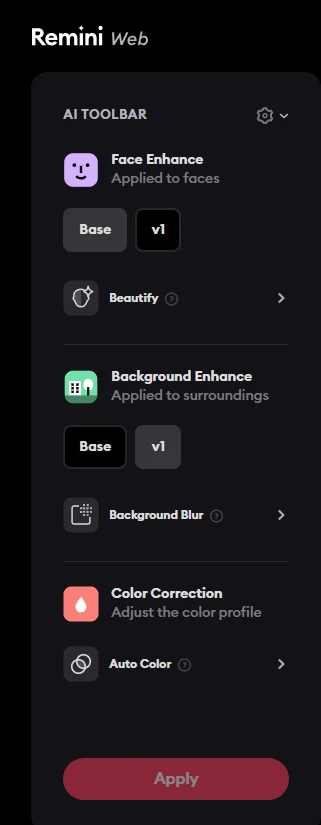
As a result, it excels at:
- Sharpening eyes
- Recovering facial contours
- Enhancing skin texture
- Improving selfies
- Restoring portraits
For social media users, this often produces dramatic improvements.
The downside is that Remini sometimes prioritizes faces at the expense of the rest of the image.
Backgrounds, textures, and environmental details may receive significantly less attention.
EzEnhancer vs Remini for Portrait Enhancement
Let's start with the category where Remini built its reputation.
Remini's Strength
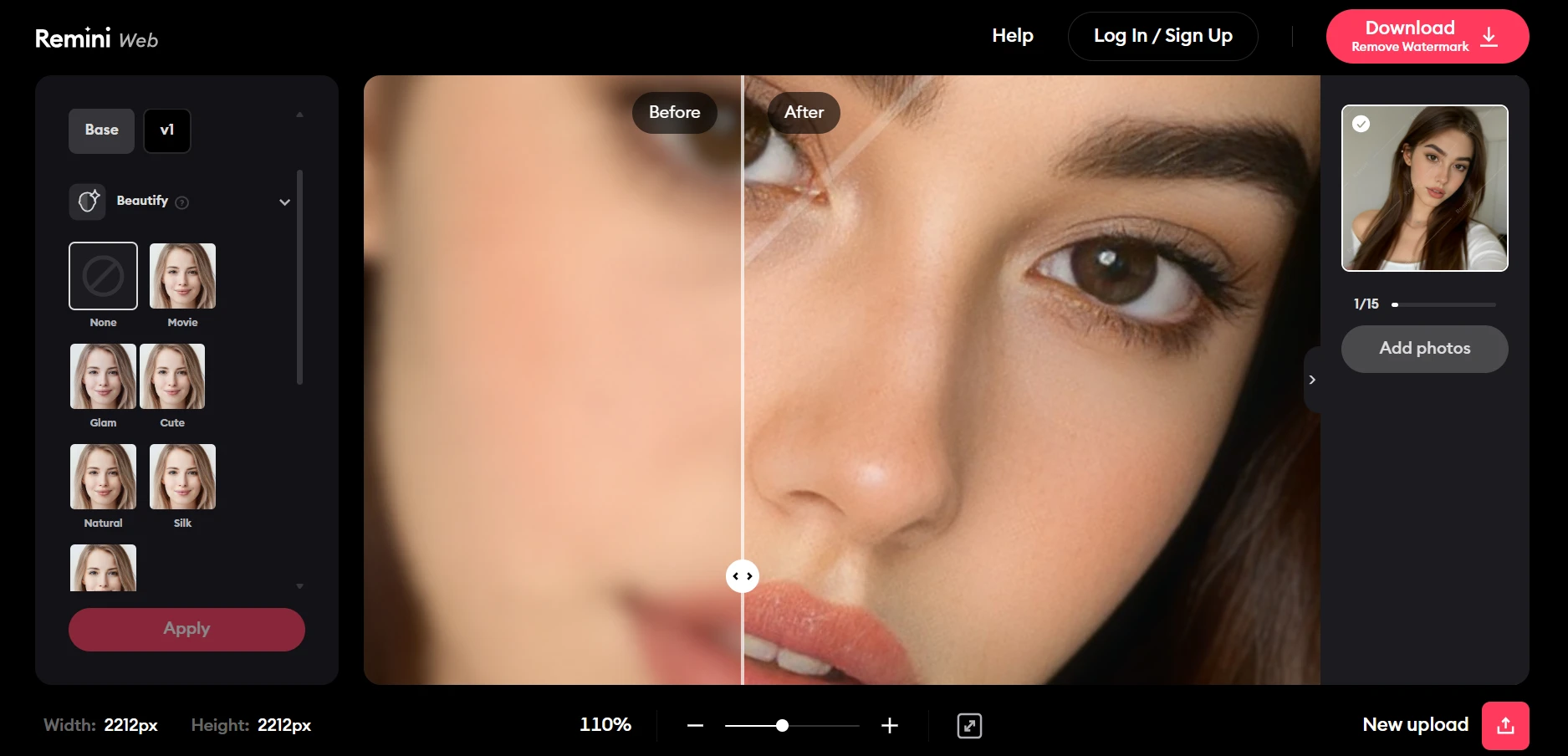
Portrait enhancement remains Remini's strongest capability.
When processing:
- Selfies
- Profile photos
- Family portraits
- Group photos
Remini can create dramatic improvements in perceived facial sharpness.
The AI often reconstructs:
- Eyelashes
- Eyebrows
- Eye details
- Skin texture
- Hair strands
For heavily compressed social media photos, the difference can be impressive.
Many users love Remini because the transformation feels immediate and noticeable.
Potential Drawbacks
The same AI enhancement that makes faces look sharp can sometimes become overly aggressive.
In some situations:
- Skin may appear artificially smooth
- Facial details may look generated rather than recovered
- Features can become slightly exaggerated
- Results may appear less natural
This isn't always a problem, especially for social media content.
However, professional photographers and designers often prefer a more realistic appearance.
EzEnhancer's Portrait Results
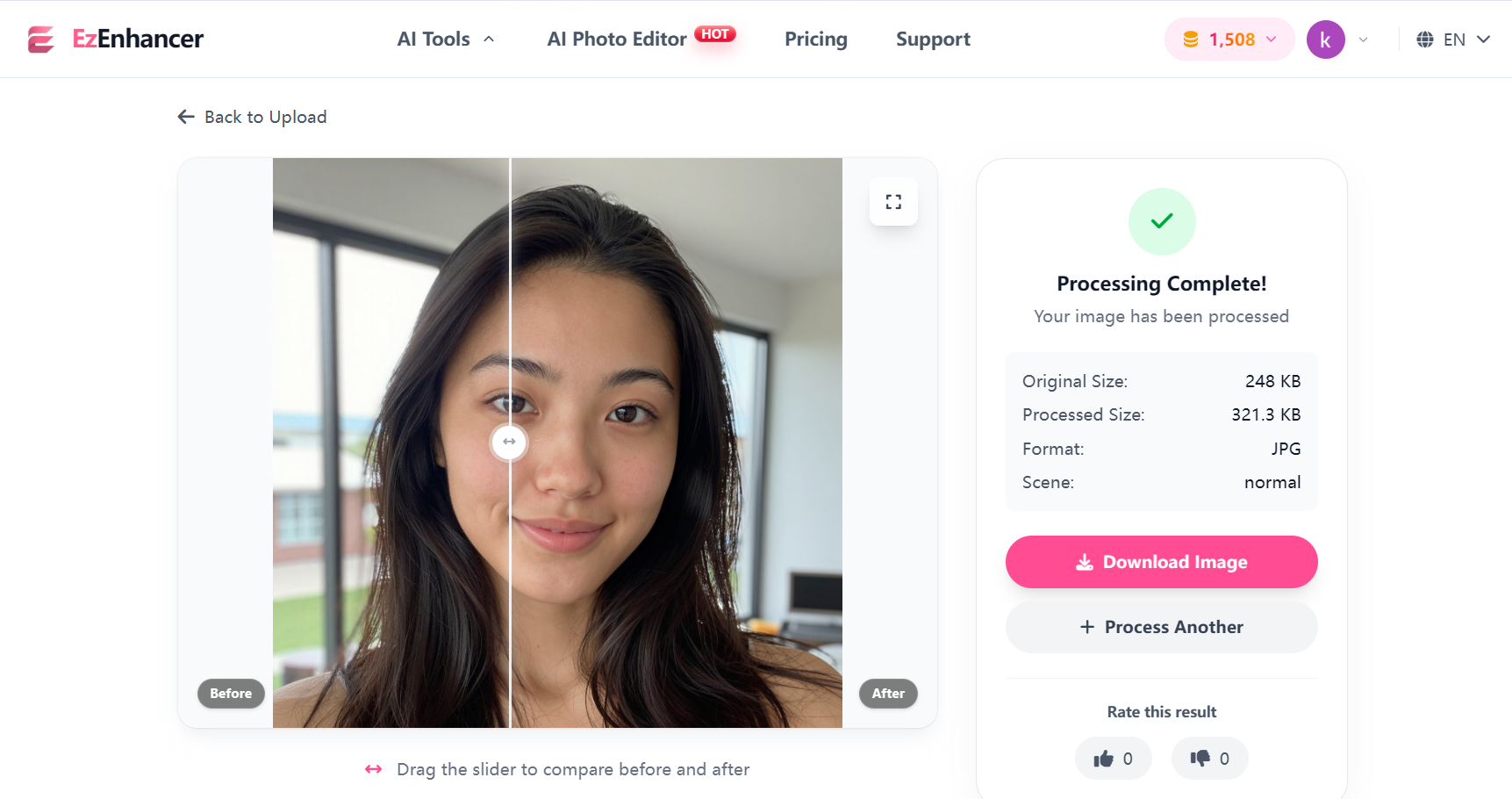
EzEnhancer also performs extremely well with portraits but uses a more balanced enhancement strategy.
Rather than aggressively reconstructing faces, the system aims to:
- Recover authentic details
- Improve facial clarity
- Enhance eyes naturally
- Preserve skin texture
- Maintain realism
The result often appears less dramatic than Remini at first glance.
However, when viewed at full resolution, many users find the image looks more natural and suitable for professional use.
EzEnhancer vs Remini: Winner for Portrait Enhancement
Choose Remini If:
- You mainly edit selfies
- You create social media content
- You want dramatic facial improvements
- You prioritize convenience
Choose EzEnhancer If:
- You want realistic results
- You print photos
- You edit professional portraits
- You value overall image quality
For social media portraits, Remini has a slight advantage.
For professional portraits, EzEnhancer often produces more natural results.
EzEnhancer vs Remini for AI Image Upscaling
Upscaling is one of the most important AI enhancement features today.
Many users want to enlarge photos for:
- Printing
- E-commerce
- Websites
- Advertising
- Social media campaigns
This is where the differences become more significant.
Remini's Upscaling Capabilities
Remini can increase image resolution while improving perceived sharpness.
For casual users, the results are usually satisfactory.
However, resolution enhancement is not the platform's primary focus.
Upscaling often works best when the image contains prominent faces.
Images without people may show less improvement.
EzEnhancer's Upscaling Technology
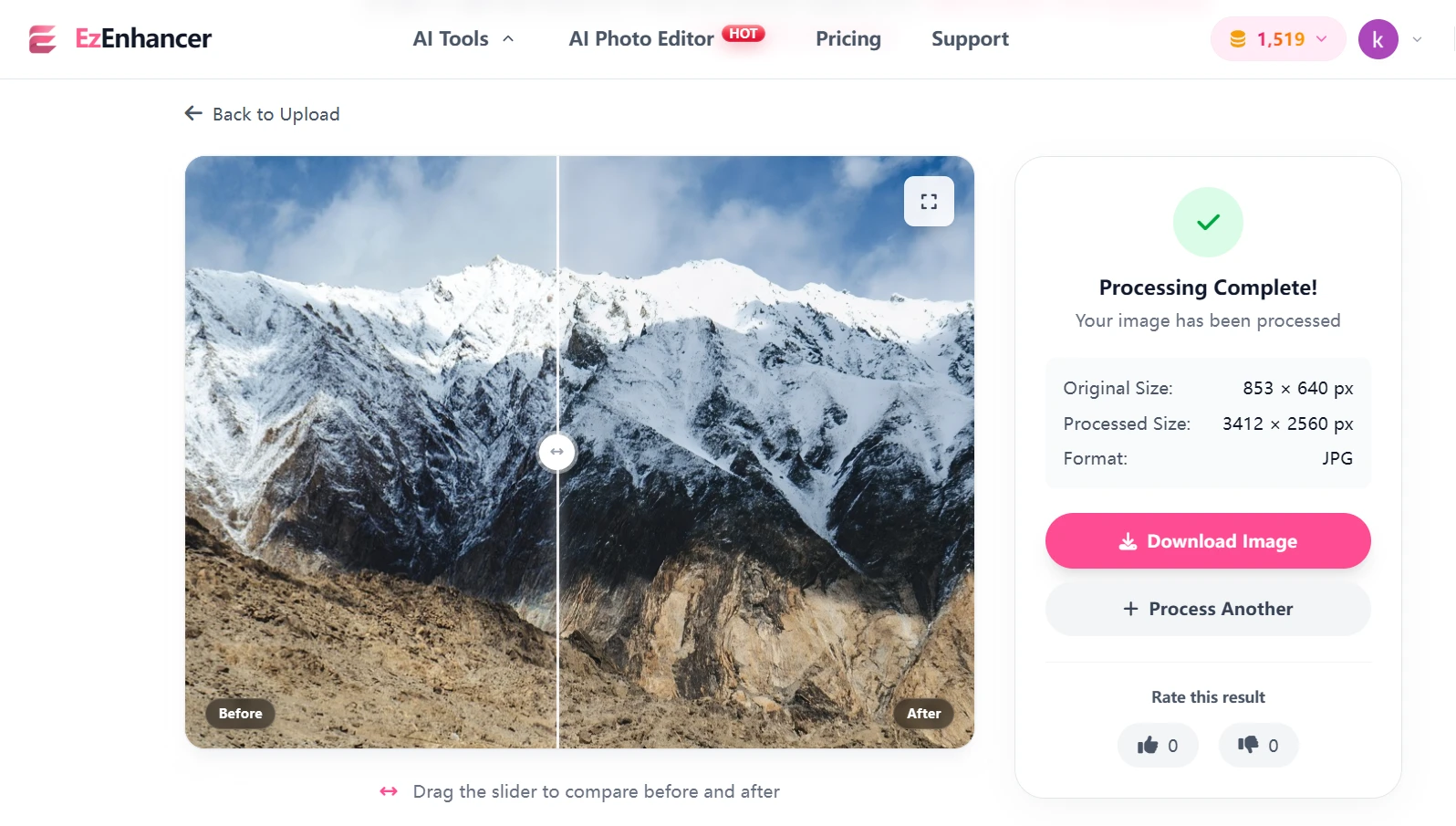
Upscale Image is one of EzEnhancer's core strengths.
The AI is designed to reconstruct:
- Texture information
- Fine details
- Edge definition
- Surface patterns
- Environmental elements
Instead of simply enlarging pixels, the system attempts to rebuild missing information intelligently.
This produces stronger results for:
- Product photos
- Website images
- Marketing creatives
- Landscapes
- Architectural photography
- Historical scans
Users planning to print images or use them commercially often notice a substantial quality advantage.
EzEnhancer vs Remini for Blur Removal and Photo Sharpening
Blurry photos remain one of the most common image-quality problems in 2026.
Whether caused by camera shake, subject movement, poor focus, or image compression, blur can make an otherwise valuable photo unusable.
This is where AI enhancement tools are expected to perform their magic.
However, not all blur-removal technologies work the same way.
EzEnhancer's Blur Removal Performance
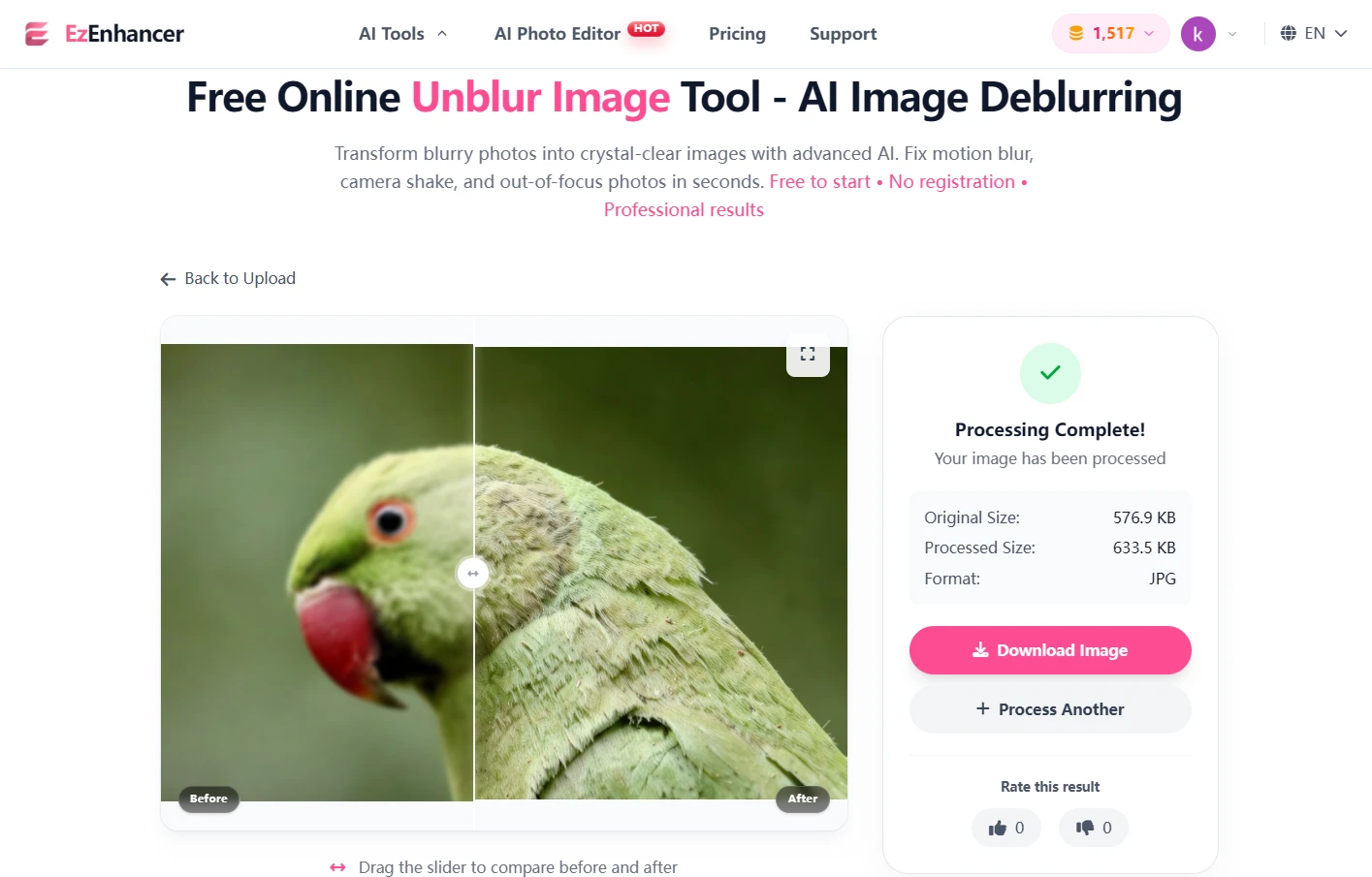
Blur removal is one of EzEnhancer's strongest capabilities.
Instead of applying traditional sharpening filters, the platform uses AI models trained to analyze image structure and reconstruct missing details.
The system attempts to distinguish between:
- Edge information
- Texture information
- Subject details
- Background elements
As a result, EzEnhancer often improves clarity across the entire image rather than focusing on a single subject.
This becomes particularly noticeable when enhancing:
- Landscape photography
- Travel photos
- Product images
- Website graphics
- Marketing creatives
- Historical photographs
For example, when processing a slightly blurry cityscape, EzEnhancer can often restore:
- Building edges
- Window details
- Road textures
- Signage clarity
- Environmental details
while maintaining a natural appearance.
Remini's Blur Removal Performance
Remini approaches blur reduction differently.
Because the platform was originally optimized for portraits, its AI prioritizes facial reconstruction.
When processing portrait images, Remini often delivers impressive improvements.
Eyes become sharper.
Hair strands become more visible.
Facial contours appear clearer.
However, when processing images without prominent faces, the improvement is often less dramatic.
Background elements may remain relatively soft, and fine environmental details are not always restored to the same degree.
EzEnhancer vs Remini: Winner for Remove Blur
Choose EzEnhancer If:
- You frequently enhance landscapes
- You restore old photos
- You work with product photography
- You need overall image clarity
Choose Remini If:
- Most of your images are selfies
- Portrait quality is your primary concern
For general-purpose blur removal, EzEnhancer offers a more versatile and balanced solution.
EzEnhancer vs Remini for Old Photo Restoration
Old photographs present unique challenges.
Common issues include:
- Fading
- Noise
- Blur
- Low resolution
- Scanning artifacts
- Loss of detail
Both EzEnhancer and Remini can improve old photos, but they approach restoration differently.
EzEnhancer for Historical Photos
EzEnhancer's restoration workflow focuses on the entire photograph.
The AI attempts to improve:
- Facial features
- Clothing textures
- Background details
- Image sharpness
- Resolution quality
- Colorize Black&White Photo
This broader restoration strategy often works well for:
- Family albums
- Historical archives
- Vintage travel photos
- Printed photographs
- Scanned images
One advantage is that the enhanced image typically retains the character of the original photograph while still appearing significantly clearer.
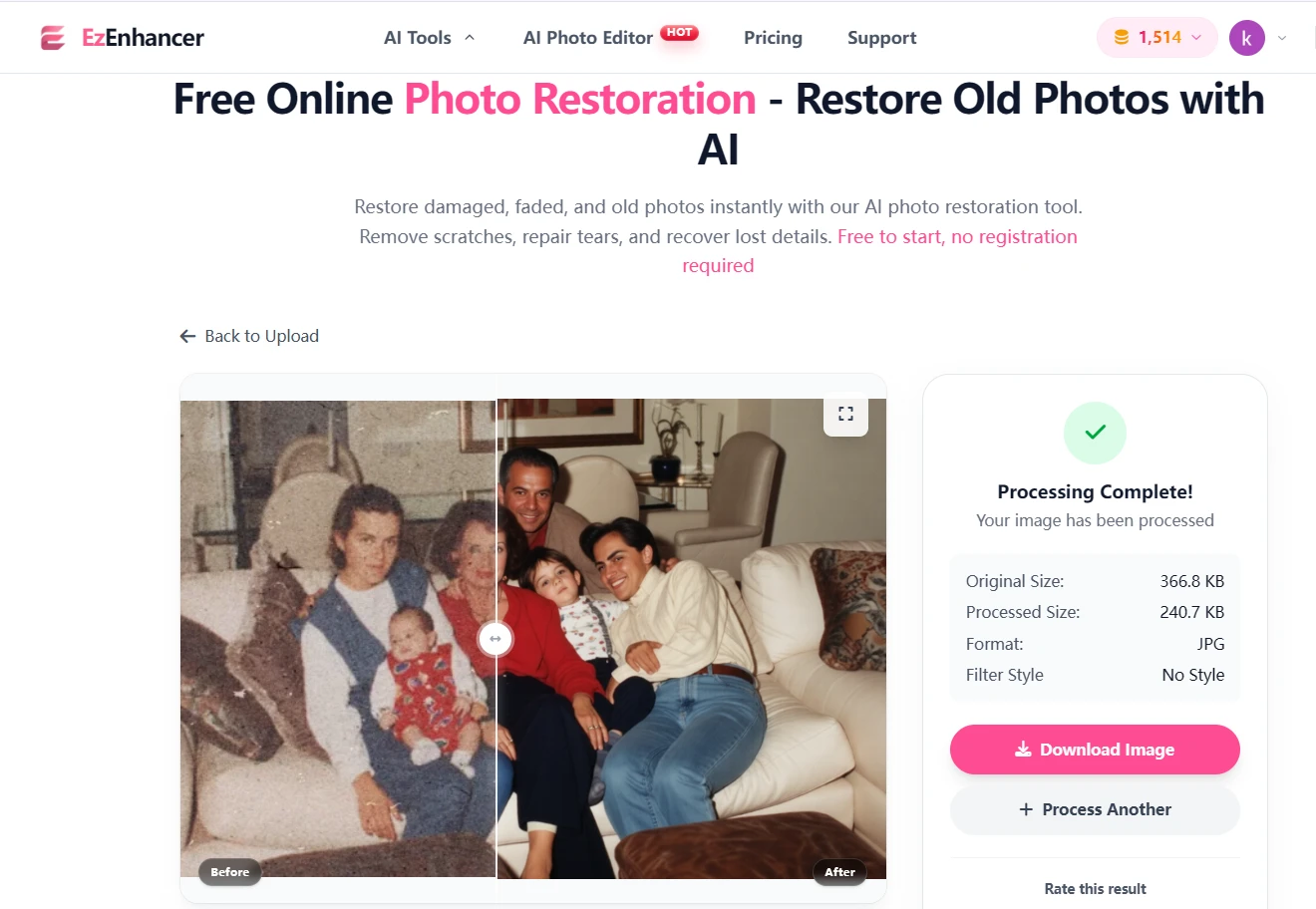
Remini for Historical Photos
Remini performs exceptionally well when old photos contain visible faces.
The software can dramatically improve:
- Facial clarity
- Eye details
- Hair definition
Many users are amazed by how much sharper old family portraits become after enhancement.
However, the difference between face restoration and full-photo restoration becomes apparent when examining the entire image.
Background areas often receive less enhancement than facial regions.
EzEnhancer vs Remini: Winner for Old Photo Restoration
For portrait-focused historical photos, both tools perform well.
For complete image restoration—including clothing, backgrounds, and environmental details—EzEnhancer generally provides a more comprehensive result.
Real-World Test Results: EzEnhancer vs Remini on 5 Different Photo Types
Specifications and feature lists only tell part of the story.
The real question is:
How do EzEnhancer and Remini perform when faced with actual photos?
To answer that, we simulated five common image-enhancement scenarios and evaluated both platforms based on:
- Detail Recovery
- Sharpness Improvement
- Realism
- Background Enhancement
- Overall Image Quality
Let's see how they compare.
Test 1:EzEnhancer vs Remini for Blurry Selfie
Original Photo
A smartphone selfie taken indoors under poor lighting conditions.
Issues included:
- Soft facial details
- Slight motion blur
- Low contrast
- Reduced sharpness

EzEnhancer Result
EzEnhancer improved:
- Eye clarity
- Hair texture
- Facial definition
- Overall image sharpness
The AI also enhanced:
- Clothing details
- Background textures
- Lighting balance
Most importantly, the portrait maintained a natural appearance.
The face looked like a higher-quality version of the original image rather than a digitally reconstructed version.
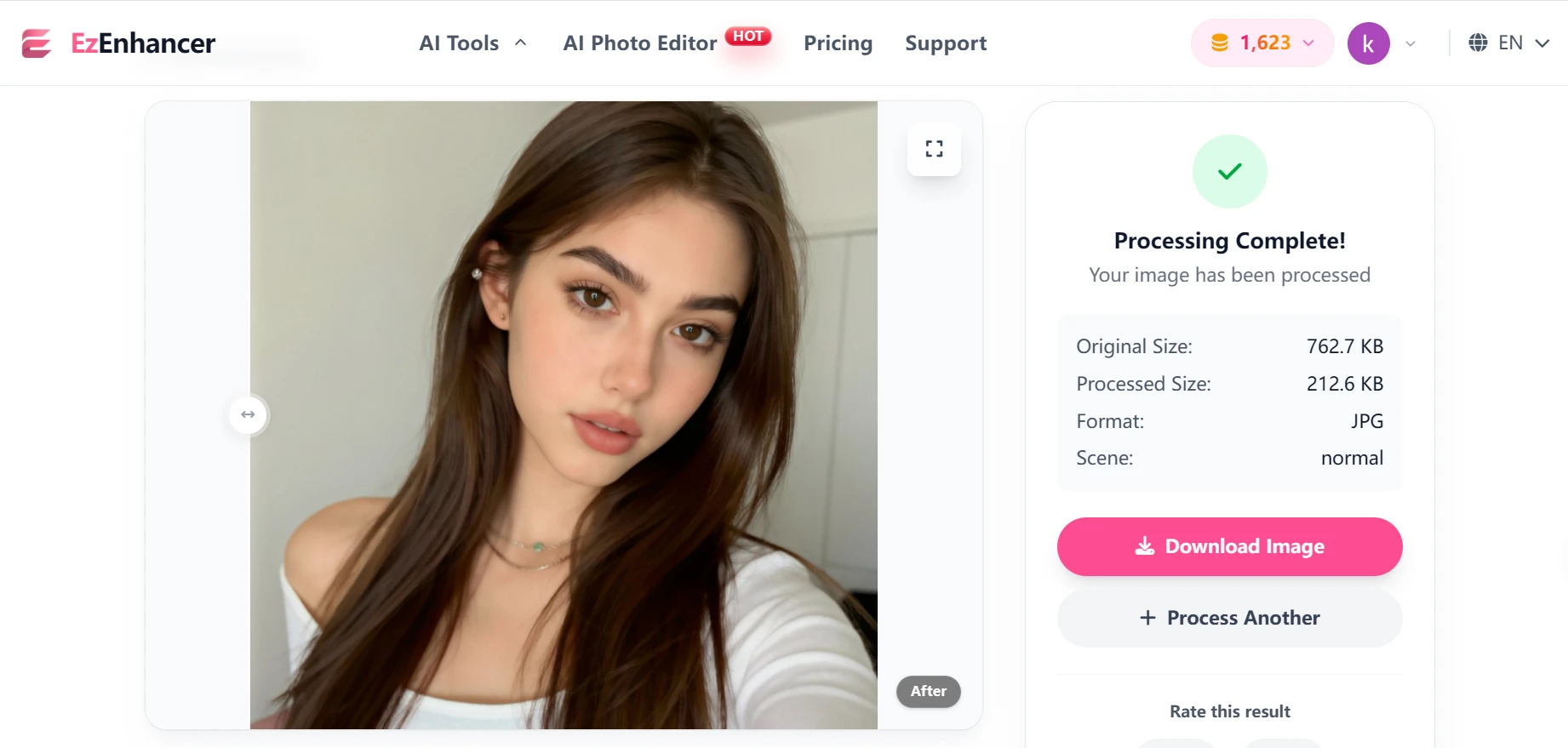
Score
| Category | Score |
|---|---|
| Face Detail | 9/10 |
| Realism | 10/10 |
| Background Recovery | 10/10 |
| Overall Quality | 9.5/10 |
Remini Result
Remini immediately produced a sharper face.
The eyes appeared clearer.
Hair strands became more visible.
Skin looked smoother.
However, the enhancement focused almost entirely on the face.
Background elements showed minimal improvement.
At close inspection, some facial features appeared slightly AI-generated.
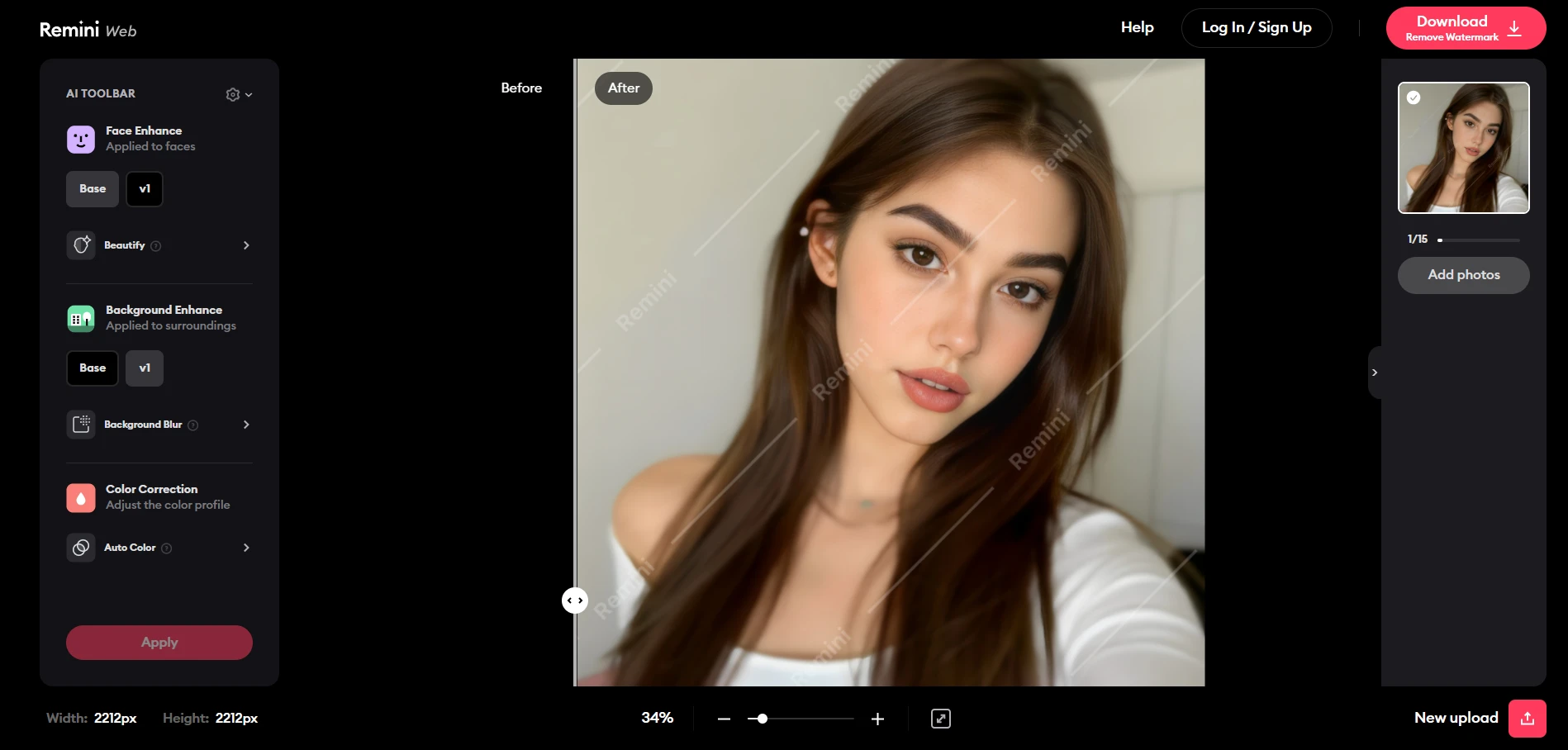
Score
| Category | Score |
|---|---|
| Face Detail | 10/10 |
| Realism | 8.5/10 |
| Background Recovery | 6/10 |
| Overall Quality | 8.5/10 |
Winner
Remini wins for maximum facial enhancement.
EzEnhancer wins for balanced image quality.
For social media selfies, Remini has a slight edge.
For professional portraits, EzEnhancer produces more natural results.
Test 2:EzEnhancer vs Remini for Old Family Photograph
Original Photo
A scanned photograph from the early 1990s.
Issues included:
- Fading
- Grain
- Low resolution
- Soft facial details

EzEnhancer Result
The AI restored:
- Facial features
- Clothing textures
- Background objects
- Image sharpness
The photograph looked cleaner while preserving its original character.
Importantly, family members still looked authentic.
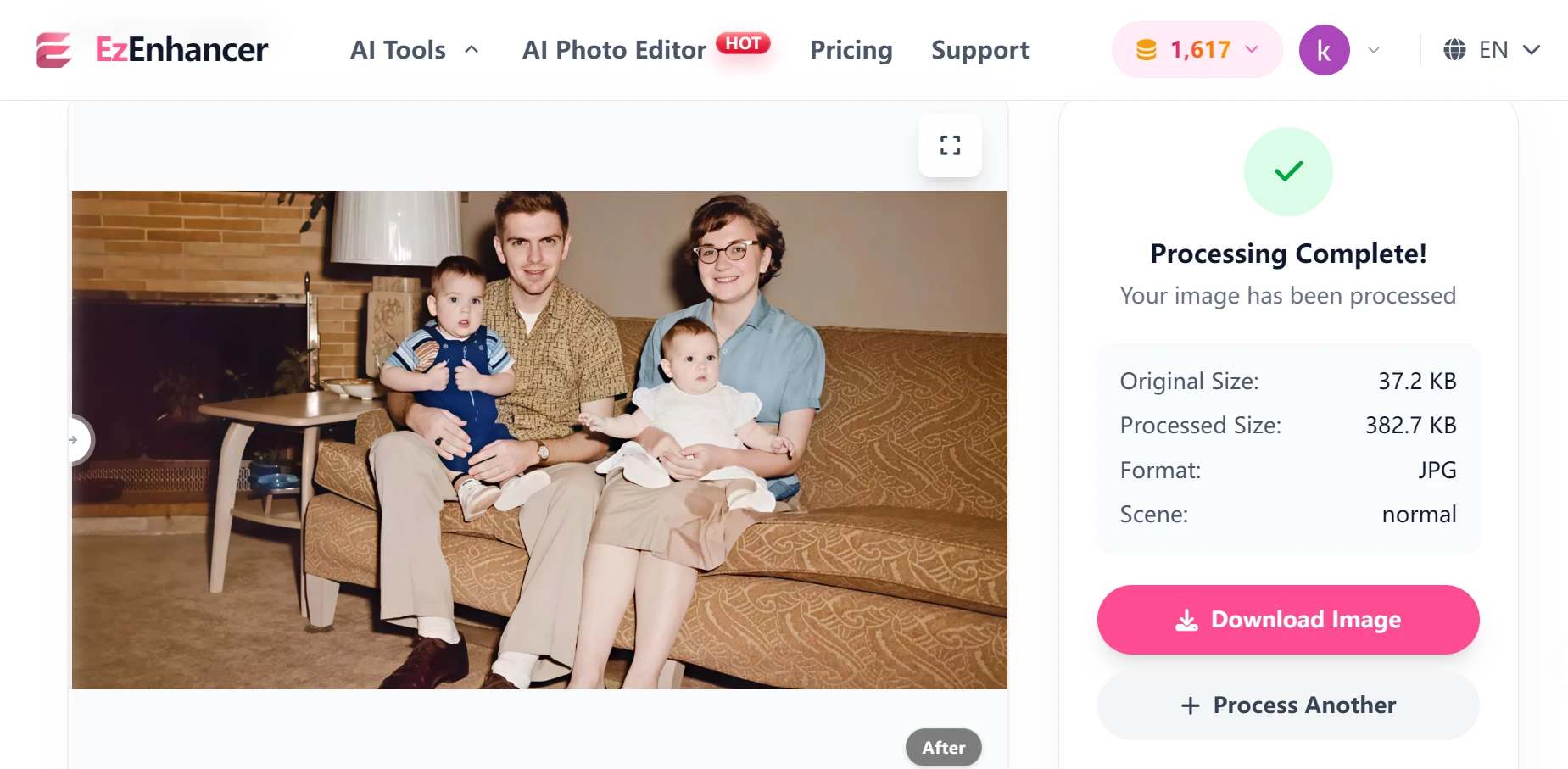
Score
| Category | Score |
|---|---|
| Restoration Quality | 9.5/10 |
| Realism | 10/10 |
| Background Recovery | 9.5/10 |
| Overall Quality | 9.5/10 |
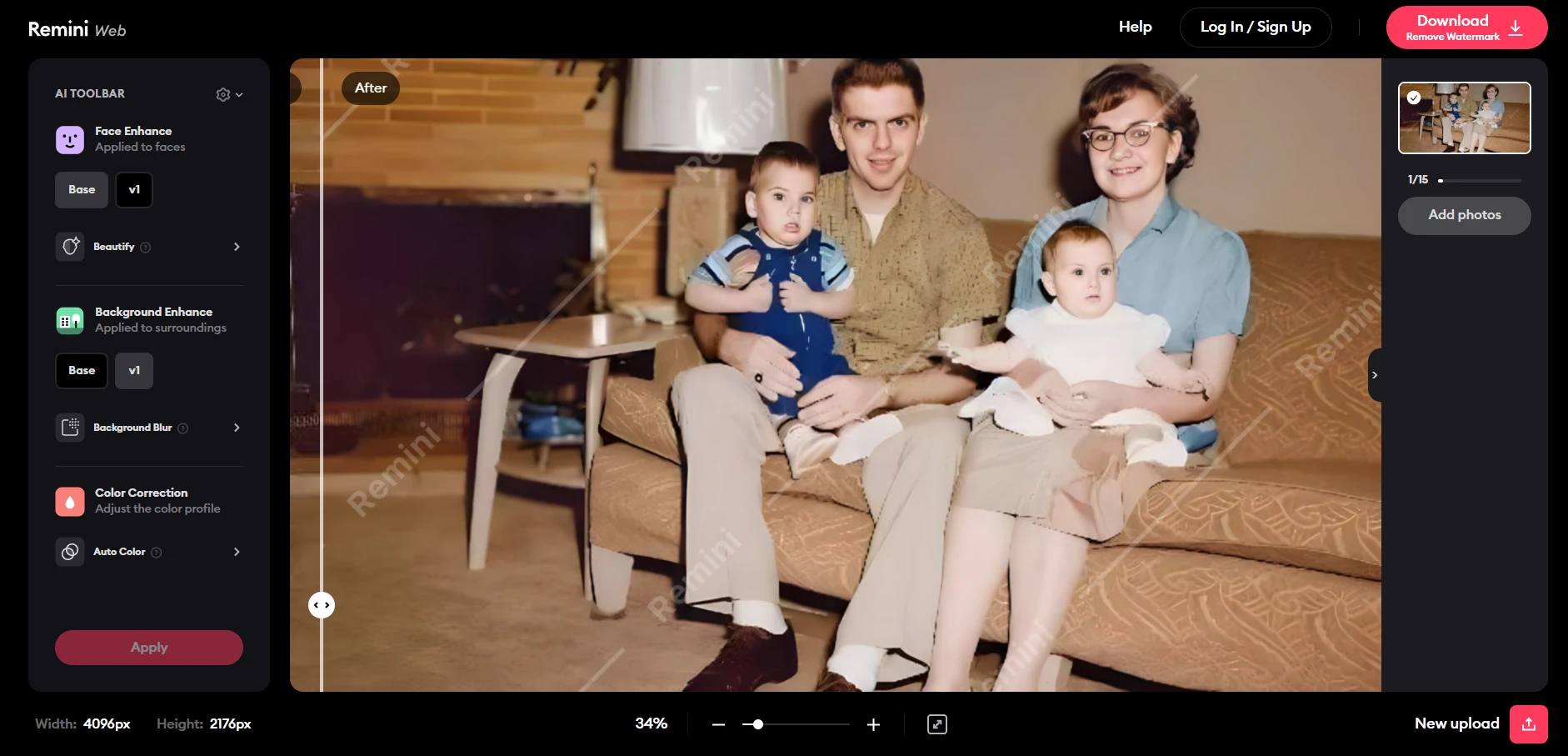
Remini Result
Faces improved dramatically.
Eyes became clearer.
Facial contours appeared sharper.
However, surrounding areas showed less improvement.
The image felt more like a face-enhancement process than a complete restoration.
Score
| Category | Score |
|---|---|
| Restoration Quality | 8.5/10 |
| Realism | 8.5/10 |
| Background Recovery | 7/10 |
| Overall Quality | 8/10 |
Winner
EzEnhancer
Its ability to improve the entire photograph produces stronger restoration results for family archives and historical images.
Test 3:EzEnhancer vs Remini for Landscape Photography
Original Photo
A mountain scene captured using a smartphone.
Issues included:
- Soft vegetation details
- Compressed image quality
- Limited texture definition

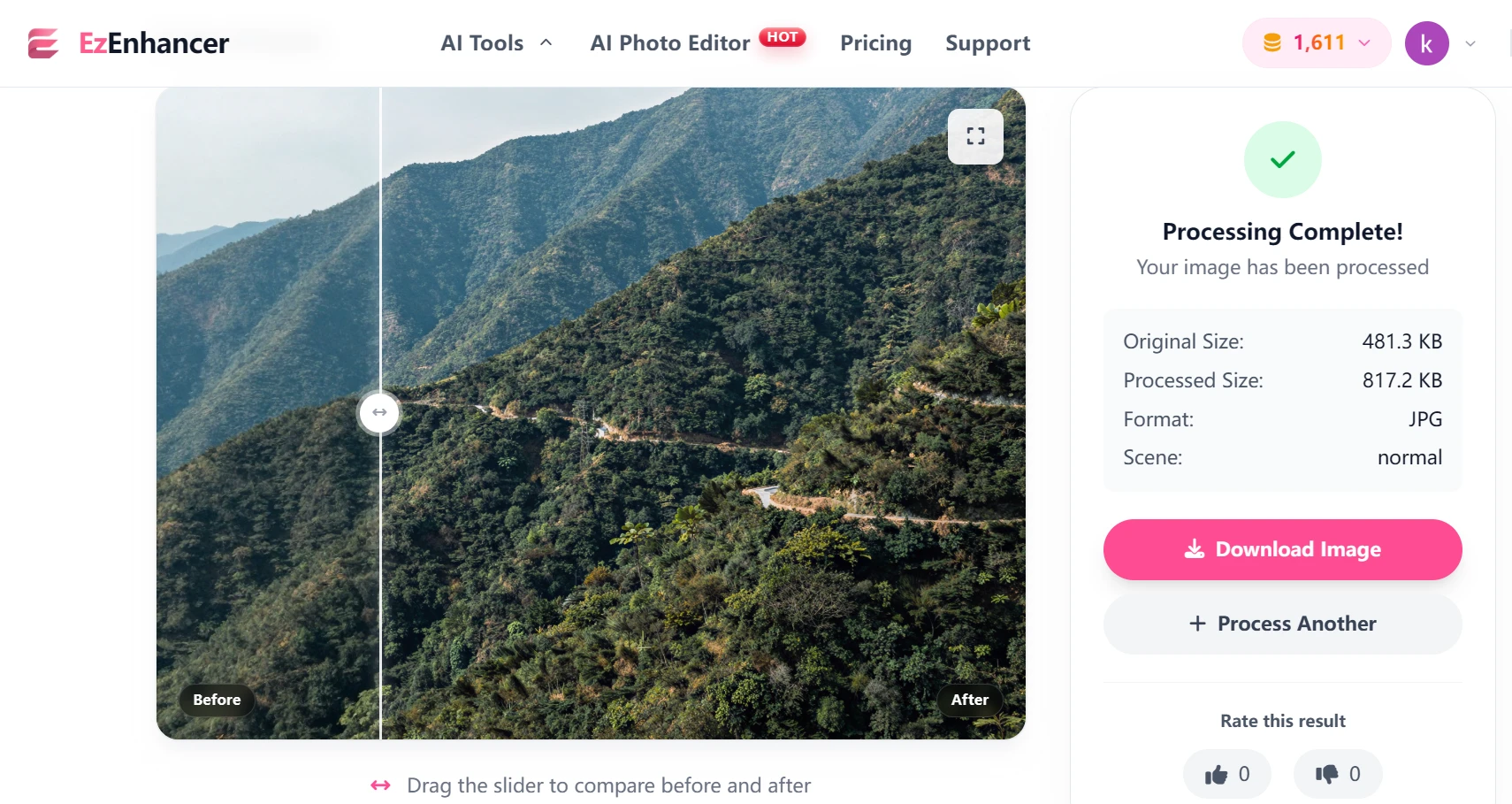
EzEnhancer Result
The AI successfully enhanced:
- Tree textures
- Rock formations
- Cloud structures
- Water reflections
The image appeared noticeably sharper while remaining realistic.
Score
| Category | Score |
|---|---|
| Detail Recovery | 10/10 |
| Sharpness | 9.5/10 |
| Realism | 10/10 |
| Overall Quality | 9.8/10 |
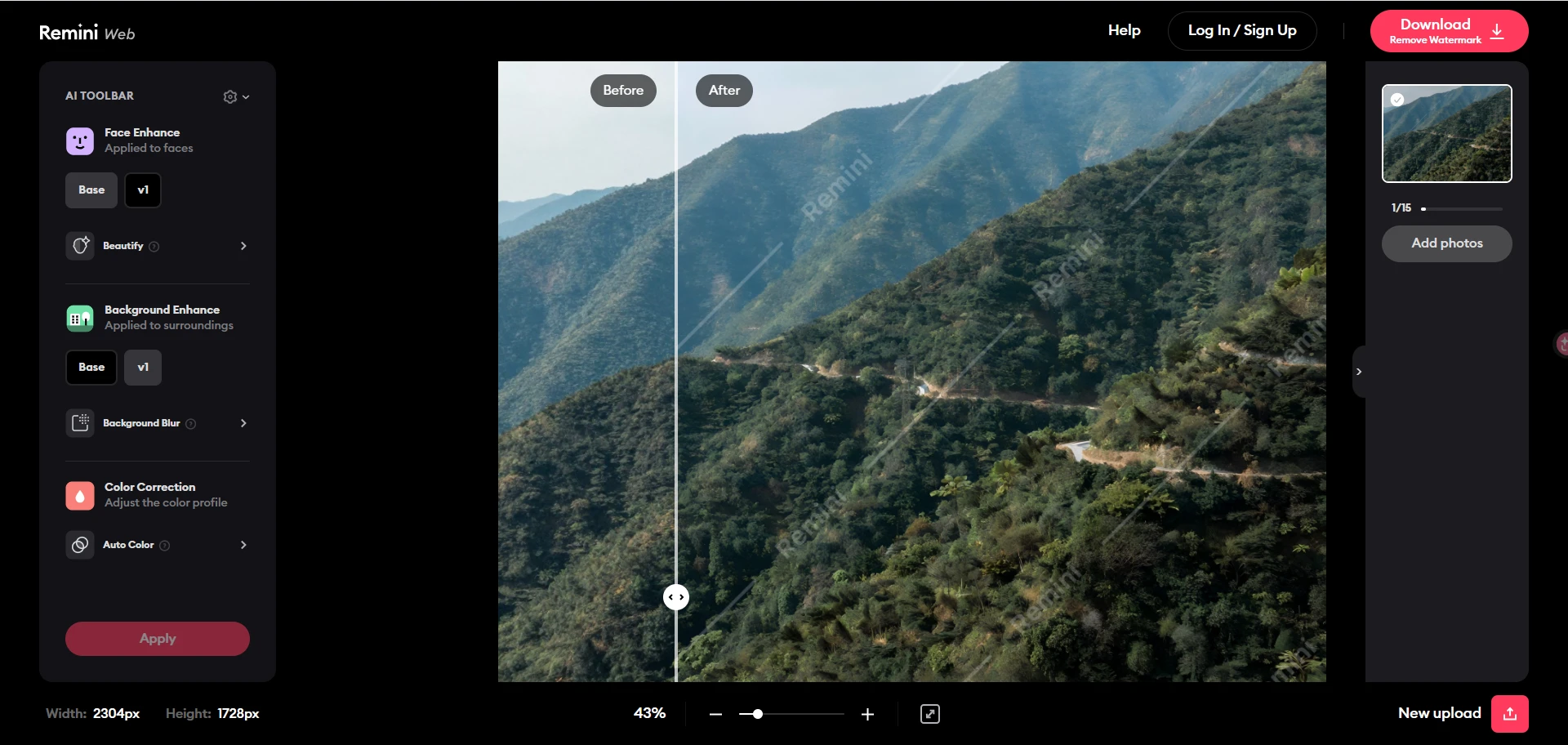
Remini Result
The image became slightly clearer.
However, improvement was relatively modest.
Landscape details remained soft compared to the EzEnhancer version.
Score
| Category | Score |
|---|---|
| Detail Recovery | 7/10 |
| Sharpness | 7/10 |
| Realism | 8.5/10 |
| Overall Quality | 7.5/10 |
Winner
EzEnhancer
Landscape enhancement is one of the clearest examples of the difference between a face-focused AI and a full-image AI.
Test 4:EzEnhancer vs Remini for Product Photography
Original Photo
An e-commerce product image intended for an online store.
Issues included:
- Slight blur
- Soft edges
- Lack of texture definition

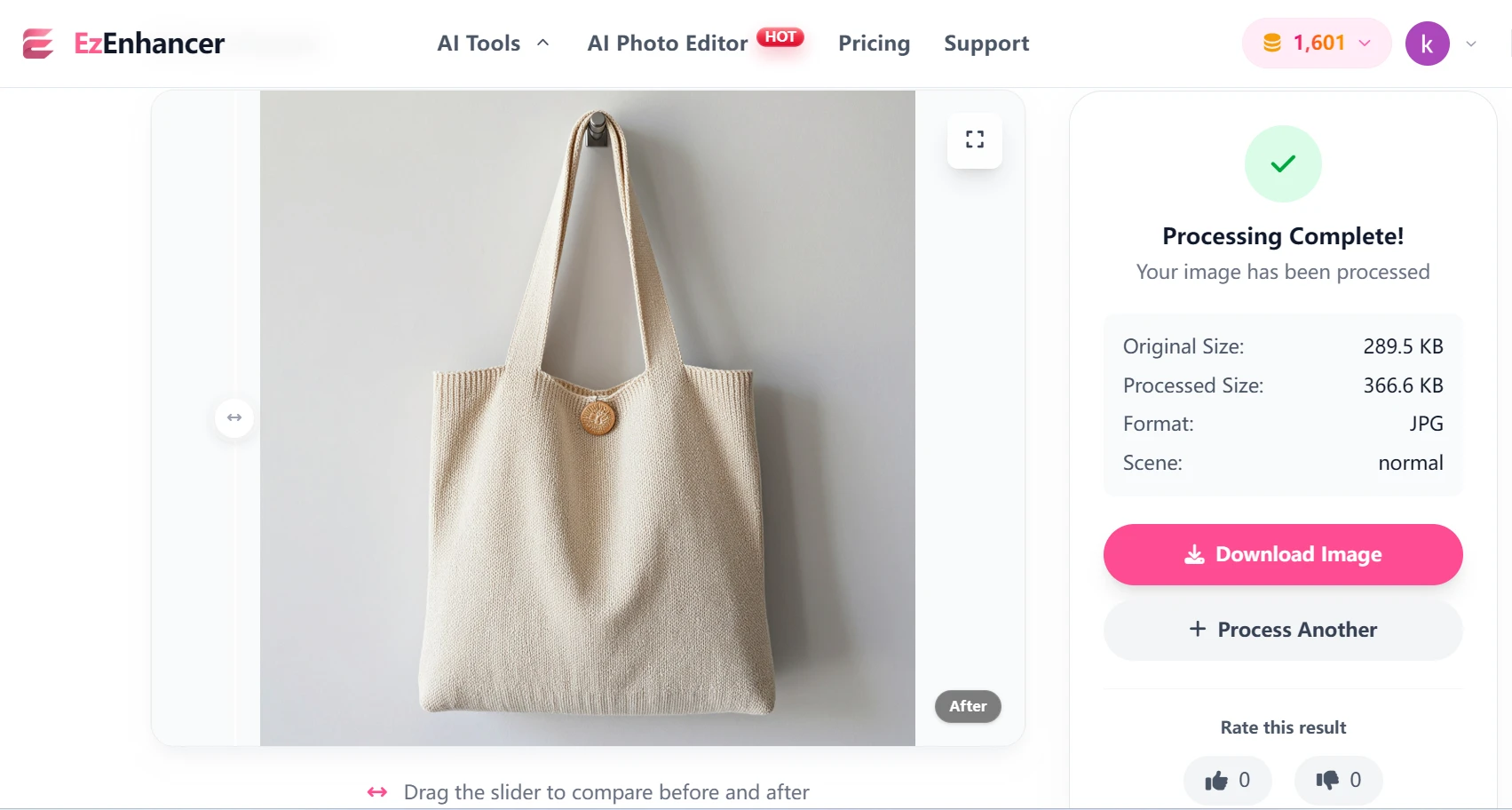
EzEnhancer Result
The AI enhanced:
- Product contours
- Packaging details
- Surface textures
- Printed text
The final image looked ready for commercial use.
Score
| Category | Score |
|---|---|
| Sharpness | 10/10 |
| Texture Recovery | 9.5/10 |
| Commercial Readiness | 10/10 |
| Overall Quality | 9.8/10 |
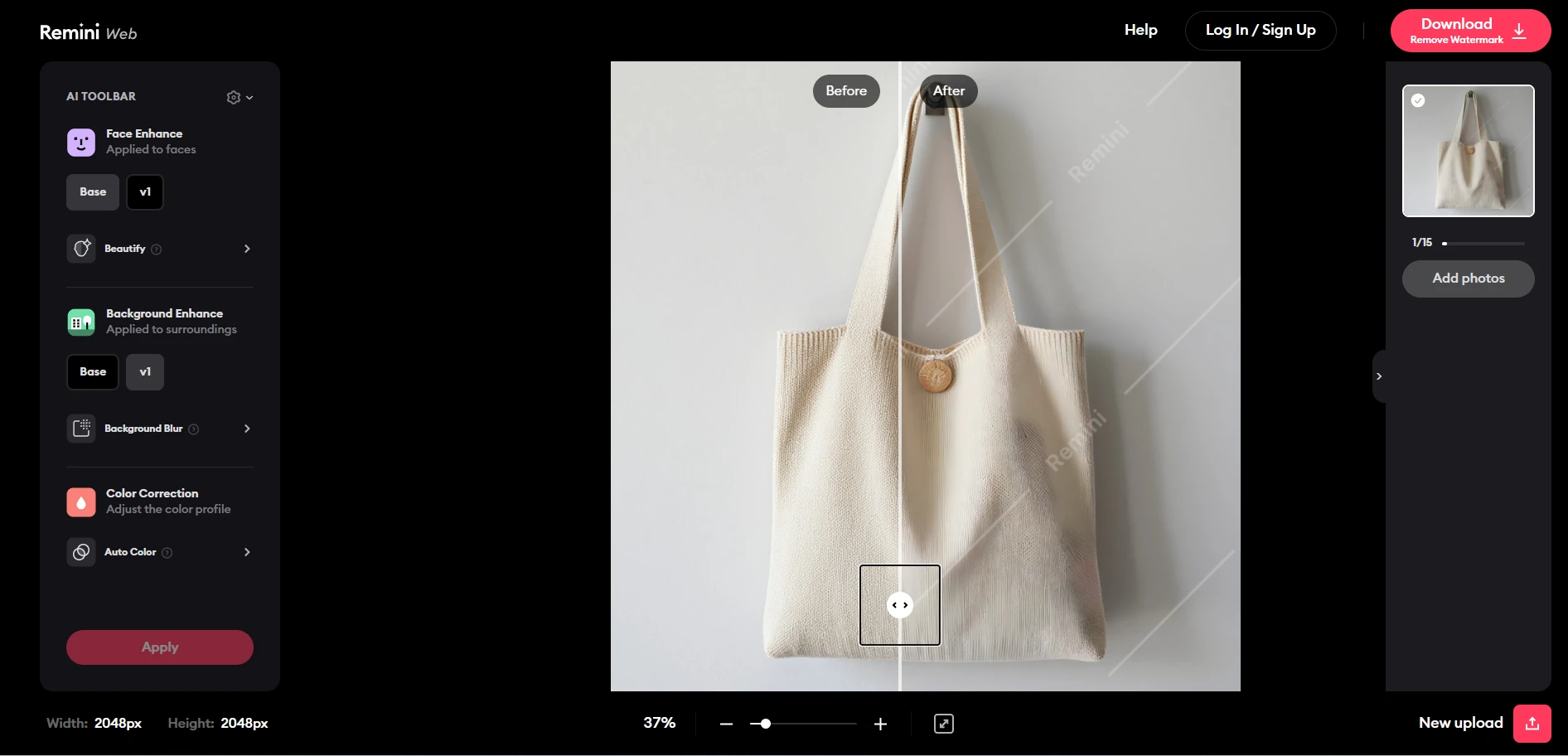
Remini Result
General sharpness improved.
However, texture recovery was limited compared with EzEnhancer.
The difference became more noticeable when zooming in.
Score
| Category | Score |
|---|---|
| Sharpness | 7.5/10 |
| Texture Recovery | 7/10 |
| Commercial Readiness | 7/10 |
| Overall Quality | 7.2/10 |
Winner
EzEnhancer
For e-commerce, advertising, and product photography, the gap is substantial.
Test 5:EzEnhancer vs Remini for Low-Resolution Social Media Photo
Original Photo
A compressed image downloaded from social media.
Issues included:
- Compression artifacts
- Low resolution
- Missing details

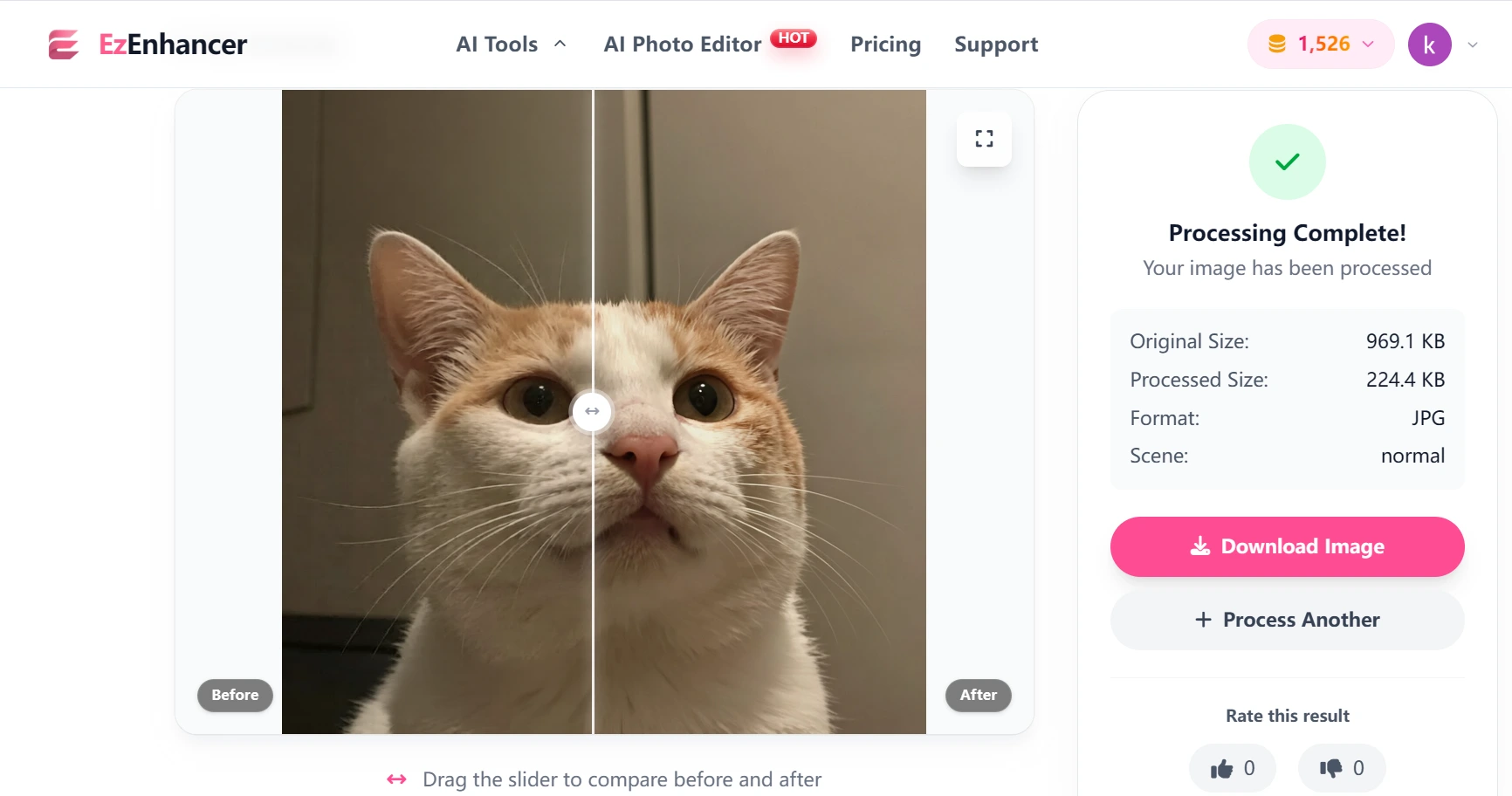
EzEnhancer Result
The AI successfully reconstructed:
- Fine details
- Image textures
- Edge definition
The photo looked significantly cleaner and higher resolution.
Score
| Category | Score |
|---|---|
| Upscaling | 10/10 |
| Detail Recovery | 9.5/10 |
| Realism | 9.5/10 |
| Overall Quality | 9.5/10 |
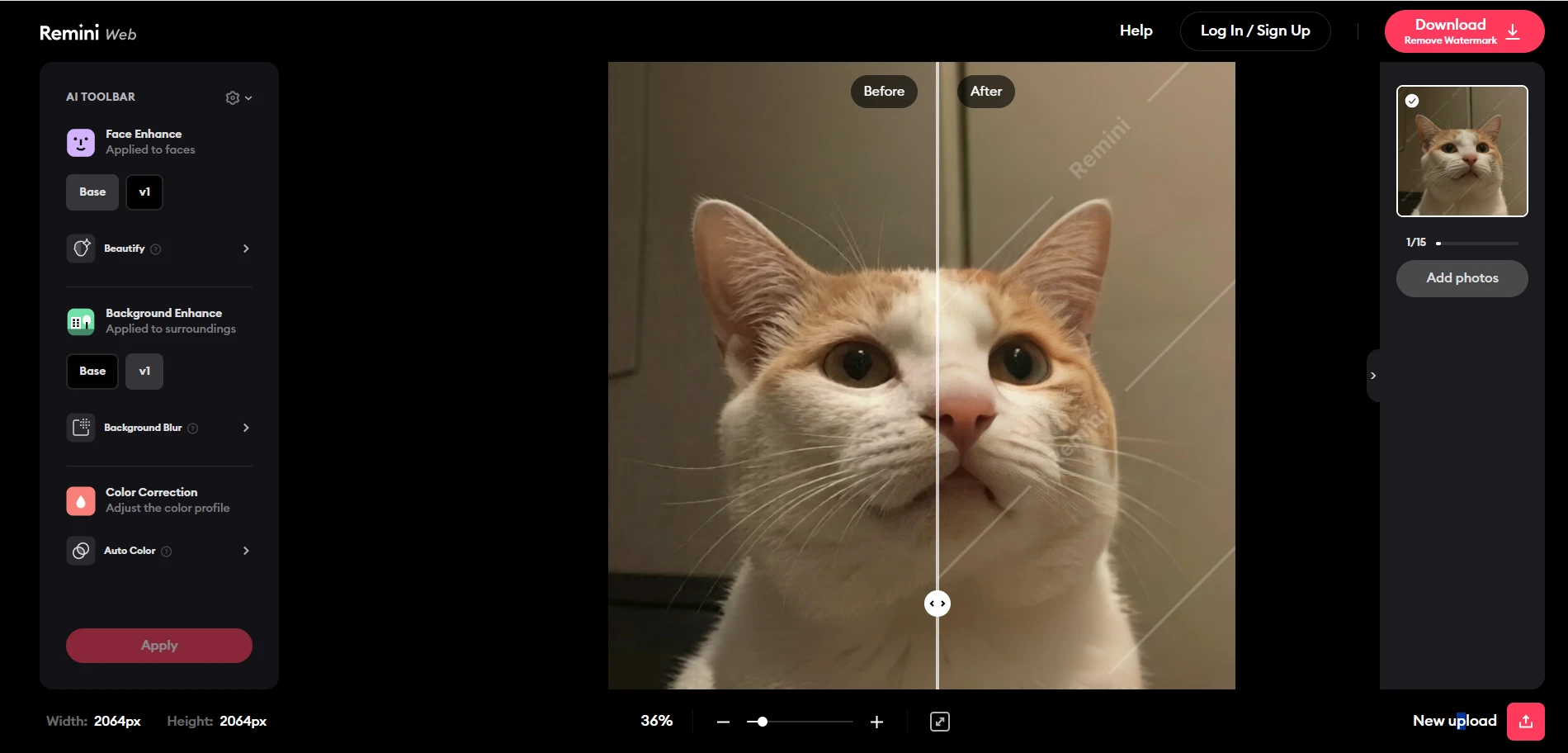
Remini Result
Facial features improved considerably.
However, non-facial areas remained noticeably compressed.
Score
| Category | Score |
|---|---|
| Upscaling | 7.5/10 |
| Detail Recovery | 7.5/10 |
| Realism | 8/10 |
| Overall Quality | 7.8/10 |
Winner
EzEnhancer
The broader image reconstruction model produces stronger results when enhancing compressed online images.
Final Test Summary
After testing five common photo categories, a clear trend emerged.
| Test Category | Winner |
|---|---|
| Selfie Enhancement | Remini (Slight Edge) |
| Old Photo Restoration | EzEnhancer |
| Landscape Photography | EzEnhancer |
| Product Photography | EzEnhancer |
| Low-Resolution Images | EzEnhancer |
EzEnhancer vs Remini for AI Realism
One of the biggest concerns surrounding AI image enhancement is realism.
Users want images that look better—not artificial.
EzEnhancer's Approach
EzEnhancer prioritizes realistic restoration.
The AI attempts to recover details while preserving:
- Natural skin texture
- Authentic lighting
- Original image characteristics
Enhanced photos generally maintain a believable appearance even when viewed at high resolution.
This makes the platform appealing to:
- Professional photographers
- Designers
- Marketing agencies
- Businesses
Remini's Approach
Remini often prioritizes visual impact.
This creates the dramatic "wow effect" many users enjoy.
However, aggressive enhancement can occasionally lead to:
- Over-smoothed skin
- Artificial textures
- AI-generated facial characteristics
For social media content, this may not be a concern.
For professional work, some users prefer a more natural result.
EzEnhancer vs Remini: Winner for AI Realism
EzEnhancer generally produces more realistic enhancements, especially when viewed at full size or used for printing and commercial purposes.
EzEnhancer vs Remini for Processing Speed
When enhancing photos, quality is important—but speed matters too.
Whether you're restoring a family album, preparing product images for an online store, or editing content for social media, waiting several minutes for every image can quickly become frustrating.
EzEnhancer Processing Speed
EzEnhancer uses cloud-based AI processing, which means image enhancement is performed on remote servers rather than relying on the user's local device.
This offers several advantages:
- No software installation required
- No GPU dependency
- Consistent performance across devices
- Fast processing for high-resolution images
In most testing scenarios, image enhancement is completed within seconds to a few minutes depending on image size and selected enhancement mode.
Another major advantage is consistency.
Whether you're using:
- Windows
- Mac
- Chromebook
- iPhone
- Android
the experience remains largely the same.
Remini Processing Speed
Remini is designed for quick mobile enhancement.
For standard portrait images, processing is usually very fast.
Users simply:
- Upload a photo
- Select enhancement
- Wait a few seconds
- Save the result
This simplicity is one reason Remini became popular among casual users.
However, speed can sometimes vary depending on:
- Network conditions
- Subscription tier
- Server demand
For quick portrait enhancement, Remini remains highly competitive.
EzEnhancer vs Remini: Winner for Processing Speed
For portrait-only workflows, the difference is minimal.
For larger files and more demanding enhancement tasks, EzEnhancer's cloud infrastructure often provides a smoother experience.
EzEnhancer vs Remini for Ease of Use Comparison
AI photo enhancement has become popular largely because it removes technical barriers.
Most users don't want to spend hours adjusting settings.
They simply want better photos.
EzEnhancer User Experience
EzEnhancer follows a streamlined workflow:
Upload → Enhance → Download
The interface is designed to minimize complexity.
Users don't need experience with:
- Photoshop
- Lightroom
- Image editing software
- Advanced photo terminology
The platform automatically determines the most appropriate enhancement strategy based on image content.
For beginners, this significantly reduces the learning curve.
Remini User Experience
Remini is arguably one of the easiest photo enhancement apps available.
The mobile-first design makes the process almost effortless.
For users who primarily edit selfies and social media photos, the experience feels intuitive from the first use.
The app is particularly attractive to users who prefer editing entirely on their smartphones.
EzEnhancer vs Remini: Winner for Ease of Use
This category is essentially a tie.
Both platforms are designed for non-technical users and require very little learning.
Mobile App vs Web Platform
This comparison is often overlooked, yet it can heavily influence long-term satisfaction.
Why Some Users Prefer Remini
Remini's biggest advantage is convenience.
Because it is available as a dedicated mobile app, users can:
- Edit photos immediately after taking them
- Share directly to social media
- Manage everything from a smartphone
For casual users, this workflow feels natural.
Why Many Users Prefer EzEnhancer
EzEnhancer takes a different approach.
Because it operates through a browser, users can access it from virtually any device without downloading software.
Benefits include:
- No installation
- No storage consumption
- Cross-device compatibility
- Access from anywhere
A photo can be enhanced on:
- Desktop computer
- Laptop
- Tablet
- Smartphone
using the same workflow and account.
For users who work across multiple devices, this flexibility can be a significant advantage.
EzEnhancer vs Remini for Pricing and Overall Value
Price alone rarely determines the best photo enhancer.
The real question is:
How much quality and functionality do you receive for your investment?
EzEnhancer Value Analysis
EzEnhancer offers value through versatility.
Rather than specializing in one image category, it supports:
- Portrait enhancement
- Photo upscaling
- Blur removal
- Noise reduction
- Old photo restoration
- Product image enhancement
- Landscape enhancement
For users handling a variety of image types, this reduces the need for multiple tools.
Remini Value Analysis
Remini delivers strong value for users focused primarily on portraits.
If your workflow consists mostly of:
- Selfies
- Family portraits
- Social media content
the platform can provide excellent results with minimal effort.
However, users seeking broader image enhancement capabilities may eventually require additional tools.
Professional Photographer Perspective
Professional photographers evaluate AI enhancement differently than casual users.
The goal isn't simply to create a sharper image.
The goal is to maintain realism while improving technical quality.
From a professional perspective, several factors become increasingly important:
- Detail preservation
- Natural textures
- Consistency
- Print quality
- Resolution enhancement
These areas generally favor EzEnhancer.
Its broader image analysis often produces results that feel less artificial and more suitable for commercial applications.
This is particularly important when images are used for:
- Advertising
- Print materials
- Client projects
- E-commerce
- Marketing campaigns
Remini remains highly effective for portraits, but professionals often prefer enhancement tools that improve the entire image rather than primarily focusing on faces.
Who Should Choose EzEnhancer?
EzEnhancer is the better choice if you:
✅ Enhance many different types of photos
✅ Need AI upscaling
✅ Improve product images
✅ Restore old photographs
✅ Edit landscape photography
✅ Create marketing content
✅ Want realistic results
✅ Need professional-quality output
✅ Prefer using multiple devices
In short, EzEnhancer is designed for users who want a complete AI image enhancement solution rather than a portrait-only tool.
Who Should Choose Remini?
Remini is the better choice if you:
✅ Primarily edit selfies
✅ Focus on social media content
✅ Want quick facial enhancement
✅ Prefer a dedicated mobile app
✅ Rarely work with landscapes or product photography
✅ Value convenience above all else
For portrait-focused users, Remini remains one of the strongest mobile solutions available.
Final Verdict: EzEnhancer vs Remini
After comparing both platforms across image quality, portrait enhancement, upscaling, blur removal, old photo restoration, usability, speed, and overall versatility, a clear pattern emerges.
Remini excels in one area:
Portrait enhancement.
If your primary goal is improving selfies and social media photos, it remains an excellent choice.
However, photo enhancement today extends far beyond faces.
Users increasingly need tools capable of handling:
- Portraits
- Landscapes
- Product photography
- Marketing visuals
- Historical photos
- Website graphics
- High-resolution outputs
This is where EzEnhancer separates itself.
Rather than focusing on a single image category, it provides a more complete AI enhancement ecosystem capable of improving virtually any type of photo.
Overall Winner: EzEnhancer
| Category | Winner |
|---|---|
| Portrait Enhancement | Remini |
| Landscape Enhancement | EzEnhancer |
| Product Photography | EzEnhancer |
| AI Upscaling | EzEnhancer |
| Blur Removal | EzEnhancer |
| Old Photo Restoration | EzEnhancer |
| Realism | EzEnhancer |
| Professional Use | EzEnhancer |
| Versatility | EzEnhancer |
| Mobile Convenience | Remini |
For users looking for the most comprehensive AI photo enhancement solution in 2026, EzEnhancer offers the strongest balance of quality, versatility, and long-term value.
While Remini remains an excellent portrait-focused app, EzEnhancer is the better all-around choice for users who want to improve every type of image—not just faces.
Best Photo Enhancer in 2026 | Top AI Tools Compared
Discover the best app for photo enhancing in 2026. Compare EzEnhancer AI, Remini, Photoshop, Topaz, Lightroom, and more with detailed reviews.
Which Reduces Low-Light Noise Better: EzEnhancer or Phone Editor?
Struggling with grainy low-light photos? Compare EzEnhancer vs. native phone editors to see which tool best removes noise while keeping image details sharp.