Best AI Photo Colorizers in 2026 (Tested for Accuracy, Detail & Realism)
Restoring old black-and-white photos no longer requires complex manual editing in tools like Adobe Photoshop.
In 2026, AI photo colorizers can automatically generate realistic colors, restore skin tones, and enhance image detail within seconds.
However, our testing shows a clear pattern:
👉 Not all AI colorizers produce natural or accurate results, especially for portraits and damaged historical photos.
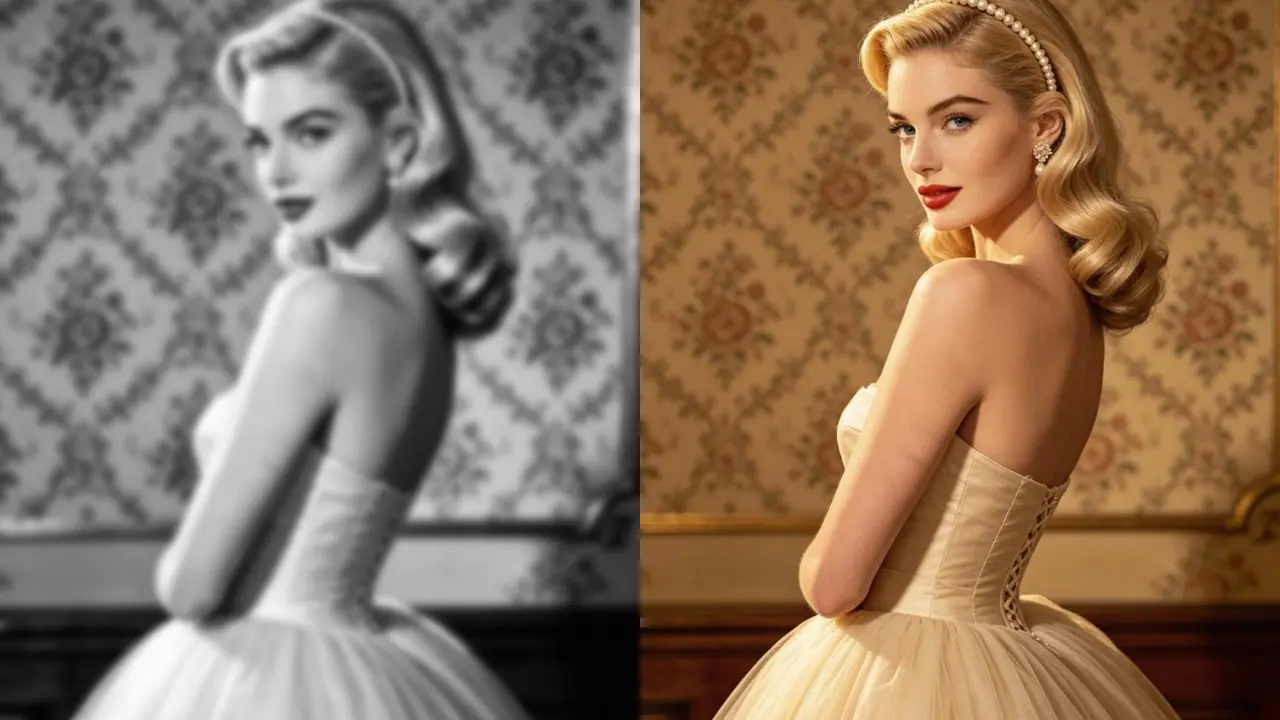
🔍 Quick Answer: What Is the Best AI Photo Colorizer in 2026?
We tested 6 AI photo colorizers in 2026 and found clear performance differences:
- EzEnhancer.ai is the best AI photo colorizer in 2026 for realistic portraits and high-detail restoration.
- VanceAI is the best all-around option for balanced performance across different photo types.
- Hotpot.ai is the fastest tool but produces lower-resolution outputs.
How We Tested These AI Photo Colorizers
To ensure fair and practical evaluation, each tool was tested using the same dataset:
Test Images:
- 1920s black-and-white portrait photos
- WWII-era historical images
- Low-resolution scanned family prints
Evaluation Criteria:
- Color accuracy (especially skin tones)
- Texture & detail preservation
- Face realism
- Upscaling quality
- Speed & usability
All tools were tested under identical conditions using the same image datasets to ensure fair comparison. Results may vary depending on image quality, lighting conditions, and historical degradation levels.
Key Takeaways (From Real Testing)
| Tool | Strength | Key Insight |
|---|---|---|
| EzEnhancer.ai | Portrait realism | Best overall detail & natural faces |
| VanceAI | Balanced use | Most stable all-around performance |
| Hotpot.ai | Speed | Fastest but lower resolution |
| Fotor | Editing workflow | Better for design than restoration |
| ImageColorizer | Old photos | Best for faded/damaged images |
| Cutout.pro | Batch processing | Best for automation & scale |
Overall, EzEnhancer.ai leads in realism and detail recovery, while VanceAI remains the most stable general-purpose solution across different use cases.
🏆 Quick Comparison of the Best AI Colorizers
| Feature | EzEnhancer.ai | VanceAI | Hotpot.ai | Fotor | ImageColorizer | Cutout.pro |
|---|---|---|---|---|---|---|
| Color Accuracy | ✅ Excellent | ⭐ High | ⭐ Moderate | ✅ Excellent | ⭐ High | ⭐ High |
| Detail & Texture | ✅ Excellent | ✅ Excellent | ⭐ Low | ⭐ High | ✅ Excellent | ⭐ High |
| Face Realism | ✅ Excellent | ⭐ Moderate | ⭐ Low | ⭐ Moderate | ⭐ High | ⭐ Moderate |
| Upscaling | ⭐ High | ⭐ Moderate | ⭐ Low | ⭐ Moderate | ⭐ Low | ⭐ High |
| Speed | ⭐ Fast | ⭐ Slow | ✅ Very Fast | ⭐ Moderate | ⭐ Moderate | ⭐ Fast |
| Ease of Use | ✅ Very Easy | ✅ Easy | ✅ Very Easy | ⭐ Easy | ⭐ Easy | ⭐ Moderate |
1. VanceAI – Best AI Photo Colorizer for Batch Processing
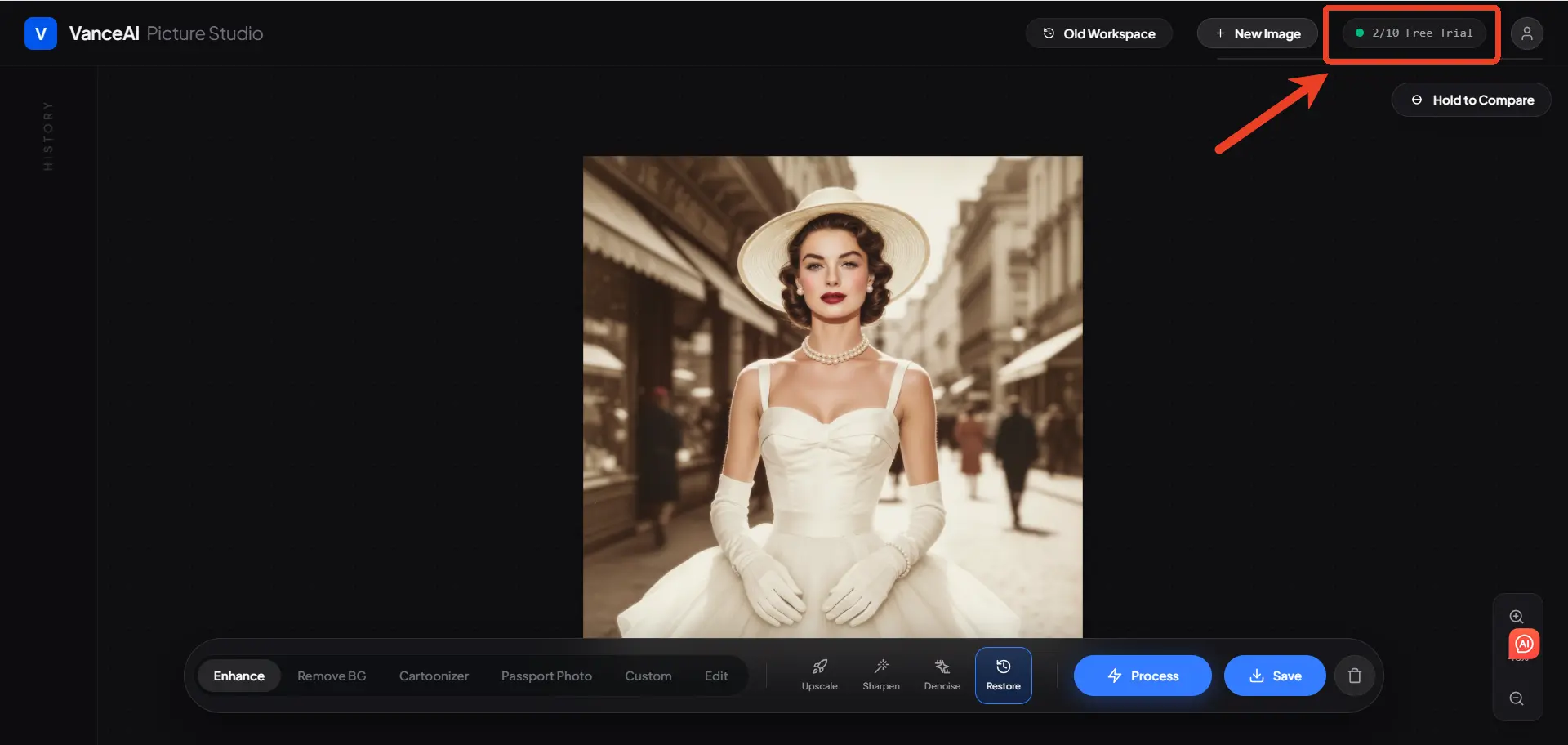
VanceAI is a well-established platform known for consistent and reliable results.
What we found:
It performs particularly well on outdoor scenes like skies, buildings, and vintage cars, often producing vibrant results. However, when it comes to portraits, facial tones can look slightly flat, and the overall saturation tends to run a bit high, which may reduce realism in some cases.
Key Features
- Batch processing support
- Strong recognition of historical elements
Pros
- Very beginner-friendly
- Stable and predictable output
Cons
- Limited resolution enhancement
- Free credits run out quickly
- No before/after comparison slider
Best Use Cases
- Everyday photo restoration
- Landscape and outdoor photos
- Mixed photo collections
- Beginner-friendly workflows
👉 A reliable choice for everyday restoration without specialized requirements.
2. EzEnhancer.ai – Best for High-Resolution & Realistic Portraits
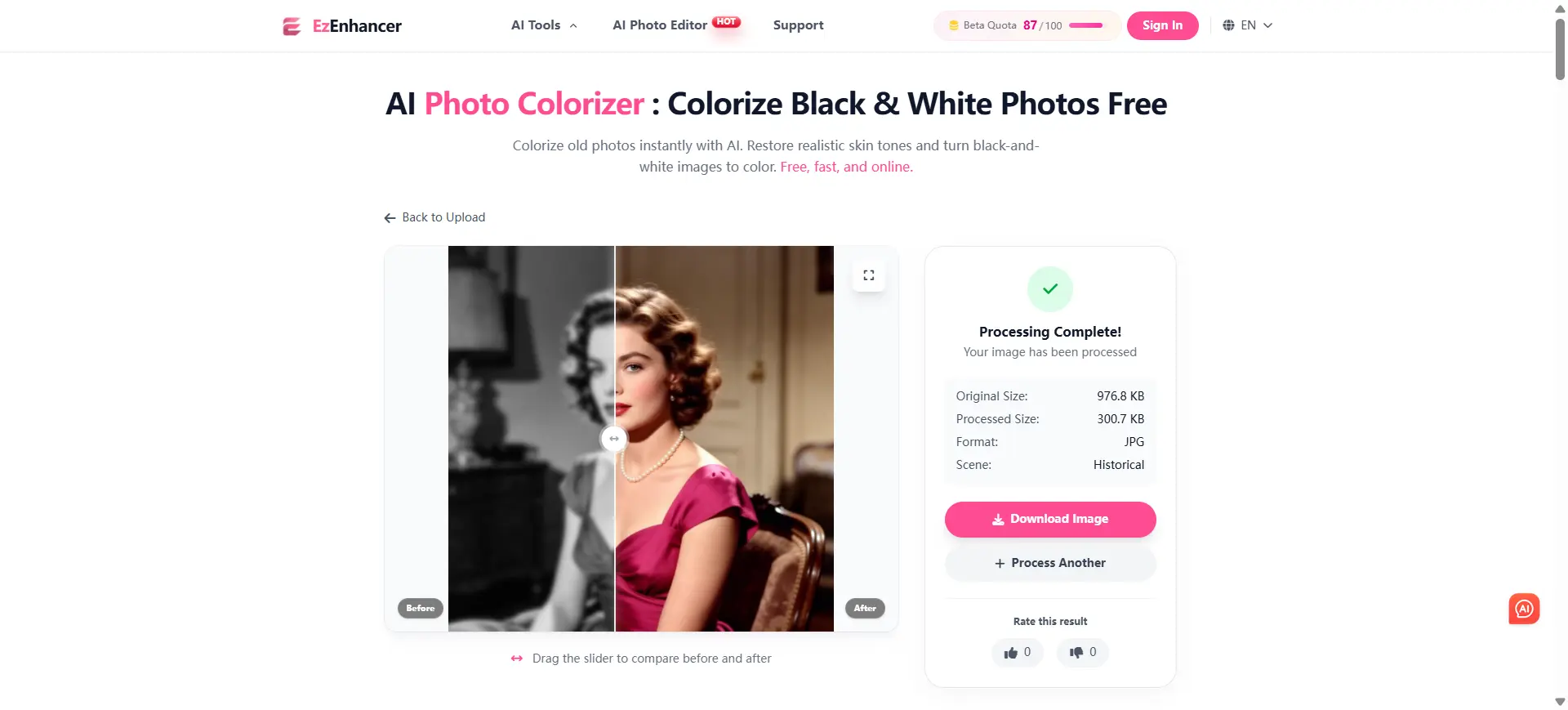
EzEnhancer.ai Photo Colorizer stands out for its ability not just to colorize, but to reconstruct image details.
What we found:
In our testing, it consistently produced some of the most natural-looking human faces, largely avoiding the “waxy” or over-smoothed effect commonly seen in basic AI colorizers. (If you've ever wondered what causes this plastic look, check out our deep dive on why your old photos look fake after colorizing and how to fix it.)
Key Features
- AI texture reconstruction (skin, fabric, details)
- Integrated 4K/8K upscaling
- Advanced skin tone accuracy
Pros
- Excellent portrait realism
- High-resolution output suitable for printing
- Fully automated
Cons
- Requires stable internet (cloud processing)
Best Use Cases
- Family portrait restoration
- High-quality printing projects
- Historical face reconstruction
- Professional archival work
👉 Ideal for users prioritizing realism over speed or convenience.
3. Hotpot.ai – Best for Quick Results
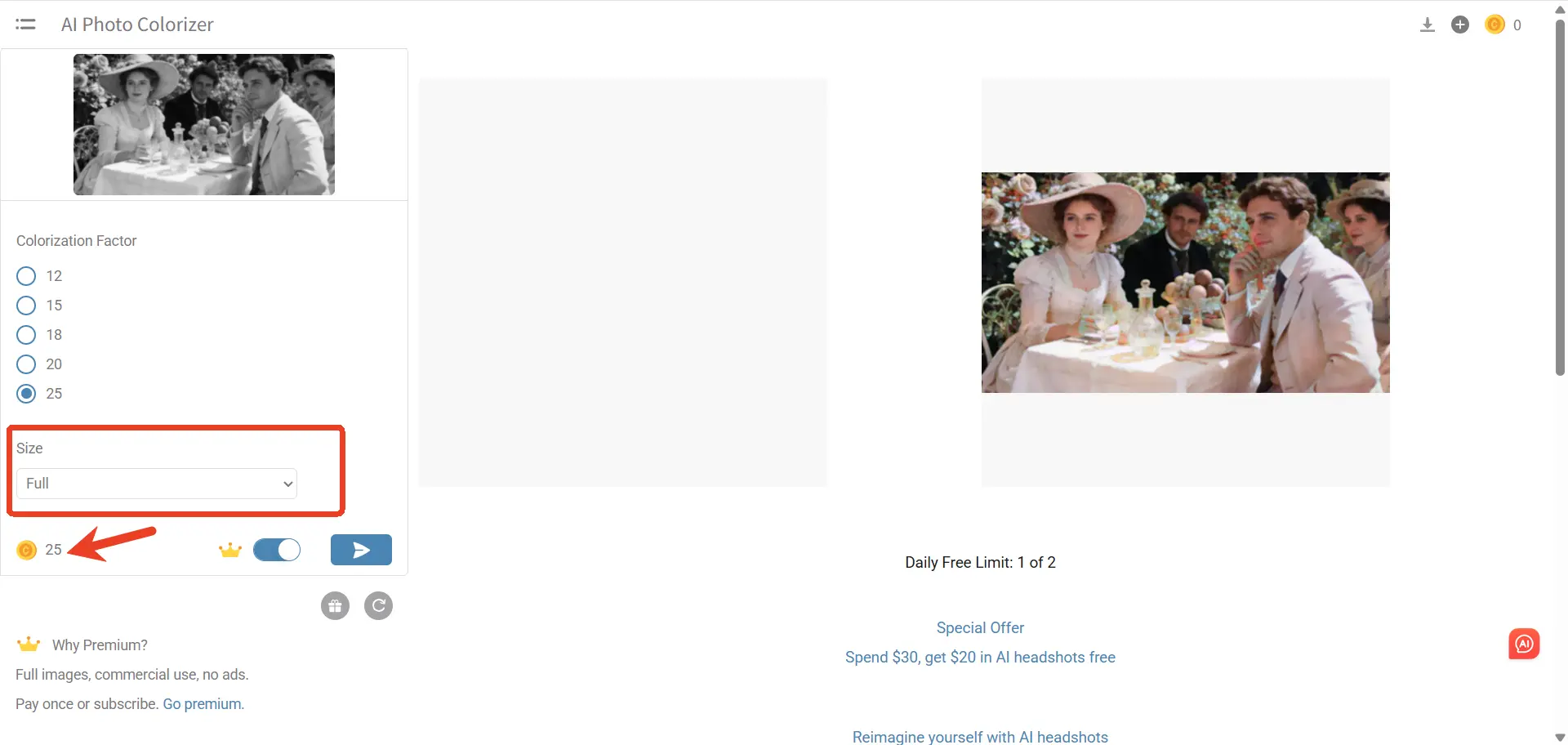
Hotpot.ai is ideal if you want to colorize black and white photos instantly.
What we found:
It’s the fastest tool we tested, with results generated almost instantly. However, while downloading is free, the output is limited to a lower-resolution version that can appear slightly blurry. To access the full-quality image, a paid upgrade is required.
Key Features
- No login required
- Fast processing
- Multiple lightweight AI tools
Pros
- Extremely easy to use
- Great for quick previews
Cons
- Lower resolution output
- Struggles with complex scenes
Best Use Cases
- Quick social media previews
- Testing how a photo will look in color
- Casual or non-professional use
- One-off image conversion
👉 Suitable for quick previews where quality is not the main concern.
4. Fotor – Best AI Colorizer with Built-in Editor
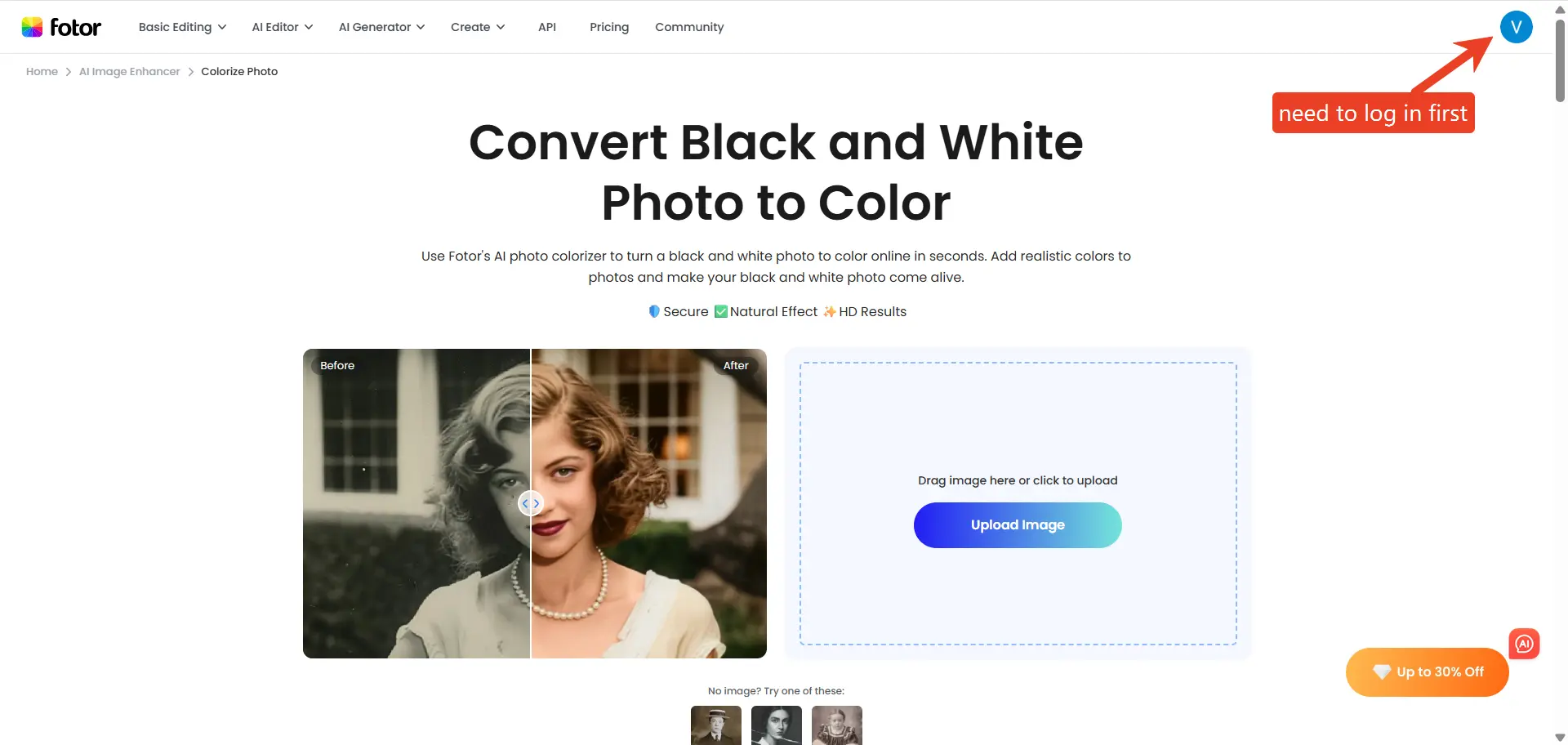
Fotor combines colorization with a full design platform.
What we found:
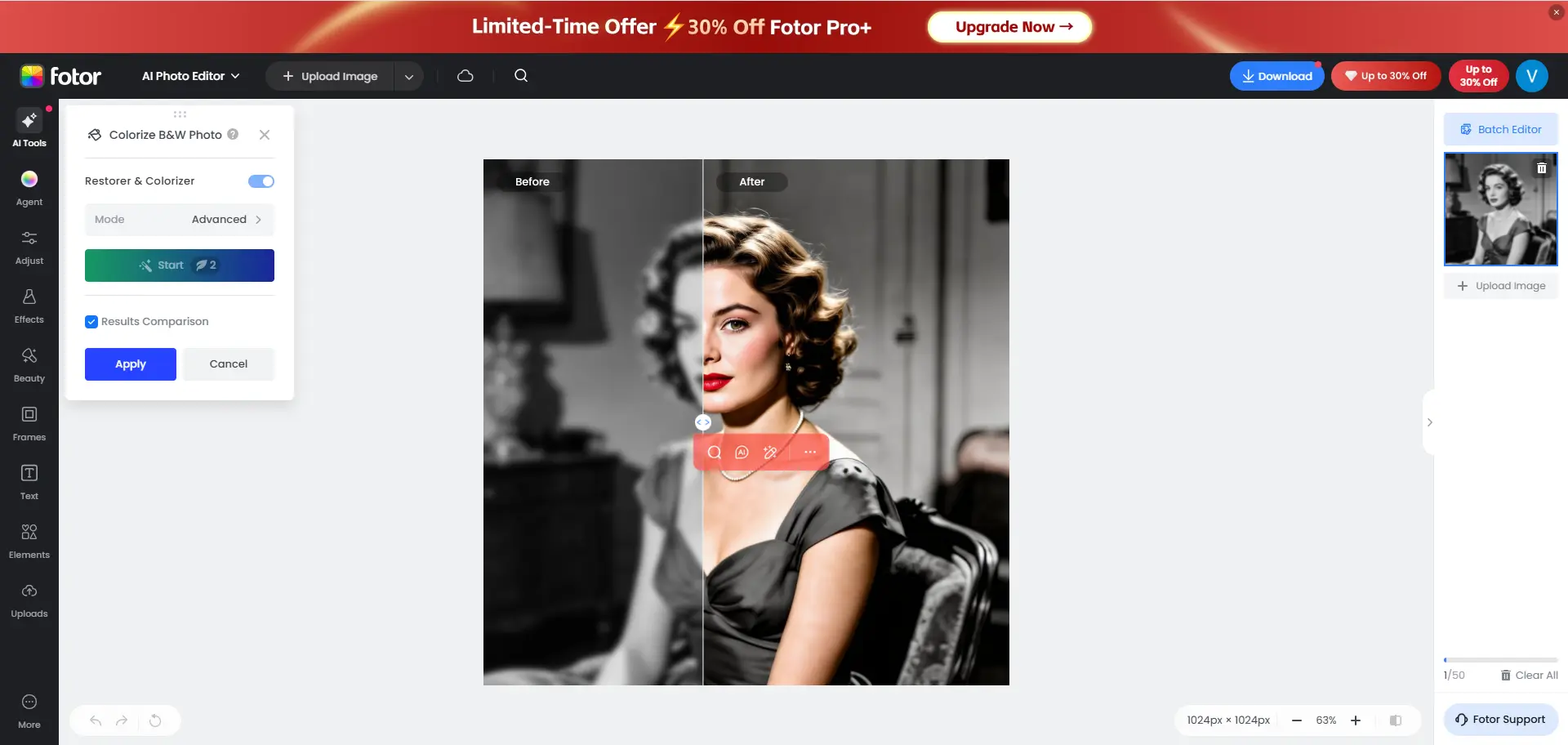
It’s useful for quickly editing or publishing colorized images thanks to its integrated workflow. However, access requires sign-in, and although some free usage is available, paywall prompts appear early in the experience, which may interrupt the workflow. The tool itself is also less optimized for high-precision restoration compared to dedicated colorization platforms.
Key Features
- Built-in editor after colorization
- Cross-platform support
- Design templates
Pros
- Great for social media and design
- All-in-one workflow
Cons
- Can feel overwhelming
- High-res export requires subscription
Best Use Cases
- Creating posters or greeting cards
- Social media content creation
- Combining colorization with design tools
- Light editing after colorization
👉 Best for users who want both colorization and editing in one place.
5. ImageColorizer – Best for Old Photo Restoration
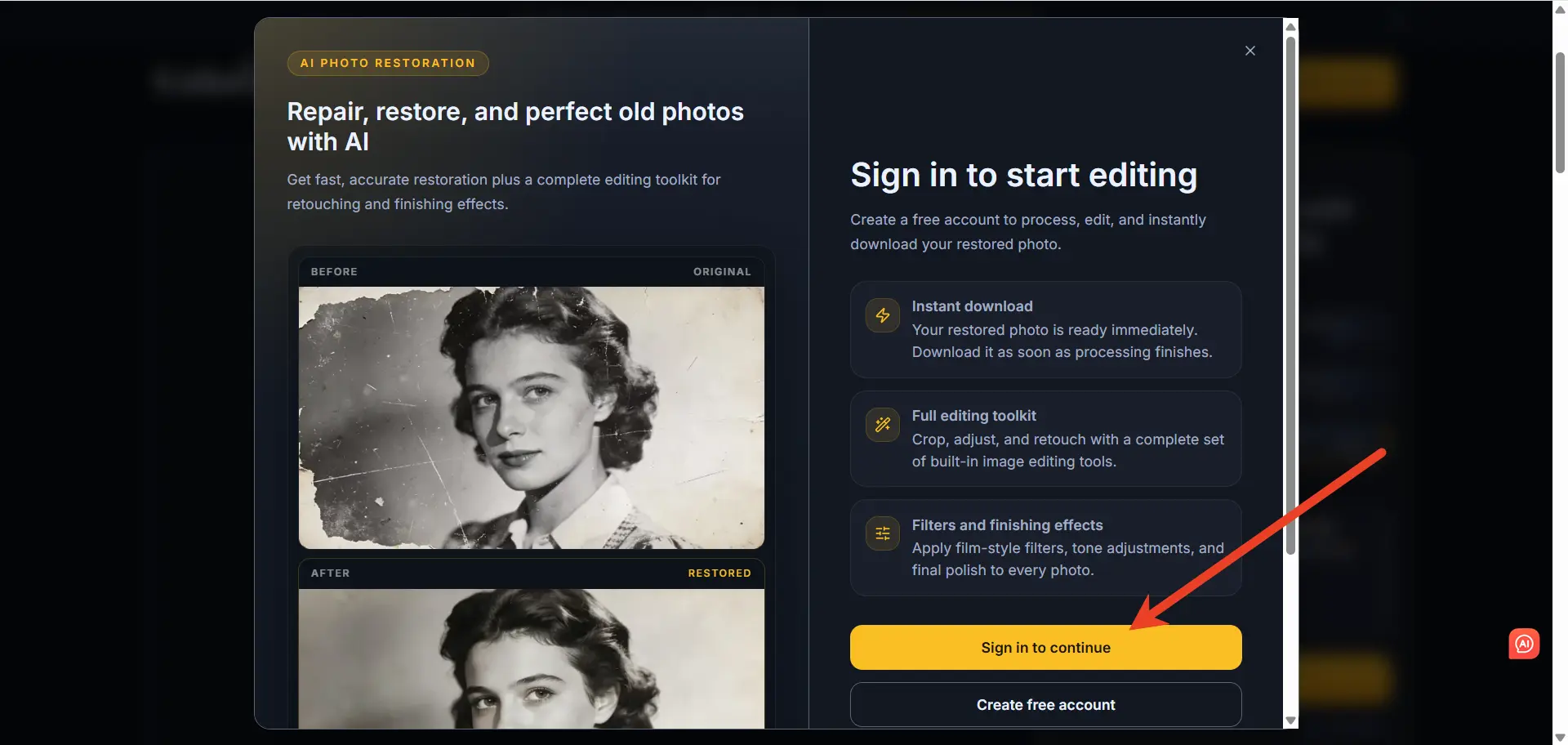
ImageColorizer focuses specifically on vintage photos.
What we found:
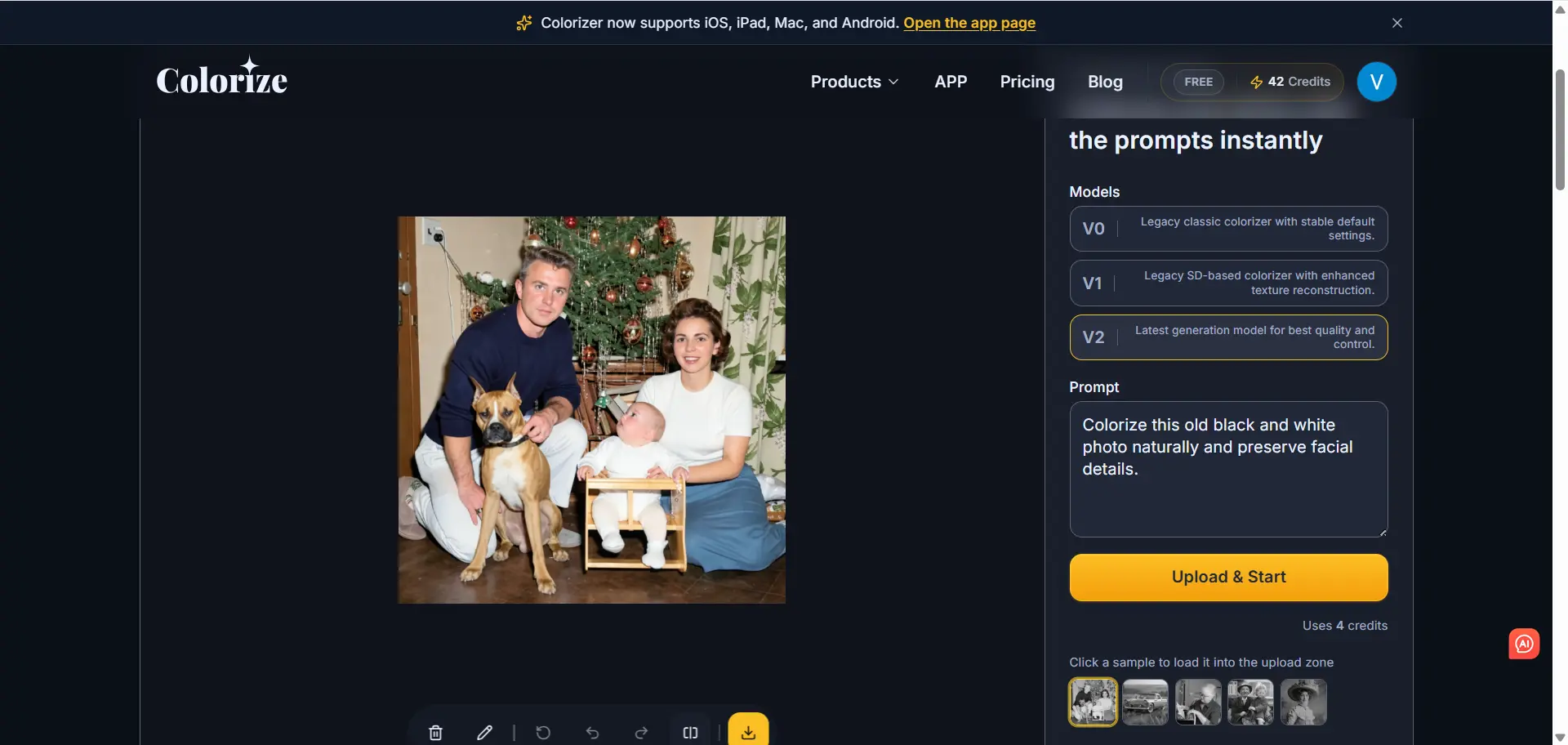
It consistently performed better than most tools when processing faded and yellowed prints, particularly those with visible damage such as scratches, discoloration, or long-term aging effects.
Key Features
- Scratch removal + colorization
- Sepia tone correction
- Privacy-focused processing
Pros
- Strong for damaged photos
- Easy to use
Cons
- Limited editing features
- Watermark in free version
Best Use Cases
- Faded or yellowed prints
- Scratched or aged photographs
- Historical document restoration
- Vintage family albums
👉 Strongest choice for restoring heavily damaged images.
6. Cutout.pro – Best AI Colorizer for Bulk Processing & API
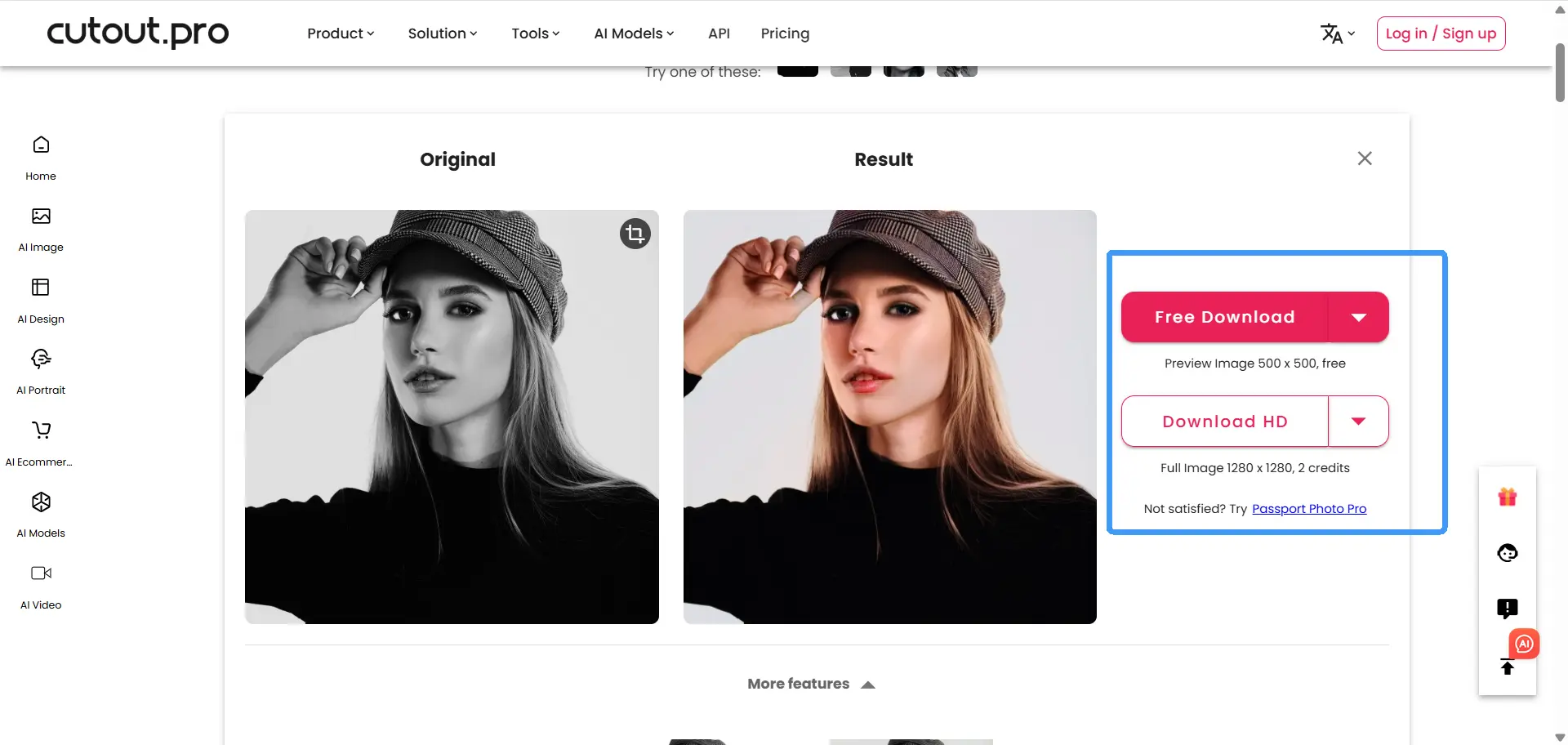
Cutout.pro is designed for scale and automation.
What we found:
It performs well for batch workflows and large-scale processing. However, during testing, we observed that color saturation, especially in skin tones, can occasionally be slightly exaggerated, which may impact overall naturalness.
Key Features
- API integration
- Bulk processing
- Multi-format support
Pros
- Ideal for businesses
- Fast large-scale processing
Cons
- Not beginner-focused
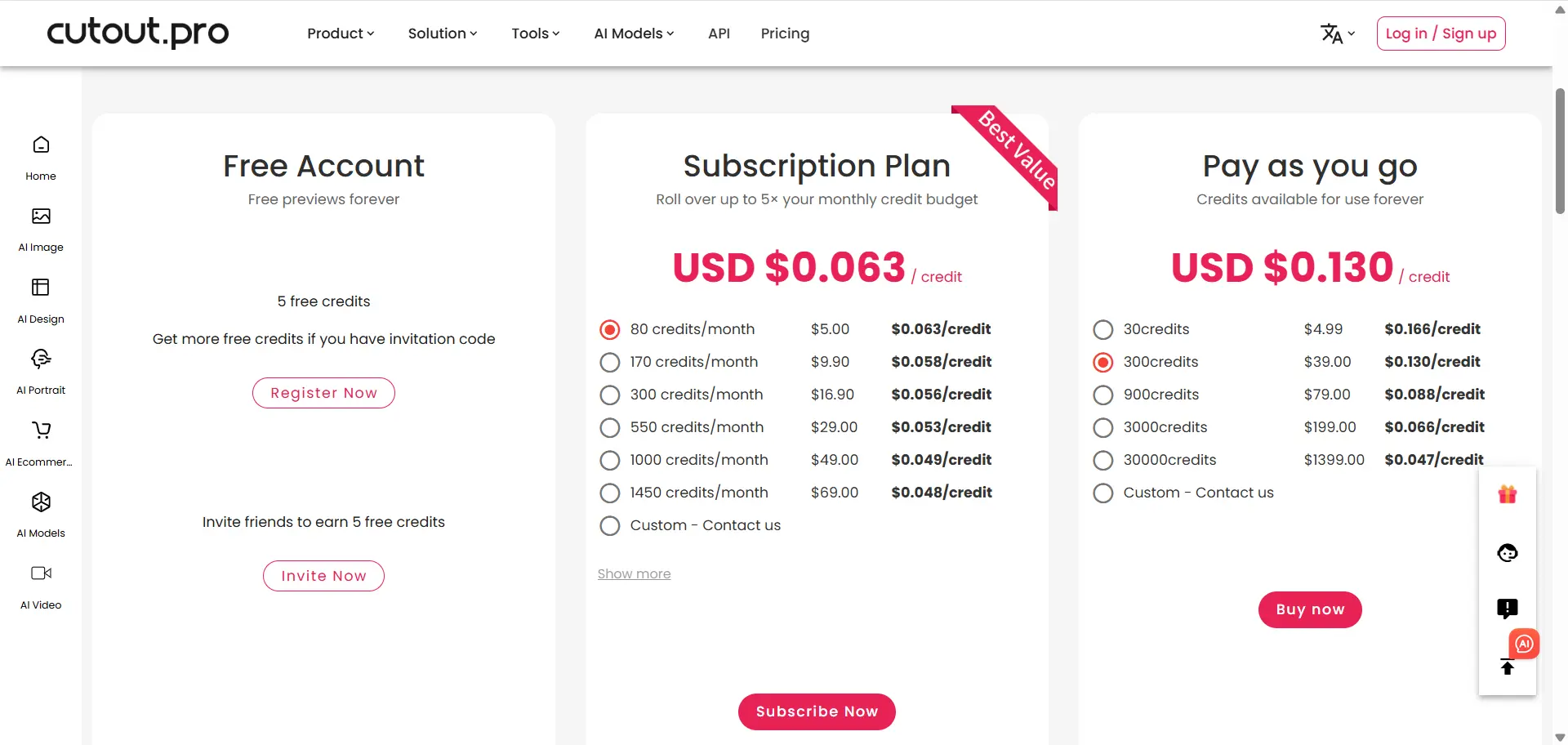
- Pricing geared toward professionals
Best Use Cases:
- Business-scale image processing
- Batch photo restoration
- API integration workflows
- Large archives or datasets
👉 Best for professionals and enterprise users.
Real Capability Comparison (AI Photo Colorizers 2026)
| Capability | EzEnhancer.ai | Other AI Colorizers |
|---|---|---|
| Portrait Realism | ✅ Highly natural skin tones, avoids waxy effect | ⚠️ Often overly smooth or artificially saturated |
| Color Accuracy | ✅ Balanced and context-aware color mapping | ⚠️ May oversaturate or misinterpret lighting |
| Texture Preservation | ✅ Retains fabric, skin, and micro-details | ❌ Tends to blur or over-sharpen textures |
| Restoration of Old Photos | ✅ Strong performance on faded + damaged photos | ⚠️ Usually struggles with heavy aging or scratches |
| Upscaling Quality | ✅ Integrated high-resolution enhancement (print-ready output) | ⚠️ Often limited or separate tool required |
| Consistency Across Images | ✅ Stable results across portraits, landscapes, and archives | ❌ Performance varies significantly by image type |
| Speed vs Quality Balance | ✅ Fast processing without quality loss | ⚠️ Either fast but low quality, or slow but inconsistent |
| Ease of Use vs Control | ✅ One-click, but still maintains professional output quality | ⚠️ Either too simplified or requires manual tuning |
EzEnhancer.ai stands out because it is one of the few AI photo colorizers that successfully balances realistic portrait rendering, high-detail preservation, and consistent output quality across different types of images, without sacrificing speed or ease of use.
FAQ
Which AI photo colorizer produces the most realistic results in 2026?
EzEnhancer.ai produces the most realistic portrait results based on our testing, especially in skin tone and texture recovery.
How accurate are AI photo colorizers?
Accuracy varies by tool, but modern AI models can realistically reconstruct colors based on lighting, context, and object recognition.
Can AI colorize black and white photos automatically?
Yes. Most modern tools fully automate the process using deep learning models, such as Generative Adversarial Networks (GANs), trained on massive historical image datasets.
Are free AI colorizers good enough?
Free tools are fine for previews, but high-quality restoration typically requires paid versions or higher-tier tools.
Final Verdict
Choosing the right AI photo colorizer depends entirely on what you want to achieve with your photos.
If you are just looking for a lightning-fast preview for a casual social media post, Hotpot.ai is an excellent, frictionless choice.
If you are a designer who wants to turn a colorized photo directly into a digital poster, Fotor provides the best all-in-one ecosystem.
However, if your priority is breathtaking realism, flawless human faces, and print-ready high-resolution detail, EzEnhancer.ai is the clear winner of 2026.
Your family’s history deserves to be seen clearly. Don't settle for blurry, waxy, or artificial-looking family photos, give your memories the high-quality restoration they deserve.
2026 Best AI Background Remover for E‑Commerce Products
Discover the 2026 best AI background remover for e-commerce products. Enhance photos, remove backgrounds instantly, and boost sales with professional-quality images.
Best AI Photo Editor for Product Photos
Learn how to use an AI photo editor for product photos, from clean backgrounds and better lighting to seasonal variations and ad-ready images.