














2026 Best AI Background Remover for E‑Commerce Products
The Bottom Line for 2026
Clean, professional product photos are the backbone of e‑commerce success. A crisp white or transparent background improves buyer trust, ensures marketplace compliance (like Amazon's strict image guidelines), and boosts conversion rates.For 2026, EzEnhancer AI ranks as the Best Overall tool for e-commerce due to its unmatched edge-precision and powerful auto-enhancement capabilities.PhotoRoom is ideal for social commerce, while Remove.bg remains the top choice for API-driven enterprise bulk workflows.
Why AI Background Removal is Critical for E-commerce in 2026

Manually clipping product edges using Photoshop’s pen tool is obsolete. Today’s AI background remover tools do more than just erase backdrops—they optimize images for sales. Here is why e-commerce brands are making the switch:
● Marketplace Compliance: Amazon, Walmart, and eBay require pure white backgrounds (RGB 255,255,255) for main product listings.
● Conversion Rate Optimization (CRO): Zero-distraction product photos increase add-to-cart rates by an average of 15%.
● Cost & Time Efficiency: What used to take a graphic designer 10 minutes per photo now takes an AI model 3 seconds, cutting post-production costs by up to 80%.
● Dynamic Contextualization: 2025 e-commerce data revealed that products with "Environmentally Contextual" AI backgrounds saw a 22% higher click-through rate (CTR) on social media ads compared to plain white backgrounds.
How Does AI Background Removal Actually Work? (The Tech Explained)
Understanding the technology helps you choose the right tool. In 2026, AI background removers rely on two primary technologies:
- Semantic Segmentation:
The AI is trained on billions of images to understand what a "subject" is (e.g., a shoe, a bottle, a person) versus what the "background" is (e.g., a table, a studio wall, a busy street). It draws a pixel-perfect invisible mask around the subject. - Generative Edge Refinement:
Older tools left jagged edges. Modern 2026 models (like those used in EzEnhancer AI) use generative AI to reconstruct microscopic details on the edge—such as individual strands of hair, the fuzz on a sweater, or the refraction of light through a glass bottle—ensuring a natural look without the "cut-and-paste" halo effect.
Quick Picks: Best AI Background Removers (2026)
● Best Overall for E‑commerce: EzEnhancer AI
● Best for Social Media Content: PhotoRoom
● Best for Speed & API Integration: Remove.bg
● Best All‑in‑One Design Platform: Canva
● Best for AI Product Scenes (GenAI): Pixa
In-Depth Reviews: Top 5 AI Background Removers
Top 1: EzEnhancer AI (Best Overall for E‑commerce)
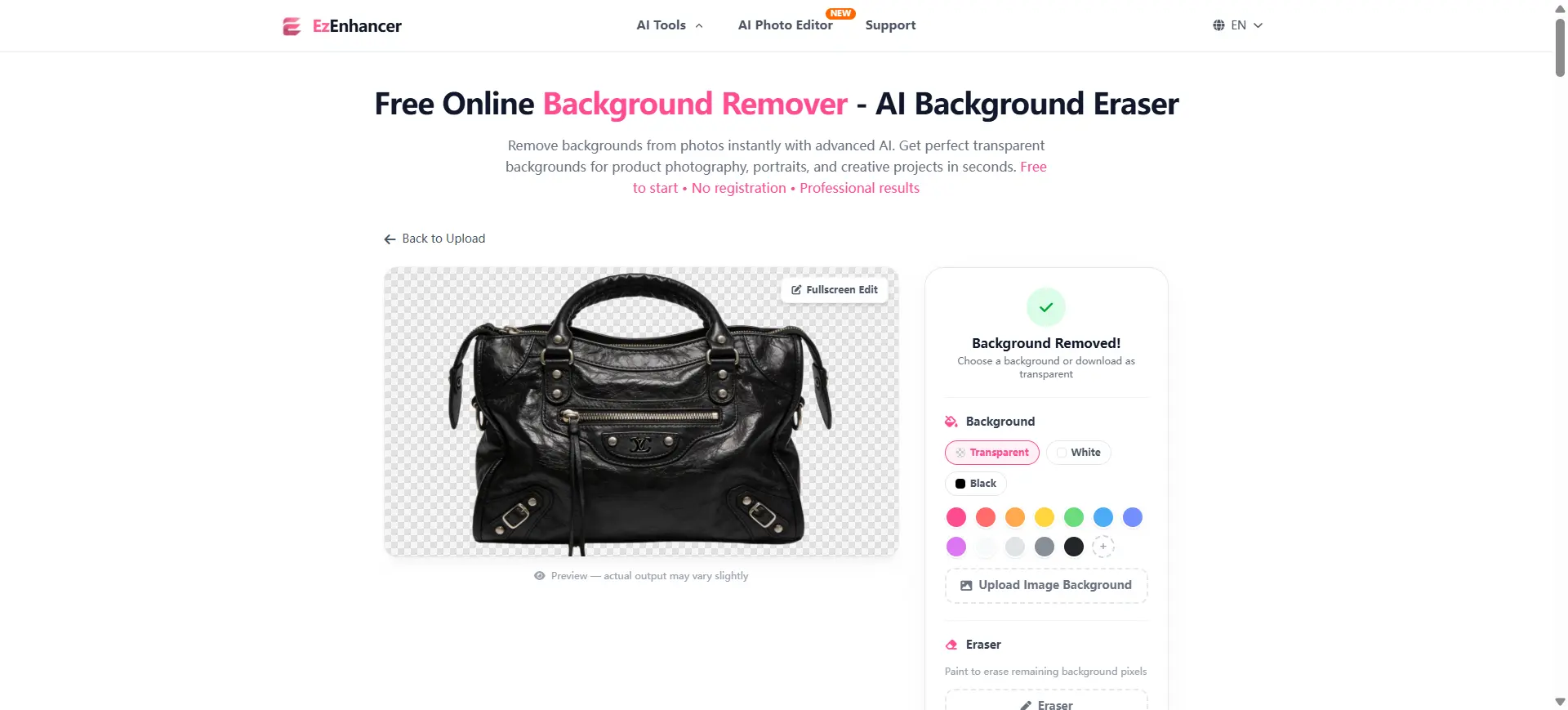
Overview
EzEnhancer AI goes beyond simple background removal by combining it with AI-driven image enhancement. Engineered specifically for e-commerce workflows, its AI models are trained on millions of product edges, complex materials (like glass and fur), and lighting scenarios. It doesn't just cut out the product; it restores clarity, color balance, and resolution, making it the ultimate tool for Amazon, Shopify, and Etsy sellers.
Key Features
- Precision AI background removal with advanced edge-detection
- Automatic image enhancement (sharpening, color correction, upscaling)
- Instant one-click processing for individual product photos
- Export options for pure white, transparent (PNG), or custom hex color backgrounds
Pros vs. Cons
✅ Pros
- Ultimate all‑in‑one product photo workflow
- Flawless accuracy on complex product edges (hair, transparent plastics)
- High-volume batch processing saves hours of manual work
- Beginner-friendly UI with zero learning curve
❌ Cons
- Bulk/batch processing is not yet available (Currently in development / Coming Soon)
Top 2: PhotoRoom (Best for Social Media)
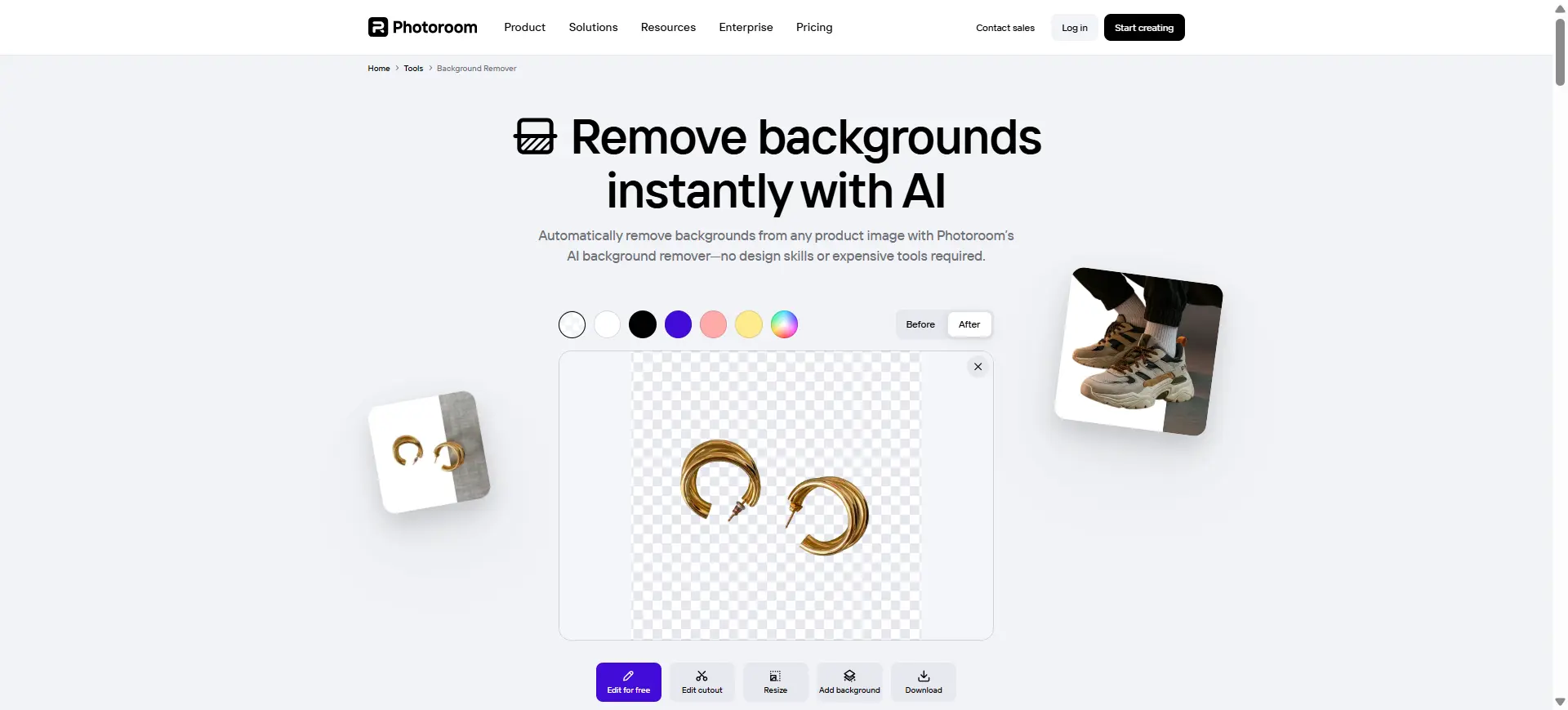
Overview
Originally dominating the mobile space, PhotoRoom has evolved into a powerhouse for social commerce. It instantly removes backgrounds and drops your product into thousands of high-converting templates perfect for TikTok Shop, Instagram ads, and Pinterest.
Key Features
- Massive e-commerce and social media template library
- AI-generated realistic shadows and reflections
- Object retouching (Magic Retouch) to remove dust or scratches
Pros vs. Cons
✅ Pros
- Extremely intuitive mobile and web apps
- Instant resizing for different social media platforms
- Generates high-quality lifestyle marketing visuals quickly
❌ Cons
- The free version leaves a prominent watermark
- Desktop interface can feel slightly restrictive compared to mobile
Top 3: Remove.bg (Best for Speed & API)
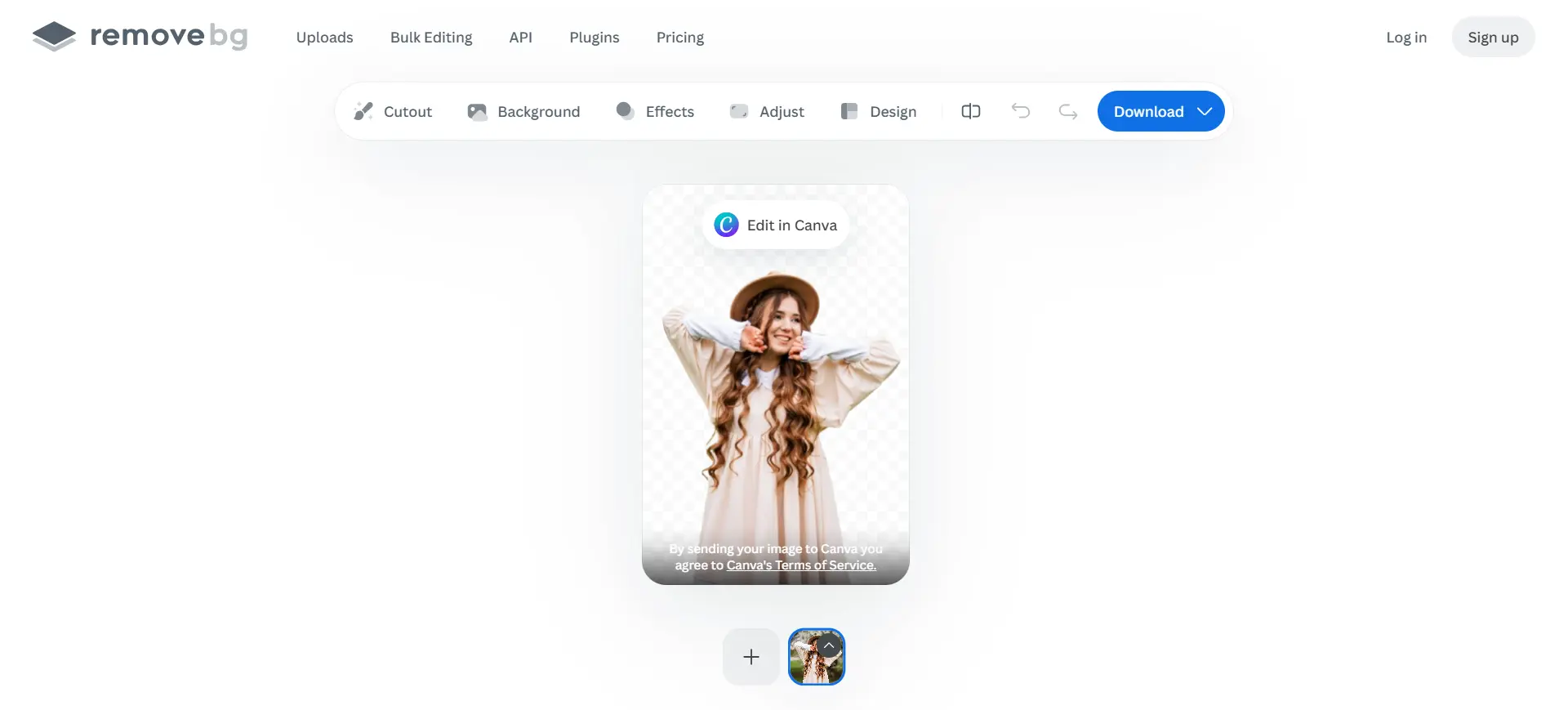
Overview
When it comes to raw speed and integration, Remove.bg is the industry veteran. While it lacks the generative AI scene features of its competitors, it excels in automated workflows. Developers love it for its robust API, allowing seamless integration into custom CMS or inventory management software.
Key Features
- Lightning-fast AI background removal (under 2 seconds)
- Comprehensive API integration
- Official plugins for Adobe Photoshop, Figma, and Zapier
Pros vs. Cons
✅ Pros
- Unmatched reliability and server uptime
- Integrates seamlessly into enterprise automation workflows
- Excellent handling of human subjects and portraits
❌ Cons
- Credit-based pricing can become expensive for large e-commerce catalogs
- Lacks built-in marketing templates or generative scene design
Top 4: Canva (Best All-in-One Design Platform)
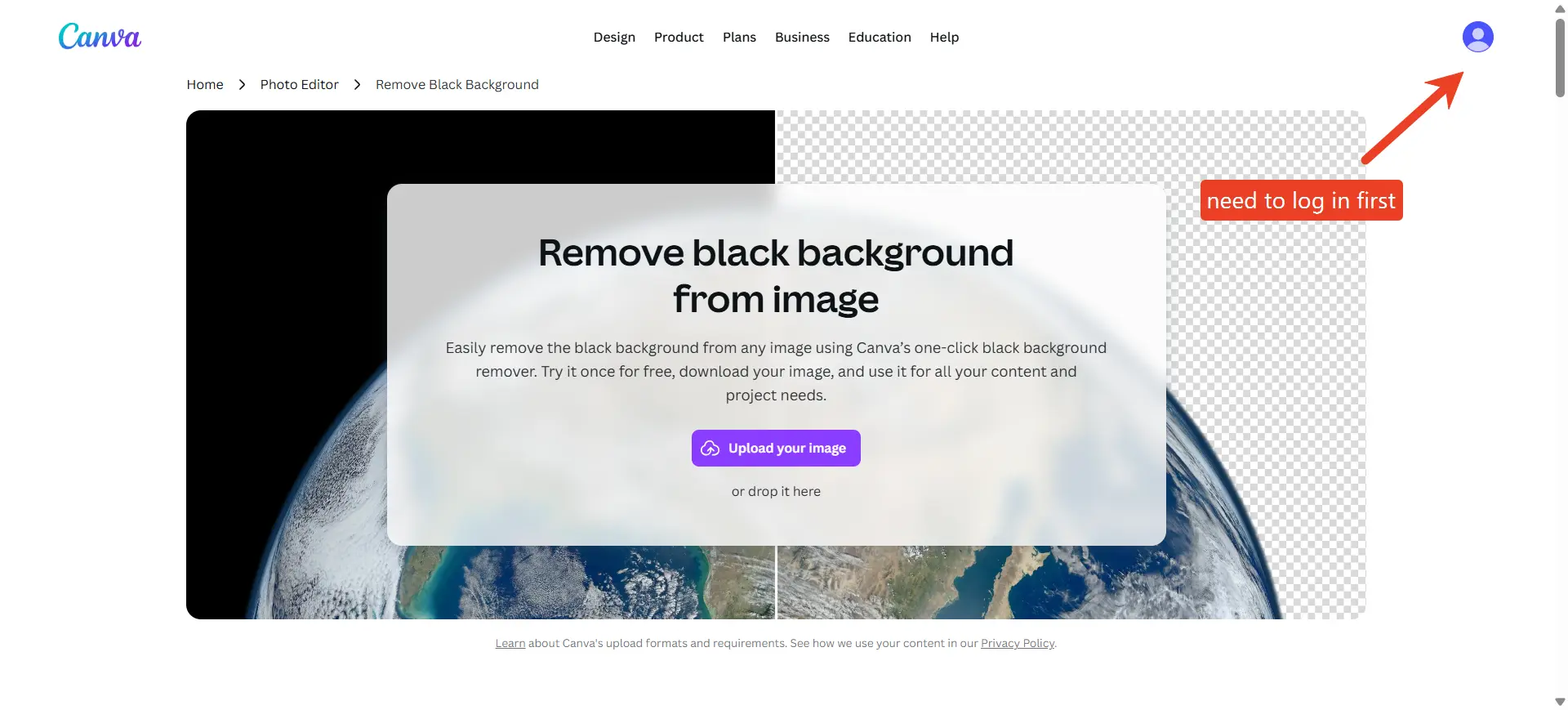
Overview
Canva’s AI background remover (Magic Grab/Magic Edit) is built directly into its massive design ecosystem. It’s the perfect choice for marketing teams who need to remove a background and immediately drop the product into a promotional flyer, banner, or social media post.
Key Features
- One-click Magic Background Eraser
- Full access to Canva’s layout, typography, and graphic assets
- Brand Kit enforcement and team collaboration tools
Pros vs. Cons
✅ Pros
- Centralizes all marketing design in one single platform
- Incredible collaboration features for remote marketing teams
- Continuously updated with new AI Magic Studio features
❌ Cons
- Background Removal is locked behind the Canva Pro (Paid) subscription
- Less precise on tricky edges compared to dedicated tools like EzEnhancer AI
Top 5: Pixa (Best for AI Product Scenes)
Overview
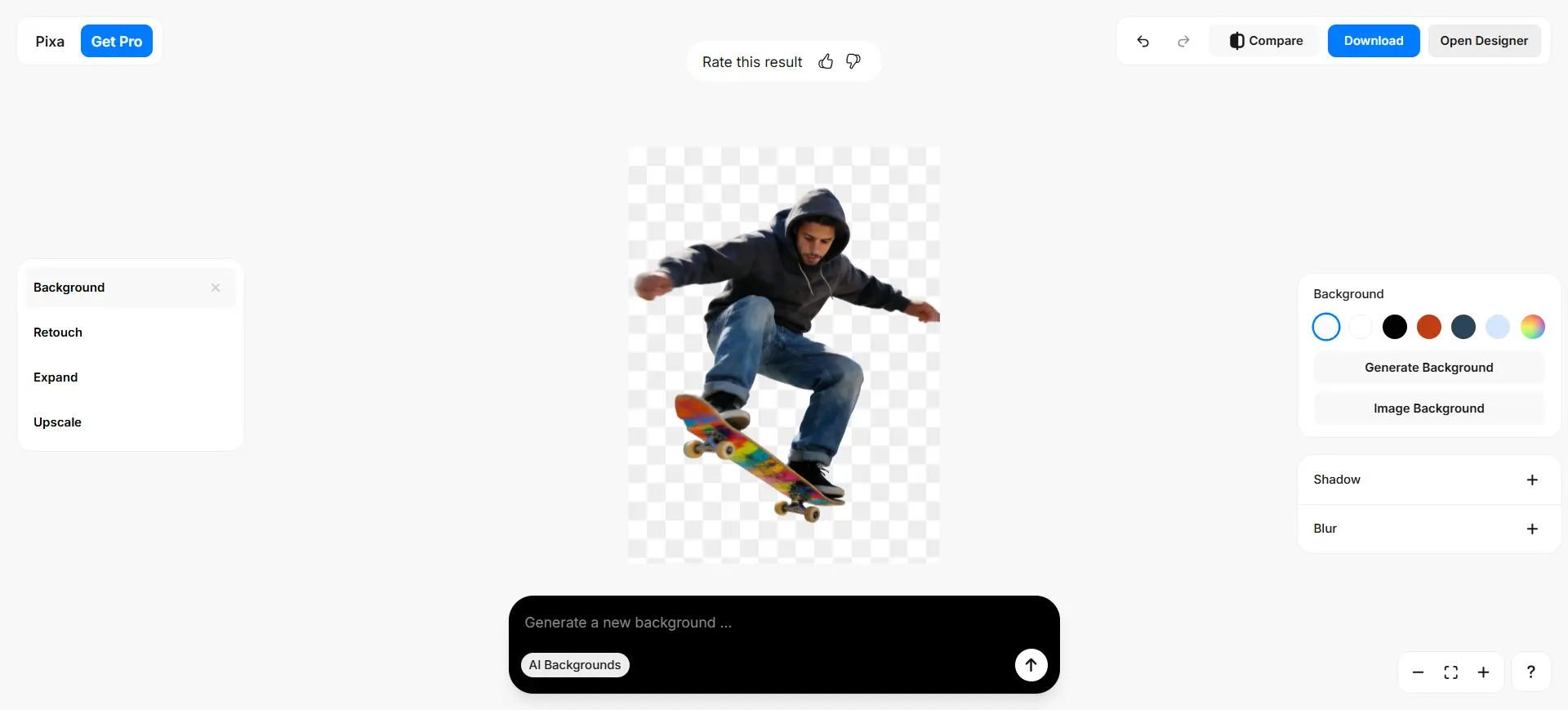
Pixa bridges the gap between background removal and virtual photoshoots. Once the background is removed, its AI can generate photorealistic contextual backgrounds (e.g., placing a bottle of skincare on a marble countertop with natural sunlight). This makes Pixa highly useful for e-commerce brands and marketing teams looking to create lifestyle content without a physical studio.
Key Features
- High-accuracy Magic Eraser
- AI-generated contextual product scenes
- Batch editing capabilities tailored for marketing teams
- Team collaboration workspaces
Pros vs. Cons
✅ Pros
- Eliminates the need for expensive physical lifestyle photoshoots
- Highly creative output for social media and website hero images
- Collaborative workflows for creative agencies and brands
❌ Cons
- The AI-generated scenes can sometimes produce minor artifacts
- The free plan is highly restricted in features and resolution
- The interface may feel busy for first-time users
Summary Comparison: Which Tool Should You Choose?
| Tool | Best For | Core Strength | Pricing Model |
|---|---|---|---|
| EzEnhancer AI | E‑commerce Sellers | Edge Accuracy & Auto-Enhancement | Free |
| PhotoRoom | Social Commerce | Trendy Marketing Templates | Subscription |
| Remove.bg | Developers/Agencies | API & Workflow Automation | Pay-per-Credit |
| Canva | Marketing Teams | Full Graphic Design Suite | Subscription (Pro) |
| Pixa | Creative Brands | AI Virtual Photoshoots | Subscription |
Pure White vs. Transparent vs. AI Scenes: Which Should You Use?
Once you remove the background, you have three main output choices.
- Pure White Background (JPEG): Standard for Amazon, eBay, and Google Shopping. Ensures fast page loading, eliminates visual clutter, and keeps focus 100% on the product.
- Transparent Background (PNG): Essential for web design. Allows the product to blend seamlessly into your site’s theme. Crucial for layered marketing banners.
- AI-Generated Contextual Scenes: Best for social media, email marketing, and hero banners. Helps consumers visualize how a product fits into their lives.
The Hidden Cost of Manual Editing (ROI Breakdown)
Why pay for an AI tool? Let’s look at the math for an e-commerce store launching 100 new products:
- Manual Editing (Photoshop): ~5 minutes per photo → 8.3 hours total. At $25/hour, software wait time and editing costs add up quickly.
- AI Background Remover: 100 photos processed in 2 minutes via EzEnhancer AI. Cost is a fraction of a subscription (often under $15/month for thousands of credits). ROI is immediate in both time and money.
Image SEO: How Optimized Product Photos Drive Organic Traffic
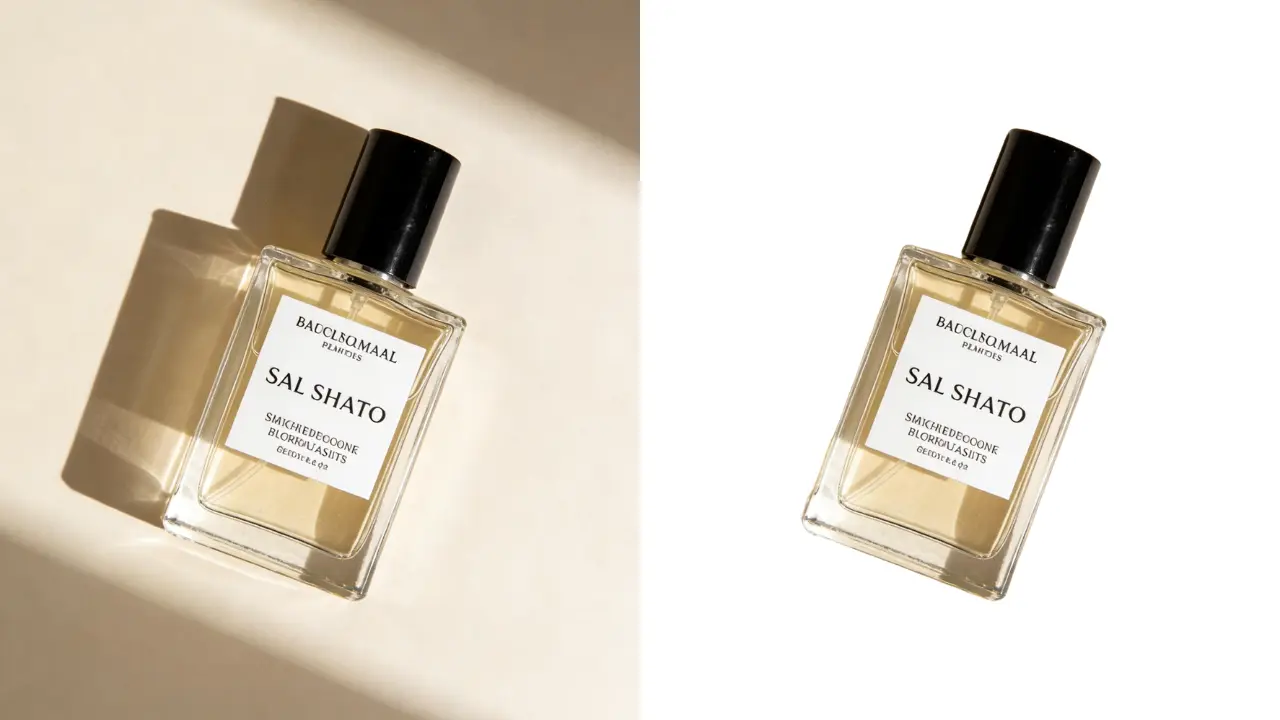
Removing the background is just step one. To dominate Google Image Search in 2026, follow these Image SEO rules:
● Rename Your Files: Never upload IMG_9942.png. Rename the file descriptively after the background is removed: mens-leather-wallet-brown-white-background.jpg.
● Optimize Alt Text: Add clear Alt Text describing the product. This helps visually impaired users and tells Google exactly what the image is.
● Compress for Speed: Even with the background removed, large files slow down your website. Look for tools that allow you to export in modern, lightweight formats like WebP, which retains high quality at a fraction of the file size.
Expert Tips for Perfect AI Background Removal in 2026
- Lighting is Still Queen: Shoot products against neutral backgrounds to avoid "light bleed".
- Start with High Resolution: 2K or 4K images help AI distinguish edges accurately.
- Always Export as PNG for Archives: Even if final use is JPEG, PNG preserves transparency for future marketing.
- Don't Forget the Shadows: Use tools that generate realistic drop-shadows or floor reflections for natural-looking images.
Use Case Scenarios: Finding Your Perfect Match
| Use Case | Recommended Tool(s) | Why / Key Features |
|---|---|---|
| Amazon & FBA Sellers | EzEnhancer AI | Handles pure white backgrounds, high resolution, automatic image sharpening |
| Shopify Stores & DTC Brands | EzEnhancer AI, PhotoRoom | EzEnhancer AI cleans product pages; PhotoRoom creates engaging visual variations |
| Social Media Product Marketing | PhotoRoom, Pixa | Templates and AI-generated scenes for Instagram, TikTok, Facebook ads |
| Scaling Large Catalogs | EzEnhancer AI, Remove.bg | Batch UI and API support for processing thousands of SKUs efficiently |
| Marketing Teams | Canva, Pixa | Team workflows, brand kits, template libraries for consistency and collaboration |
Frequently Asked Questions (FAQ)
Q: What is the best AI background remover for e-commerce product photos? A: Based on edge accuracy, batch processing, and built-in enhancement, EzEnhancer AI is currently the most robust option for dedicated e-commerce sellers in 2026.
Q: Does removing the background reduce image quality? A: Modern AI tools like EzEnhancer AI do not reduce quality. They include AI upscaling to improve resolution and sharpness.
Q: Can AI background removers handle transparent objects like glass or liquids? A: Yes. Advanced segmentation preserves semi-transparent pixels while removing the backdrop.
Q: Can AI background removers handle bulk or batch processing? A: Yes. Tools like EzEnhancer AI, PhotoRoom, and Pixa allow bulk uploads and simultaneous processing.
Q: Do I need graphic design skills to use these AI tools? A: No. One-click AI recognition automatically detects the main subject and removes the background.
Final Recommendation
Your ideal AI background remover depends on your specific business model. For sheer automation, use Remove.bg. For marketing teams focused on brand consistency, Canva is unmatched. For social media aesthetics and virtual scenes, try Pixa or PhotoRoom. However, for the vast majority of e-commerce sellers looking for the perfect balance of professional quality, edge precision, and batch efficiency, EzEnhancer AI remains the top recommendation for 2026.
AI vs Professional Photo Restoration: Which Is Best for Old Photos?
Compare AI old photo restoration and professional photo restoration services. Learn which photo enhancer delivers the best results for old photos.
Best AI Photo Colorizers in 2026 (Tested for Accuracy, Detail & Realism)
Stop getting blurry results! We tested the 6 best AI photo colorizers in 2026 for realism. Discover the top tools to restore your black and white photos.