Best Photo Enhancer in 2026 | Top AI Tools Compared
Best Photo Enhancing Tools in 2026: Desktop Tools and Mobile Apps That Actually Improve Your Photos
A Blurry Vacation Photo Turned Into a Framed Memory
Last summer, Sarah finally visited Iceland—a dream destination she had planned for years. Standing in front of a breathtaking waterfall, she captured what should have been the perfect photo. Unfortunately, when she viewed it later on her laptop, the image was disappointing. The details were soft, the lighting was dull, and a slight camera shake had made the entire scene look blurry.
Like millions of people today, Sarah faced a common problem: our cameras capture moments, but they don't always capture them perfectly.
Whether it's an old family portrait, a low-resolution social media image, a blurry product photo, or a smartphone snapshot taken in poor lighting, image quality can dramatically affect how we remember, share, and use our photos.
Fortunately, modern AI photo enhancement tools can restore lost details, sharpen blurry images, improve lighting, remove noise, upscale resolution, and even bring old photos back to life.
But with dozens of options available, choosing the best app for photo enhancing can be overwhelming.
In this guide, we'll explore the most effective Web-Based photo enhancement tools and mobile apps available in 2026. We'll begin with desktop solutions that offer the highest quality results before moving on to powerful mobile apps for editing on the go.
Best Desktop Photo Enhancement Software
For photographers, content creators, designers, marketers, and anyone who values image quality, desktop-based AI enhancers usually provide the best results. They offer more powerful processing, larger file support, and higher-resolution exports than most mobile apps.
1. EzEnhancer AI Photo Enhancer (Best Overall Choice)
When it comes to balancing image quality, ease of use, processing speed, and affordability, EzEnhancer AI Photo Enhancer stands out as one of the strongest options available today.
Unlike traditional photo editors that require manual adjustments and advanced editing knowledge, EzEnhancer uses AI models trained specifically for image restoration and enhancement. The system automatically analyzes your image and applies the most suitable enhancements with minimal user input.
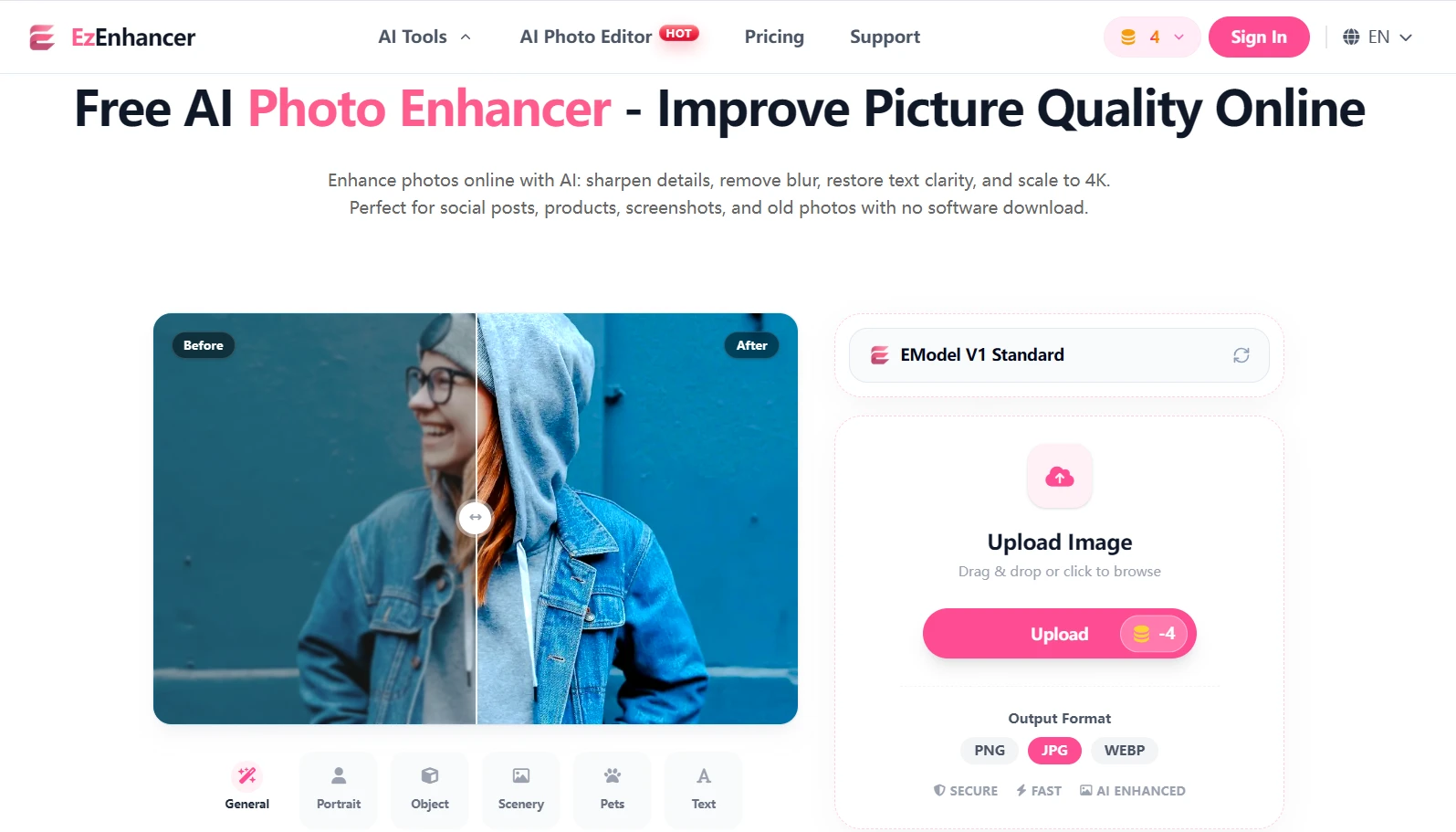
Why EzEnhancer Stands Out
Many photo enhancement tools focus on only one problem, such as sharpening or upscaling. EzEnhancer combines multiple enhancement technologies into a single workflow.
Key advantages include:
AI-Powered Image Upscaling
EzEnhancer can increase image resolution while preserving fine details. Instead of simply stretching pixels, its AI reconstructs textures, edges, and facial features to create a more natural high-resolution image.
Best for:
- Low-resolution images
- Social media photos
- Product photography
- Website images
- Old digital photos
Intelligent Sharpening
Blurred photos often contain hidden details that traditional sharpen filters cannot recover. EzEnhancer's AI sharpening model detects edges and structures to restore clarity without creating unnatural halos.
Best for:
- Motion blur
- Slight camera shake
- Soft-focus images
- Smartphone photos
AI Remove Glare
Glare from glasses, windows, reflective surfaces, or harsh lighting can obscure important details in a photo. EzEnhancer uses AI to reduce unwanted glare and reflections while preserving image clarity and natural-looking results.
Best for:
- Photos with eyeglass glare
- Window reflections
- Product photography
- Images taken under strong lighting conditions
Portrait Enhancement
Faces receive special treatment through dedicated portrait AI models.
The system can:
- Improve skin texture naturally
- Restore facial details
- Sharpen eyes
- Enhance hair definition
- Preserve realistic appearance
Best for:
- Family portraits
- Professional headshots
- Wedding photography
- Social media profile pictures
One-Click Workflow
One of EzEnhancer's biggest advantages is simplicity.
Many professional editing programs require users to adjust:
- Exposure
- Contrast
- Sharpness
- Noise reduction
- Resolution settings
- Detail recovery
EzEnhancer automates these processes, making it suitable for both beginners and professionals.
Pros
✅ Excellent image quality
✅ Very beginner-friendly
✅ Fast AI processing
✅ Supports portrait and landscape enhancement
✅ Effective upscaling capabilities
✅ No advanced editing skills required
Cons
❌ Limited manual controls compared with Photoshop
❌ Requires internet connection for cloud processing
Best For
- Old photos
- Portraits
- Product images
- Social media content
- Website graphics
- Marketing materials
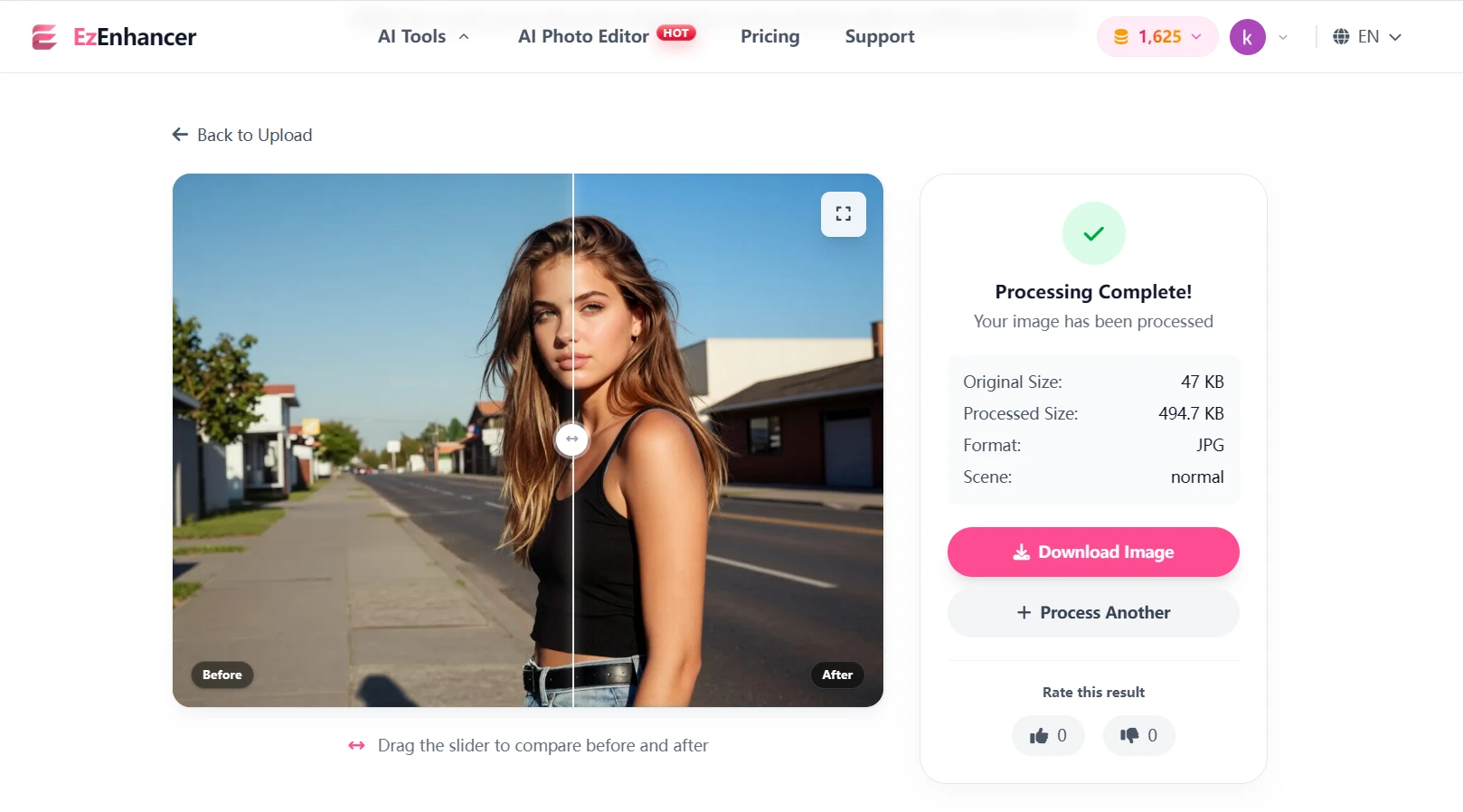
How to Enhance a Photo with EzEnhancer.ai
One reason users love EzEnhancer is its extremely straightforward workflow.
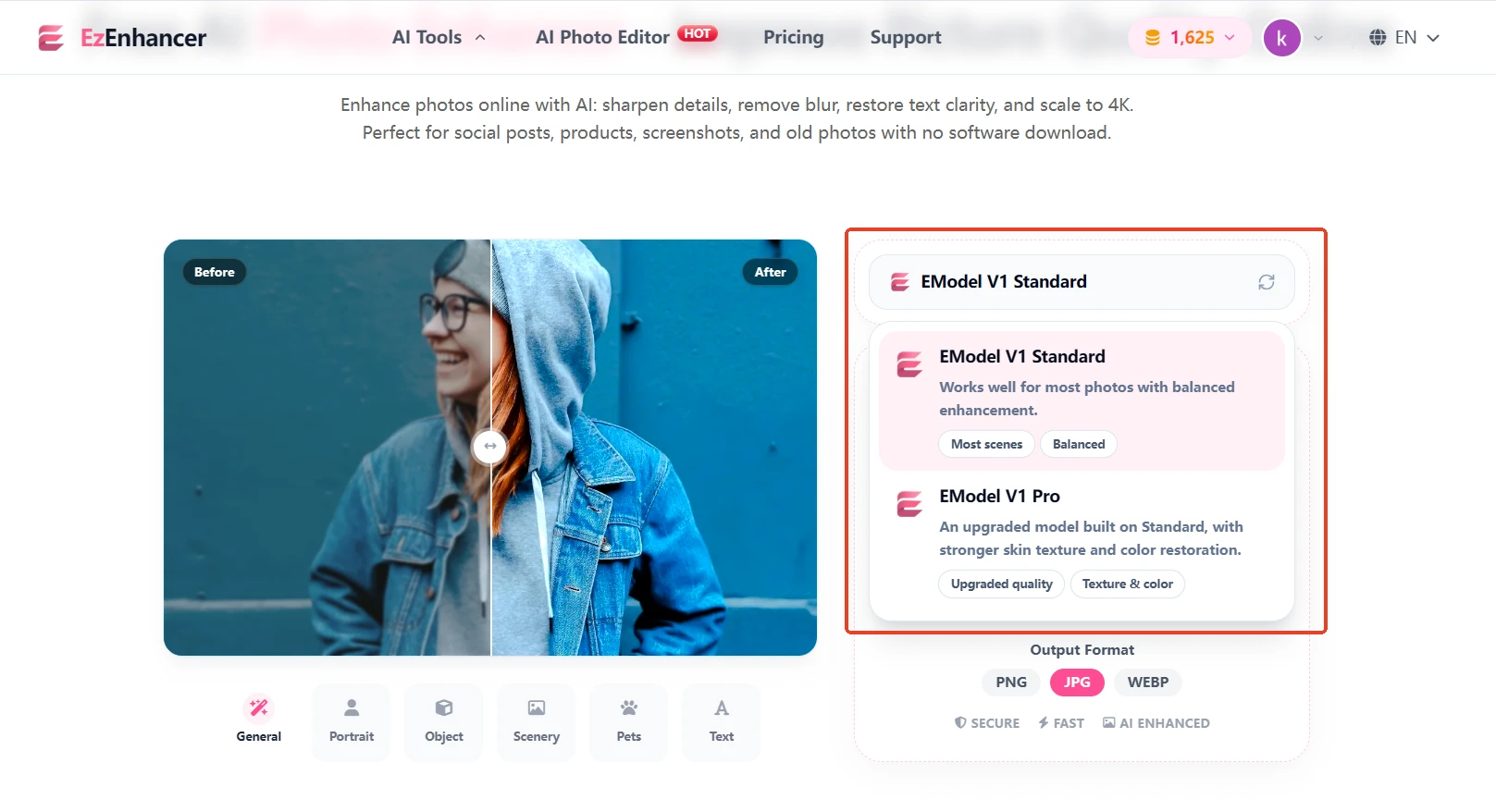
Step 1: Select an Enhancement Mode
Depending on your image, choose the most suitable AI enhancement option.
Examples include:
- V1 Standard Mode – Ideal for most images, delivering balanced improvements to color, brightness, contrast, sharpness, and overall image quality.
- V1 Pro Mode – Designed for users who want enhanced facial restoration, with better preservation of skin texture details and improved color recovery for old or faded photos.
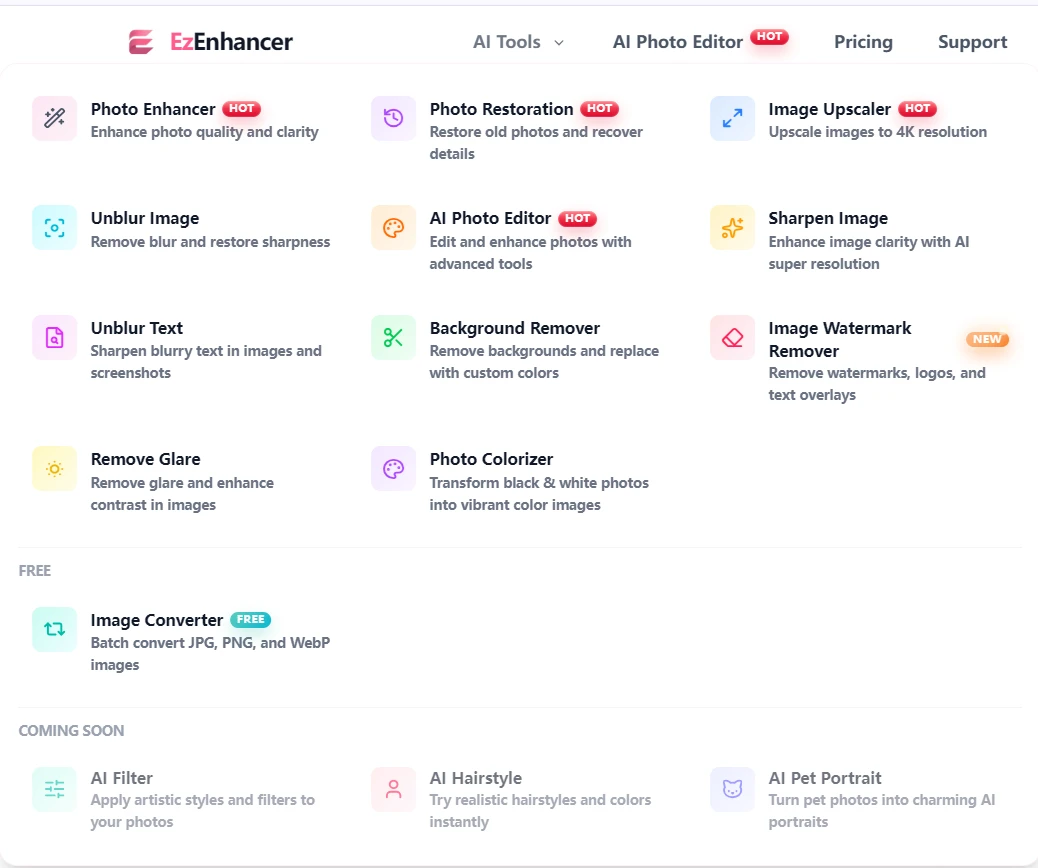
- Upscale Image
- Sharpen Photo
- Remove Blur
- Remove Glare
- Photo Restoration
Step 2: Upload Your Image
Visit EzEnhancer.ai and upload your photo.
Supported image types typically include:
- JPG
- JPEG
- PNG
- WEBP
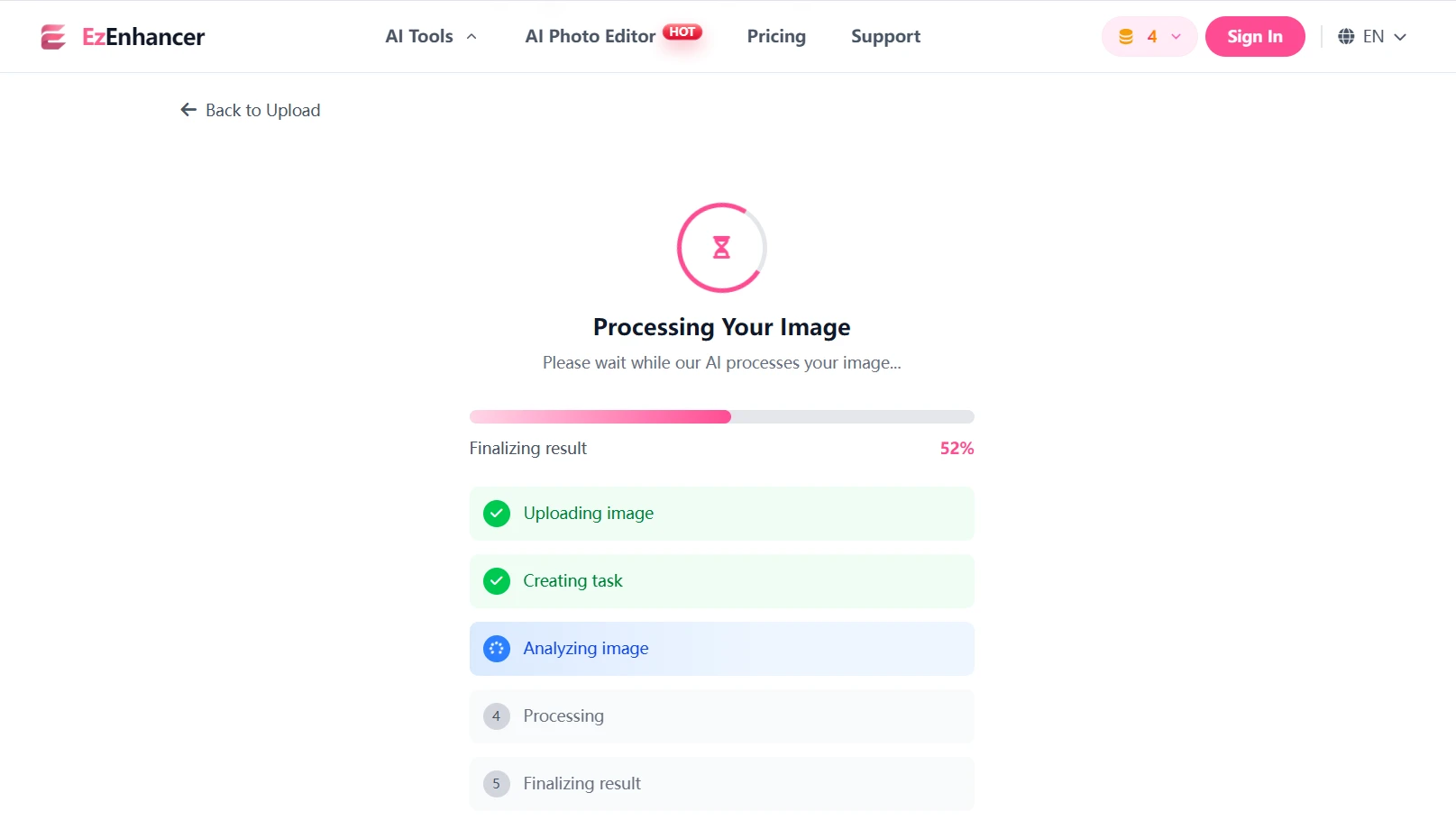
Step 3: Let AI Analyze the Photo
The AI automatically examines:
- Resolution quality
- Facial details
- Lighting conditions
- Texture information
- Noise levels
The system then applies optimized enhancement settings.
Step 4: Preview the Results
Before downloading, compare the original image with the enhanced version.
Pay special attention to:
- Facial details
- Text clarity
- Edge sharpness
- Texture recovery
Step 5: Download the Enhanced Photo
Once satisfied, export the improved image and use it for:
- Printing
- Social media
- E-commerce
- Marketing campaigns
- Personal archives
The entire process usually takes less than a minute.
2. Adobe Photoshop Neural Filters
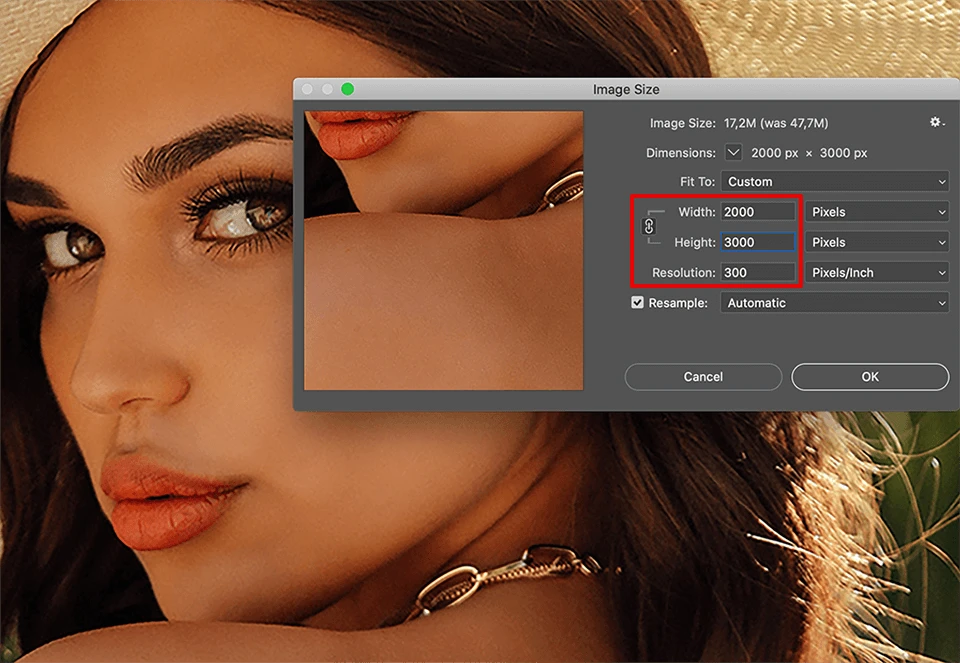
Photoshop remains the industry standard for image editing, and its AI-powered Neural Filters have significantly improved photo enhancement capabilities.
Key Features
- AI Super Resolution
- Smart Sharpen
- Neural Filters
- Advanced Retouching
- Generative Fill
- Camera Raw Enhancements
Strengths
Photoshop provides unmatched control for professionals who want to fine-tune every aspect of an image.
Users can combine AI enhancement with traditional editing techniques for maximum flexibility.
Weaknesses
The learning curve is steep.
Beginners may feel overwhelmed by the large number of tools and settings.
Best Image Types
- Commercial photography
- Studio portraits
- Advertising images
- Magazine-quality content
3. Topaz Photo AI
Topaz Photo AI has built a strong reputation among photographers because of its specialized AI models.
Key Features
- AI Upscaling
- AI Sharpening
- Noise Removal
- Face Recovery
- RAW Image Support
Strengths
Topaz excels at recovering detail from challenging images.
Its face recovery technology is particularly impressive when enhancing distant subjects.
Weaknesses
Processing times can be slower than cloud-based solutions.
The software also requires relatively powerful hardware.
Best Image Types
- Wildlife photography
- Sports photography
- Landscape photography
- DSLR images

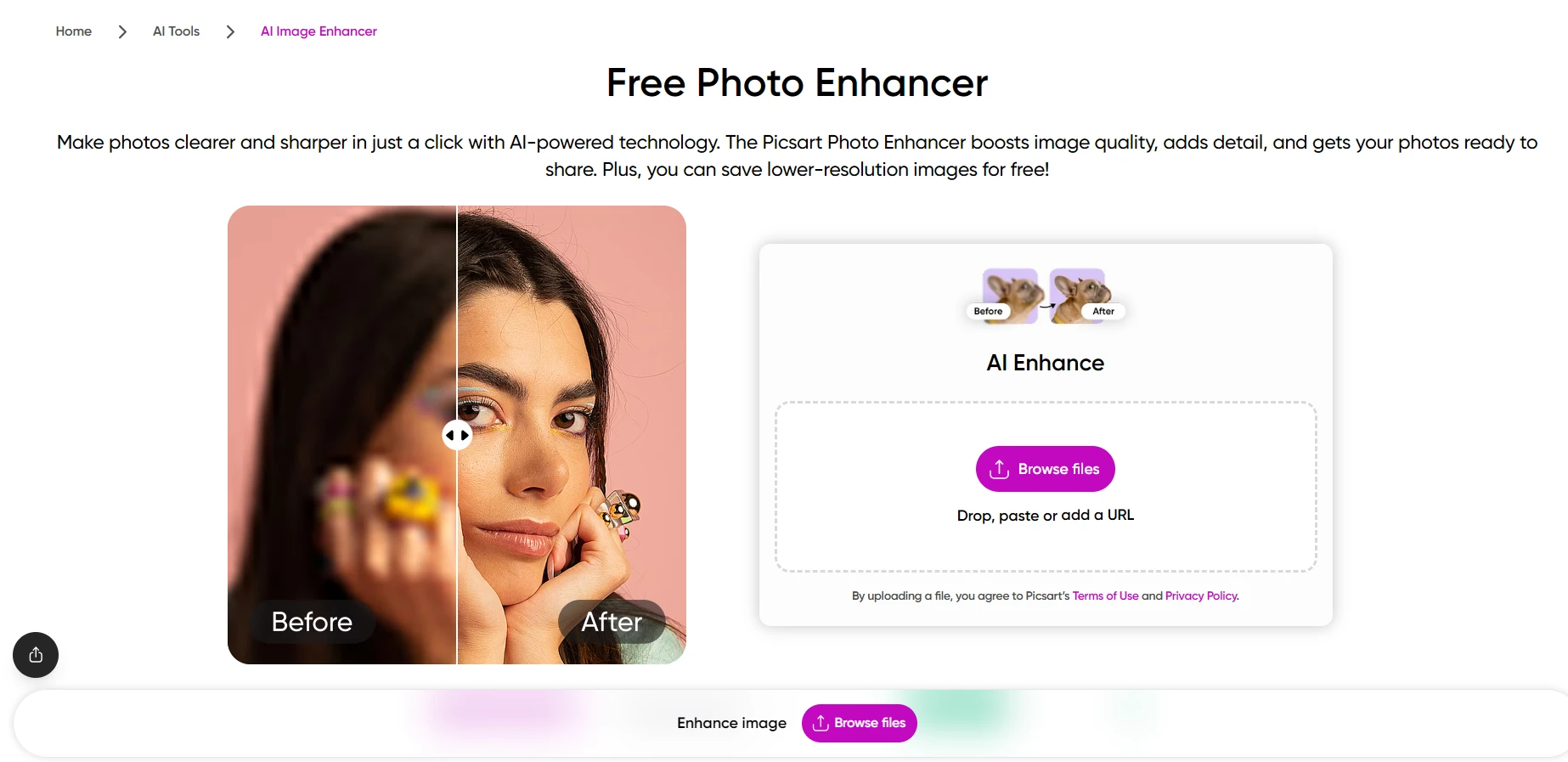
4. Picsart AI Photo Enhancer
Picsart is a popular all-in-one photo editing platform that combines creative editing tools with AI-powered photo enhancement features. Its user-friendly interface makes it a great choice for beginners and casual users looking to improve image quality quickly.
Key Features
- AI Photo Enhancer
- AI Photo Enhancer
- Background Removal
- AI Image Generator
- Filters and Effects
- Mobile and Web Editing
Strengths
Picsart offers an easy-to-use editing experience with powerful AI tools that require little technical knowledge.
Its cross-platform availability allows users to enhance photos on both mobile devices and desktop browsers.
Weaknesses
Some advanced features require a premium subscription.
Image enhancement quality may not match professional desktop software for highly detailed restoration projects.
Best Image Types
- Social media photos
- Selfies and portraits
- Lifestyle photography
- Content creator visuals
Desktop Photo Enhancer Comparison Table
| Tool | Processing Speed | Enhancement Quality | Ease of Use | Free Version | Best For |
|---|---|---|---|---|---|
| EzEnhancer AI | Very Fast | Excellent | Very Easy | Yes | General photo enhancement |
| Photoshop | Medium | Excellent | Difficult | Trial Only | Professional editing |
| Topaz Photo AI | Medium-Slow | Excellent | Moderate | Trial Only | Detail recovery |
| Picsart | Fast | Very Good | Easy | Yes | Creative enhancement |
| Tool | Upscaling | Sharpening | Noise Removal | Portrait Enhancement |
|---|---|---|---|---|
| EzEnhancer AI | ★★★★★ | ★★★★★ | ★★★★★ | ★★★★★ |
| Photoshop | ★★★★☆ | ★★★★★ | ★★★★☆ | ★★★★☆ |
| Topaz Photo AI | ★★★★★ | ★★★★★ | ★★★★★ | ★★★★☆ |
| Picsart | ★★★★☆ | ★★★★☆ | ★★★★☆ | ★★★★★ |
The desktop tools above deliver the highest-quality results when image quality is your top priority. However, many users prefer editing directly from their smartphones. In the next section, we'll explore the best photo enhancement apps for iPhone and Android, including detailed comparisons of Remini, Snapseed, Adobe Lightroom Mobile, and Pixelup.
Best Photo Enhancer Apps for iPhone and Android
Desktop software often delivers the highest-quality results, but mobile apps have become surprisingly powerful in recent years. Thanks to advances in AI image processing, many smartphone apps can now sharpen blurry photos, restore old images, upscale resolution, and improve portraits with just a few taps.
For users who want quick results without sitting in front of a computer, these are the best photo enhancement apps worth trying in 2026.
1. Remini
Best For: Portrait Enhancement and Face Restoration
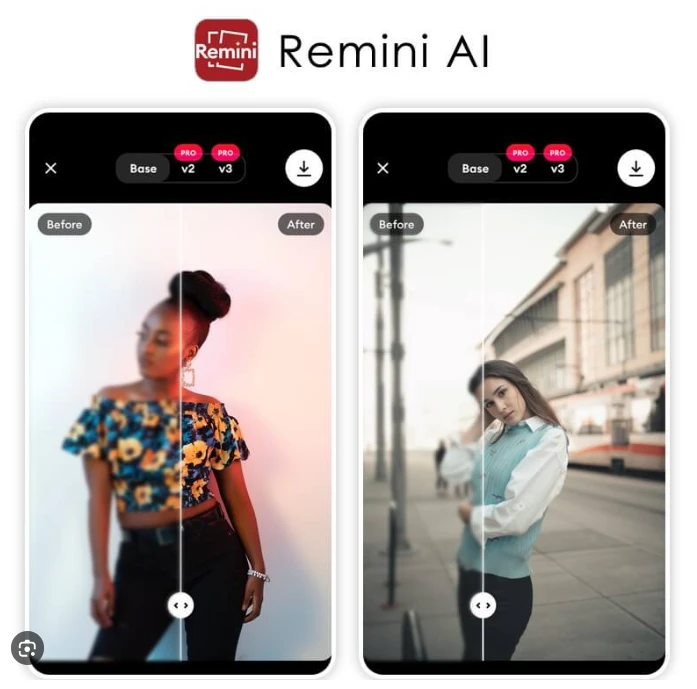
If you've searched for a photo enhancer app before, chances are you've encountered Remini. It has become one of the most downloaded AI photo enhancement apps worldwide thanks to its impressive ability to restore facial details.
The app specializes in turning blurry portraits into sharper, more detailed images. It is particularly effective when enhancing selfies, family photos, and older portrait images that have lost clarity over time.
Key Features
- AI face restoration
- Portrait sharpening
- Old photo enhancement
- Video enhancement
- Color restoration
- One-tap enhancement
Strengths
Remini's facial reconstruction technology is among the strongest available in a mobile app. Eyes, hair, skin texture, and facial contours are often dramatically improved with minimal effort from the user.
The interface is also extremely beginner-friendly.
Weaknesses
The app tends to focus heavily on faces. Landscape photos, product images, and architecture shots may not see the same level of improvement.
The free version also contains advertisements and processing limitations.
Ease of Use
★★★★★
Enhancement Quality
★★★★☆
Best Image Types
- Selfies
- Family portraits
- Old portrait photos
- Social media profile pictures
2. Adobe Lightroom Mobile
Best For: Professional Photo Editing on Mobile
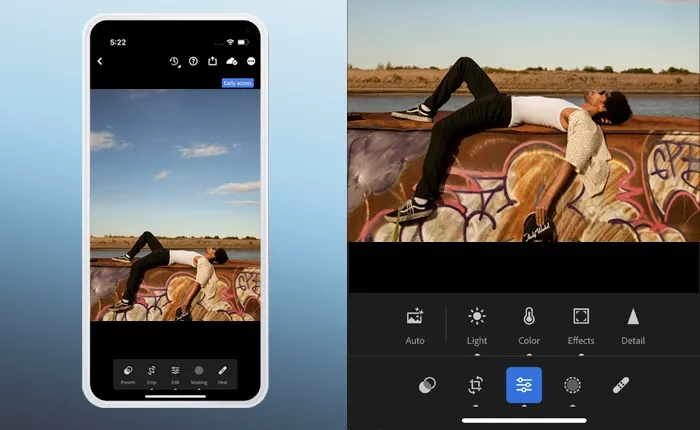
While Lightroom Mobile is known primarily as a photo editor, Adobe has integrated powerful AI enhancement features that make it a strong choice for users seeking professional-level control.
Unlike one-click enhancement apps, Lightroom allows users to improve images through a combination of AI-assisted tools and manual adjustments.
Key Features
- AI Denoise
- AI Subject Selection
- Super Resolution
- Exposure Correction
- Color Grading
- Professional Presets
Strengths
Lightroom gives photographers far more control over the enhancement process.
Users can fine-tune:
- Exposure
- Contrast
- Shadows
- Highlights
- Color temperature
- Sharpness
This makes it ideal for users who want precise adjustments rather than automated results.
Weaknesses
The learning curve is significantly steeper than apps like Remini.
Many advanced features require a subscription.
Ease of Use
★★★☆☆
Enhancement Quality
★★★★★
Best Image Types
- Travel photography
- DSLR photos
- Landscape images
- Professional content
3. Snapseed
Best For: Free Photo Enhancement
Developed by Google, Snapseed remains one of the most impressive free photo editing apps available.
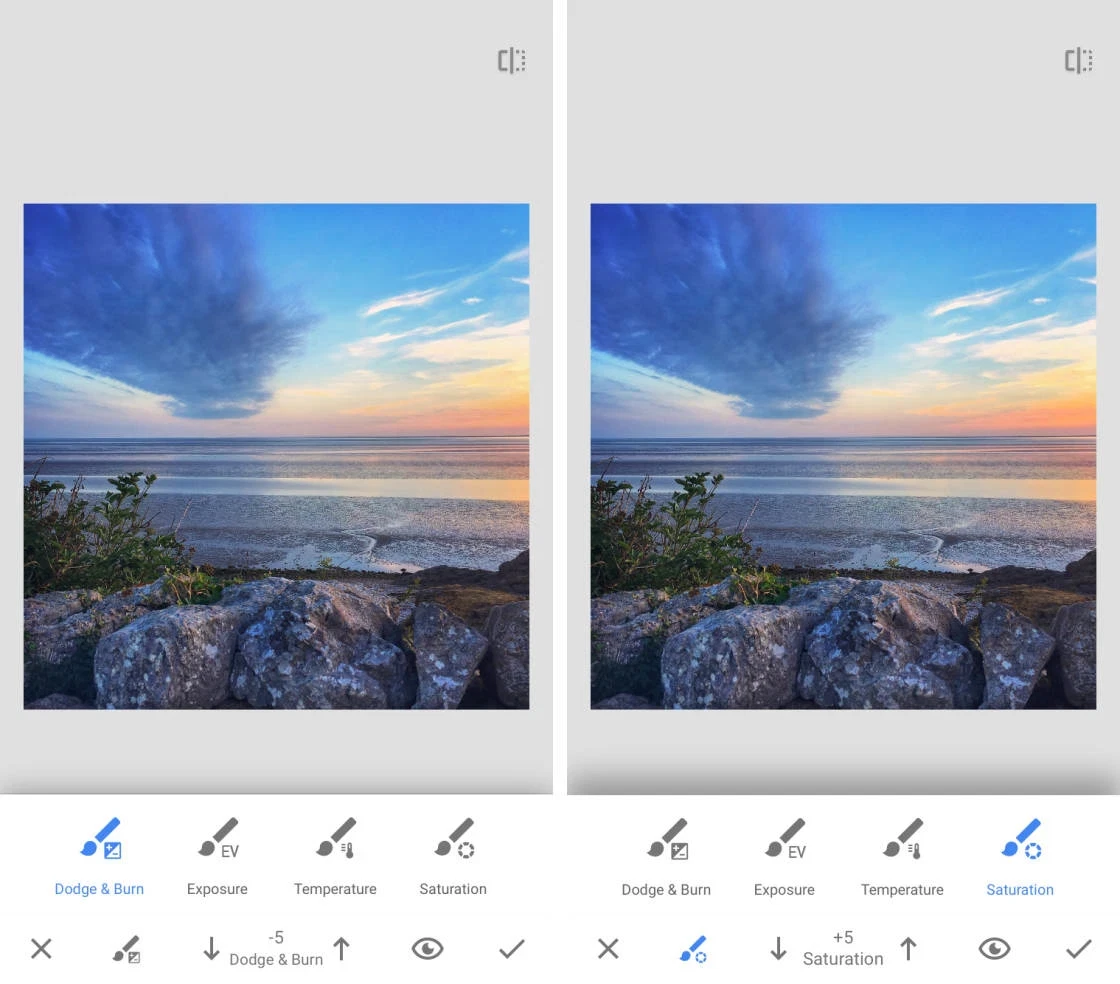
Although it doesn't market itself primarily as an AI enhancer, its powerful editing tools can dramatically improve image quality.
Key Features
- Selective adjustments
- Healing tool
- HDR effects
- Detail enhancement
- Perspective correction
- Noise reduction
Strengths
Snapseed is completely free while offering many professional-grade tools.
Users can selectively enhance specific areas of an image rather than applying global changes.
Weaknesses
Most enhancements require manual adjustments.
There is less automation compared with dedicated AI enhancement apps.
Ease of Use
★★★☆☆
Enhancement Quality
★★★★☆
Best Image Types
- Travel photos
- Street photography
- Food photography
- Social media content
4. Pixelup
Best For: Restoring Old Photos
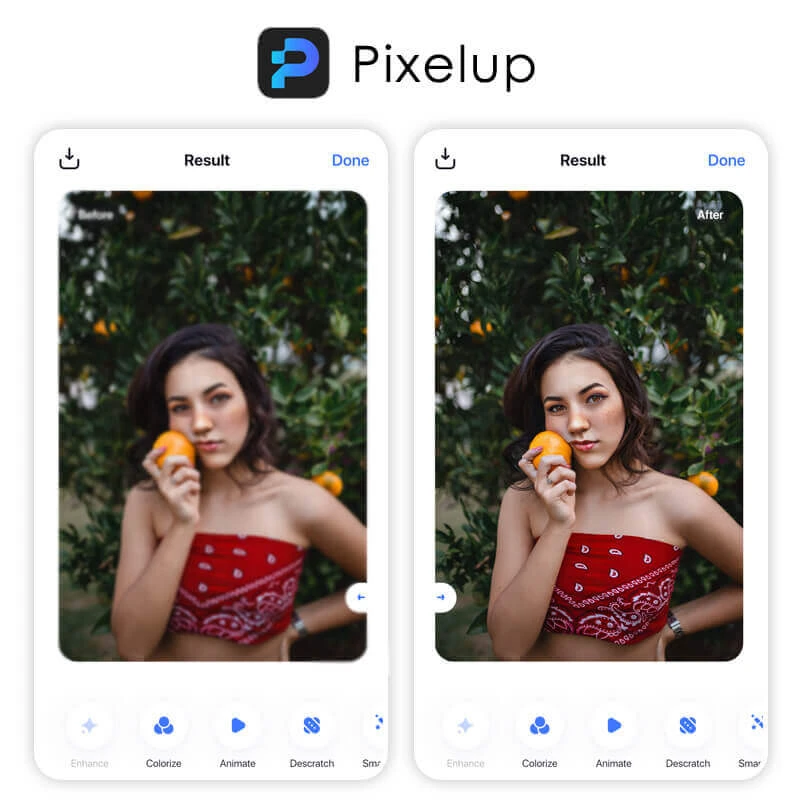
Pixelup focuses heavily on bringing old photographs back to life.
The app combines AI sharpening, face enhancement, colorization, and restoration technologies to improve damaged or aging images.
Key Features
- Old photo restoration
- AI sharpening
- Colorization
- Face enhancement
- Photo animation
- Resolution enhancement
Strengths
Pixelup excels at recovering historical photos and family archives.
Users can restore faded, scratched, or low-quality images with minimal effort.
Weaknesses
Results can occasionally look over-processed if the source image is extremely damaged.
The subscription pricing may also be a concern for casual users.
Ease of Use
★★★★☆
Enhancement Quality
★★★★☆
Best Image Types
- Vintage photos
- Family archives
- Historical photographs
- Scanned images
Mobile App Comparison Table
| App | Ease of Use | Processing Speed | Enhancement Quality | Free Version | Best For |
|---|---|---|---|---|---|
| Remini | ★★★★★ | Fast | ★★★★☆ | Limited | Portraits |
| Lightroom Mobile | ★★★☆☆ | Medium | ★★★★★ | Partial | Professional Editing |
| Snapseed | ★★★☆☆ | Fast | ★★★★☆ | Yes | Free Enhancement |
| Pixelup | ★★★★☆ | Fast | ★★★★☆ | Limited | Old Photos |
Desktop vs Mobile: Which Is Better?
One of the most common questions users ask is whether they should use a desktop photo enhancer or a mobile app.
The answer depends on your goals.
Choose Desktop Software If:
- You need maximum image quality
- You plan to print photos
- You edit product photography
- You work with high-resolution images
- You enhance photos regularly
Desktop solutions such as EzEnhancer AI, Photoshop, and Topaz Photo AI generally produce more accurate and detailed results because they have access to greater computing power and advanced AI models.
Choose Mobile Apps If:
- You edit photos for social media
- You need quick enhancements
- You primarily use a smartphone
- You want simple one-tap improvements
Apps like Remini and Pixelup can deliver impressive results within seconds, making them ideal for casual users.
Which Photo Enhancer Is Best for Different Scenarios?
Not every enhancement tool excels at every type of image. Here's a quick recommendation guide:
| Scenario | Recommended Tool |
|---|---|
| Blurry portraits | EzEnhancer AI / Remini |
| Old family photos | EzEnhancer AI / Pixelup |
| Product photography | EzEnhancer AI / Photoshop |
| Social media content | EzEnhancer AI / Snapseed |
| Landscape photography | Topaz Photo AI / Lightroom |
| Professional photography | Photoshop / Lightroom |
| Website images | EzEnhancer AI |
| E-commerce listings | EzEnhancer AI |
Why EzEnhancer AI Remains the Best Overall Choice
After comparing desktop software and mobile apps, one tool consistently delivers the best balance between quality, speed, simplicity, and versatility: EzEnhancer AI.
Many competitors focus on a single enhancement task. Some specialize in portraits, while others prioritize upscaling or noise reduction.
EzEnhancer combines all of these capabilities into one streamlined workflow.
Its biggest advantages include:
- AI-powered photo enhancement
- Advanced image upscaling
- Blur removal
- Portrait optimization
- Noise reduction
- Fast cloud processing
- Beginner-friendly interface
- Professional-quality output
Whether you're restoring an old family photograph, improving a product image for an online store, enhancing a social media post, or preparing marketing materials, EzEnhancer provides consistent and reliable results without requiring advanced editing skills.
For users searching for the best app for photo enhancing in 2026, it offers one of the most complete solutions available.
Frequently Asked Questions
What is the best app for photo enhancing?
For overall performance, EzEnhancer AI offers one of the best combinations of image quality, speed, ease of use, and AI-powered enhancement features. For mobile-only users, Remini is a strong choice for portraits.
Can AI really improve photo quality?
Yes. Modern AI models can reconstruct missing details, reduce noise, sharpen blurry images, improve lighting, and upscale resolution far more effectively than traditional image editing methods.
What is the best tool for photo enhancing?
EzEnhancer AI is one of the best overall photo enhancement tools available in 2026. As a web-based platform, it combines AI upscaling, sharpening, noise reduction, and portrait enhancement without requiring software installation. For users who specifically prefer mobile apps, Remini and Lightroom Mobile are among the top choices.
Which photo enhancer is best for old photos?
EzEnhancer AI and Pixelup are excellent options for restoring old photos, recovering facial details, reducing blur, and improving image clarity.
What is the best photo enhancer for professional photographers?
Adobe Photoshop, Topaz Photo AI, and Lightroom remain popular among professionals. However, many photographers now use EzEnhancer AI as a faster AI-powered enhancement solution before performing additional edits.
Can photo enhancers remove blur?
Yes. AI-powered tools such as EzEnhancer AI, Topaz Photo AI, and Remini can significantly reduce blur and restore lost detail in many images, although results depend on the quality of the original photo.
Best AI Photo Editor for Product Photos
Learn how to use an AI photo editor for product photos, from clean backgrounds and better lighting to seasonal variations and ad-ready images.
EzEnhancer vs Remini: The Better Choice for Photo AI Enhance
Compare EzEnhancer and Remini for photo enhancement, upscaling, blur removal, portrait restoration, and image quality to find the best tool.