














AI vs. Photoshop: How to Sharpen Image Quality Without Halos
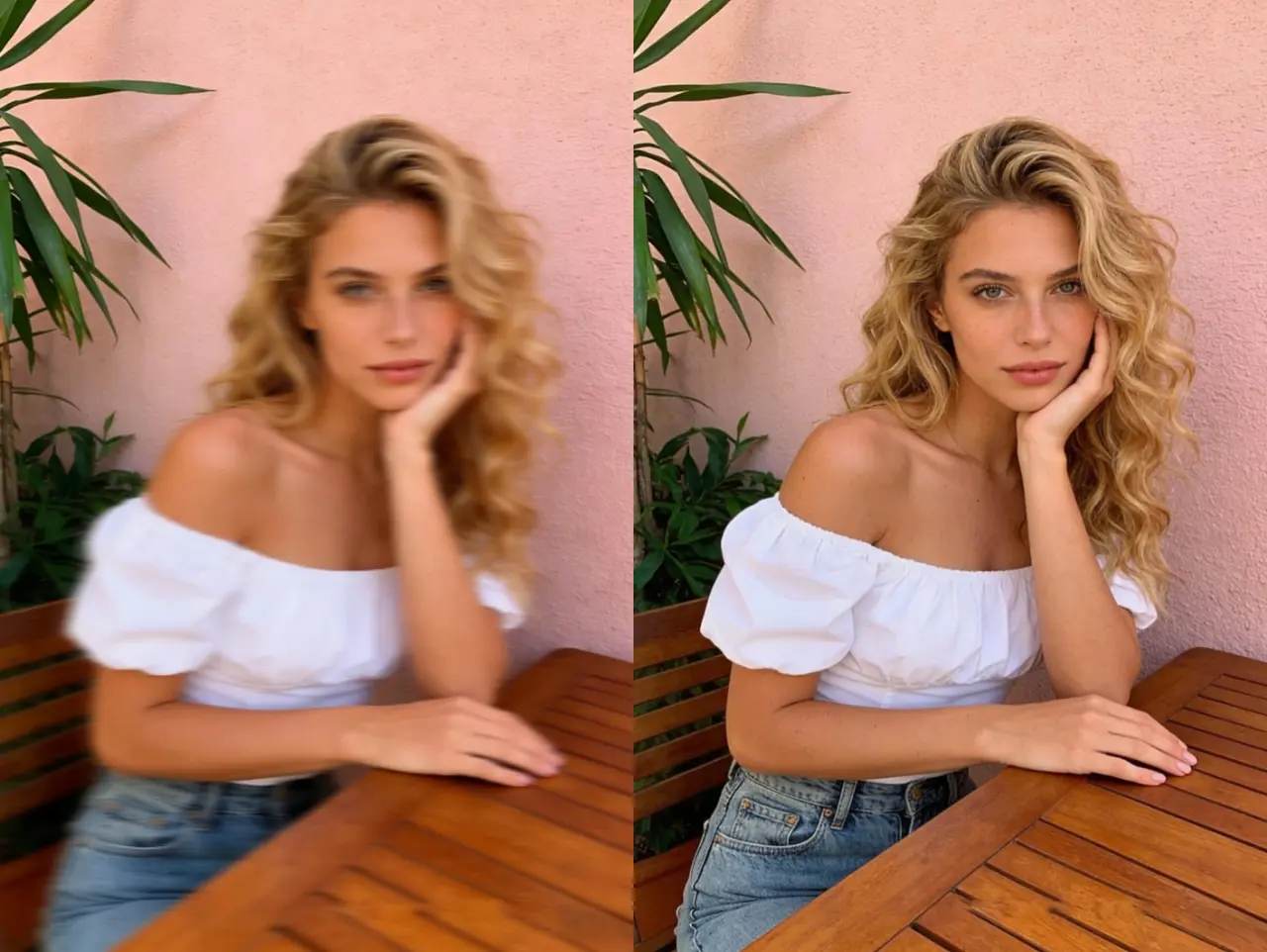
In 2026, the primary difference between AI and traditional sharpening is pixel reconstruction vs. edge contrast.
Traditional tools like Photoshop often create a "halo effect"—distracting white outlines—when trying to sharpen image details.
Modern AI sharpen image technology, specifically the models used by EzEnhancer, avoids this by using neural networks to identify objects and synthesize missing textures, restoring true clarity with up to 80% fewer artifacts than legacy filters.
The Death of the "Unsharp Mask"
For decades, photographers have relied on the "Unsharp Mask" to sharpen image files. However, this traditional method is essentially a mathematical trick. It finds the edges in a photo and increases the contrast between the light and dark sides of that edge.
The result? The dreaded Halo Effect. These white, glowing fringes around your subjects scream "over-processed." As we move through 2026, the standard for high-quality visual content has evolved. Users now demand a way to sharpen image online that looks natural and professional, not digitally forced.
How AI Sees What Photoshop Can't
The breakthrough in AI sharpen image technology lies in its ability to perceive context. When you use an AI image sharpener like EzEnhancer.ai, the neural network performs tasks that Photoshop’s standard filters simply cannot:
● Intelligent Texture Synthesis: Instead of just darkening edges, the AI recognizes "hair," "skin," or "fabric" and reconstructs the fine lines based on millions of high-resolution references.
● Zero-Halo Processing: By understanding the semantic boundary between an object and its background, the AI applies clarity only where it belongs, eliminating white ringing.
● Selective Denoising: Traditional tools often sharpen image noise along with details. EzEnhancer identifies grain and suppresses it while simultaneously pulling out the crisp details you want.
Pro Tip: For the best results when you sharpen image files, always upload the highest resolution original. This allows the AI to map the textures accurately and deliver a "prime lens" finish.
Head-to-Head Comparison: AI vs. Traditional Sharpening
To understand why 2026 is the year of the AI photo enhancer, look at how these two generations of technology handle image clarity:
| Feature | Traditional Sharpening (e.g., Photoshop) | EzEnhancer AI Sharpening (2026) |
|---|---|---|
| Core Principle | Contrast Boosting: Increases light/dark difference at edges. | Neural Reconstruction: Rebuilds missing pixels based on patterns. |
| Edge Quality | Frequent "Halo Effect" and white ringing. | Clean, natural boundaries with zero artifacts. |
| Noise Handling | Magnifies grain and ISO noise. | Denoise-aware: Sharpens detail while smoothing noise. |
| Texture Recovery | Often creates a "crunchy" or "plastic" look. | Synthesizes realistic textures (pores, fibers). |
| Blur Recovery | Cannot fix motion blur or missed focus. | Can fix out-of-focus photos via deconvolution. |
| Ease of Use | Manual sliders, masking, and layers. | One-click AI sharpen image automation. |
AI vs. Photoshop: Which Should You Choose?
While AI sharpen image technology has revolutionized the industry, many professionals wonder if they should ditch Photoshop entirely. In 2026, it's about the hybrid workflow.
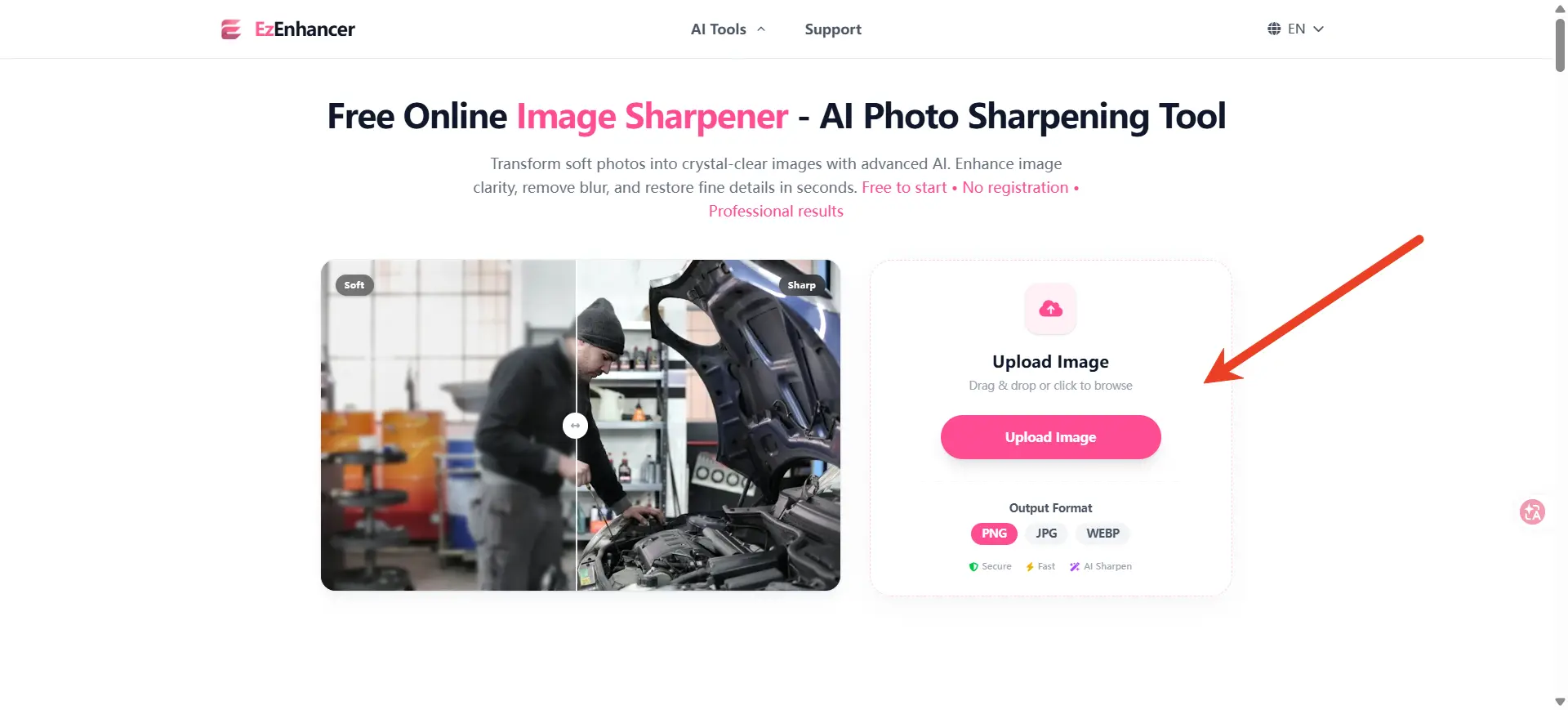
1. EzEnhancer AI: The King of Detail Recovery
● Pros:
○ True Detail Reconstruction: AI can "invent" missing pixels based on deep learning, making it the only way to fix blurry photos that are technically unusable.

○ Automation: What takes 15 minutes of masking in Photoshop takes 5 seconds with an AI image sharpener.

○ Noise-Free Results: Achieve a clearer picture from high-ISO shots without creating unwanted grain.
● Cons:
○ Less Granular Control: You trade manual pixel-pushing for algorithmic intelligence.

○ Internet Dependency: Requires a connection to access the latest 2026 neural models.
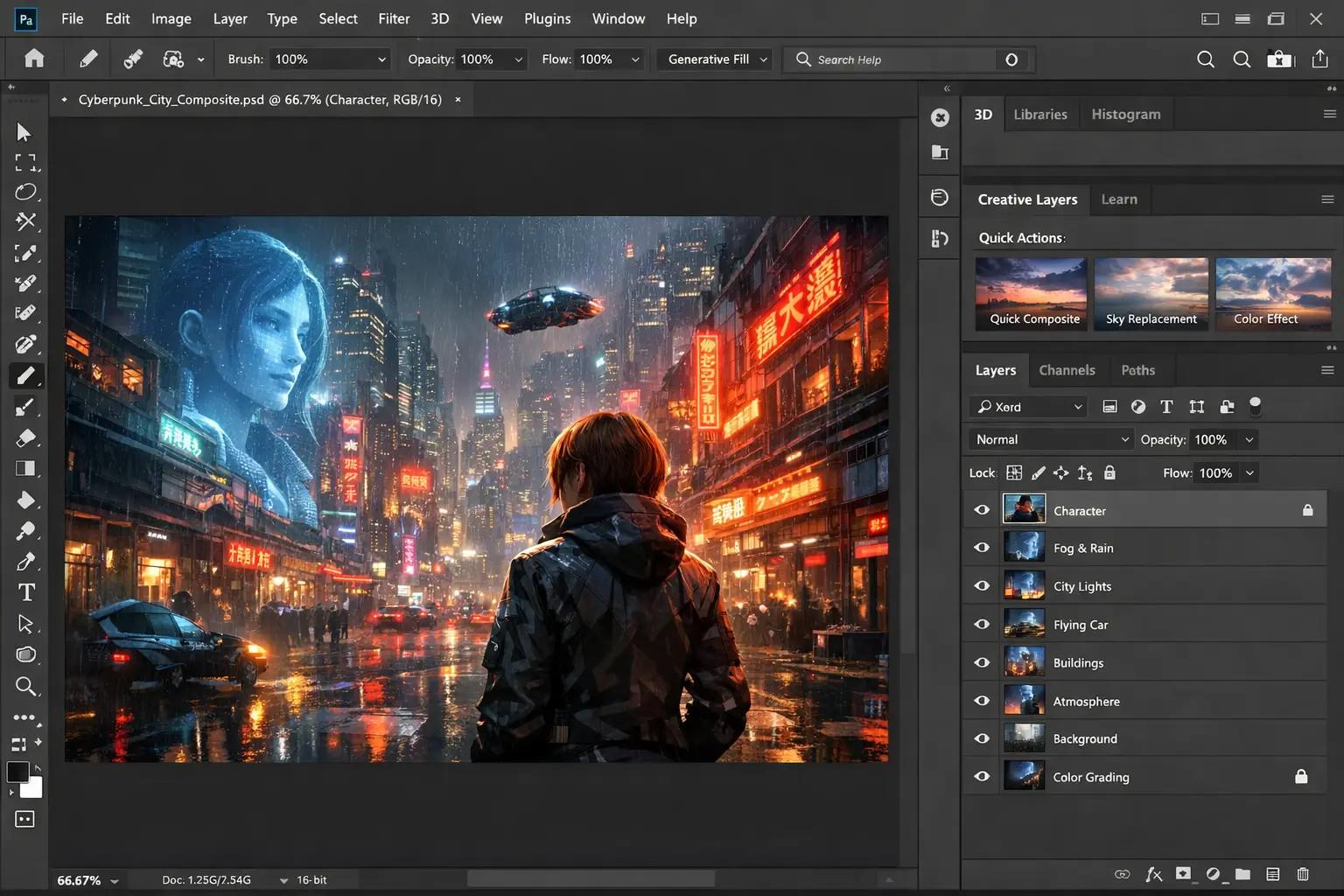
2. Adobe Photoshop: The Power of Manual Precision
● Pros:
○ Layer-Based Control: Apply sharpening to specific areas (like just the eyes) using complex layer masks.

○ No "Guesswork": For forensic work where "reconstructing" data isn't allowed, traditional filters remain the standard.
● Cons:
○ The "Halo" Ceiling: Traditional filters hit a mathematical limit that creates artifacts.

○ Steep Learning Curve: Mastering the sharpen image process without a "fake" look takes years of practice.
Real-World Impact: Why Your Choice of Tech Matters
In 2026, visual saturation is at an all-time high. Your audience can subconsciously detect "cheap" digital editing. Using a professional tool to sharpen image quality isn't just about clarity; it's about maintaining brand authority.
1.E-commerce & Retail: Texture That Sells
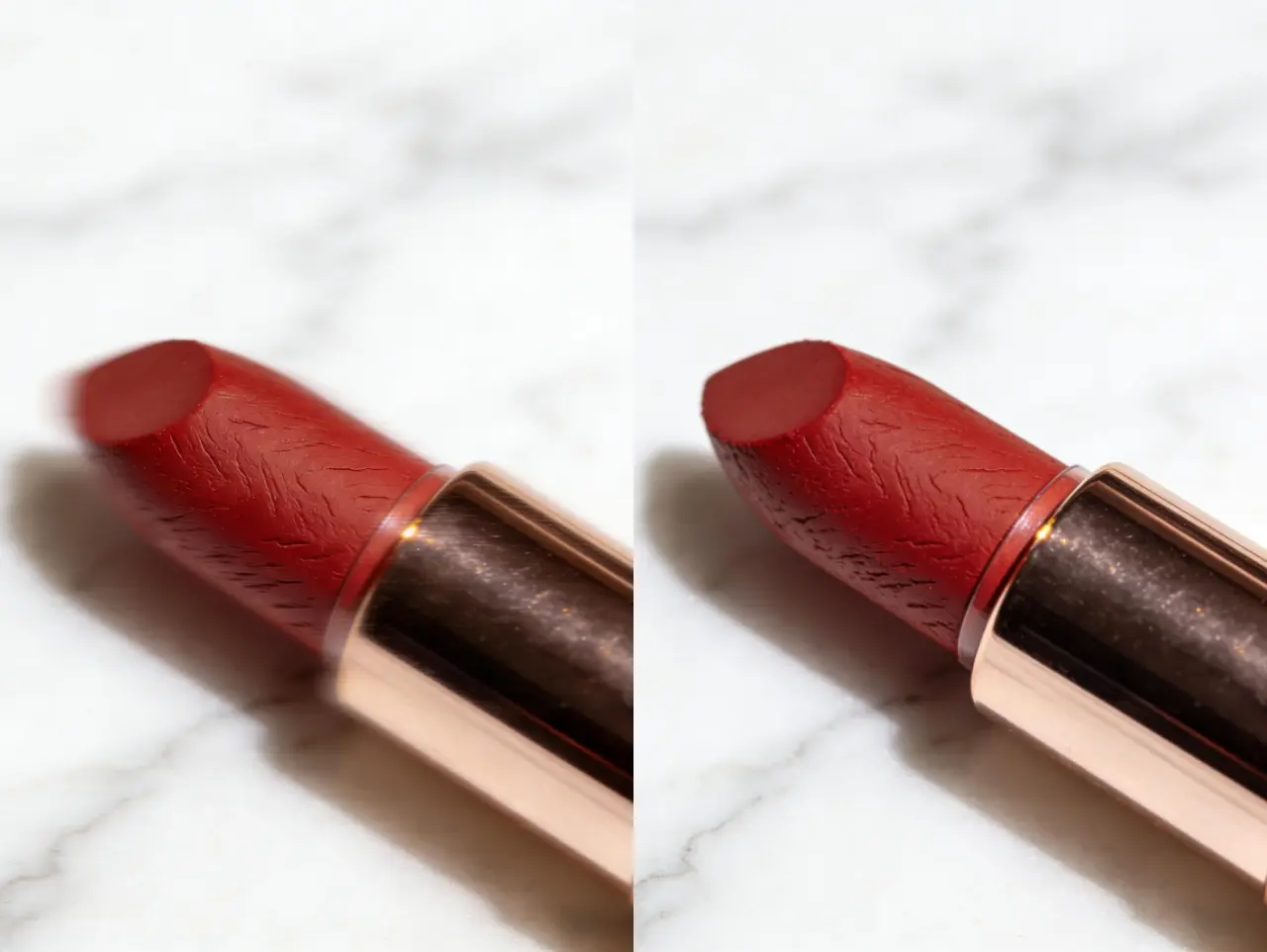
Standard sharpening makes fabric look like plastic. With an AI image sharpener, you can make leather grain, silk threads, or metal finishes look tactile and "touchable." The Result: High-fidelity product photos that increase buyer trust and significantly boost conversion rates.
2.Portrait Photography: Clarity Without Compromise
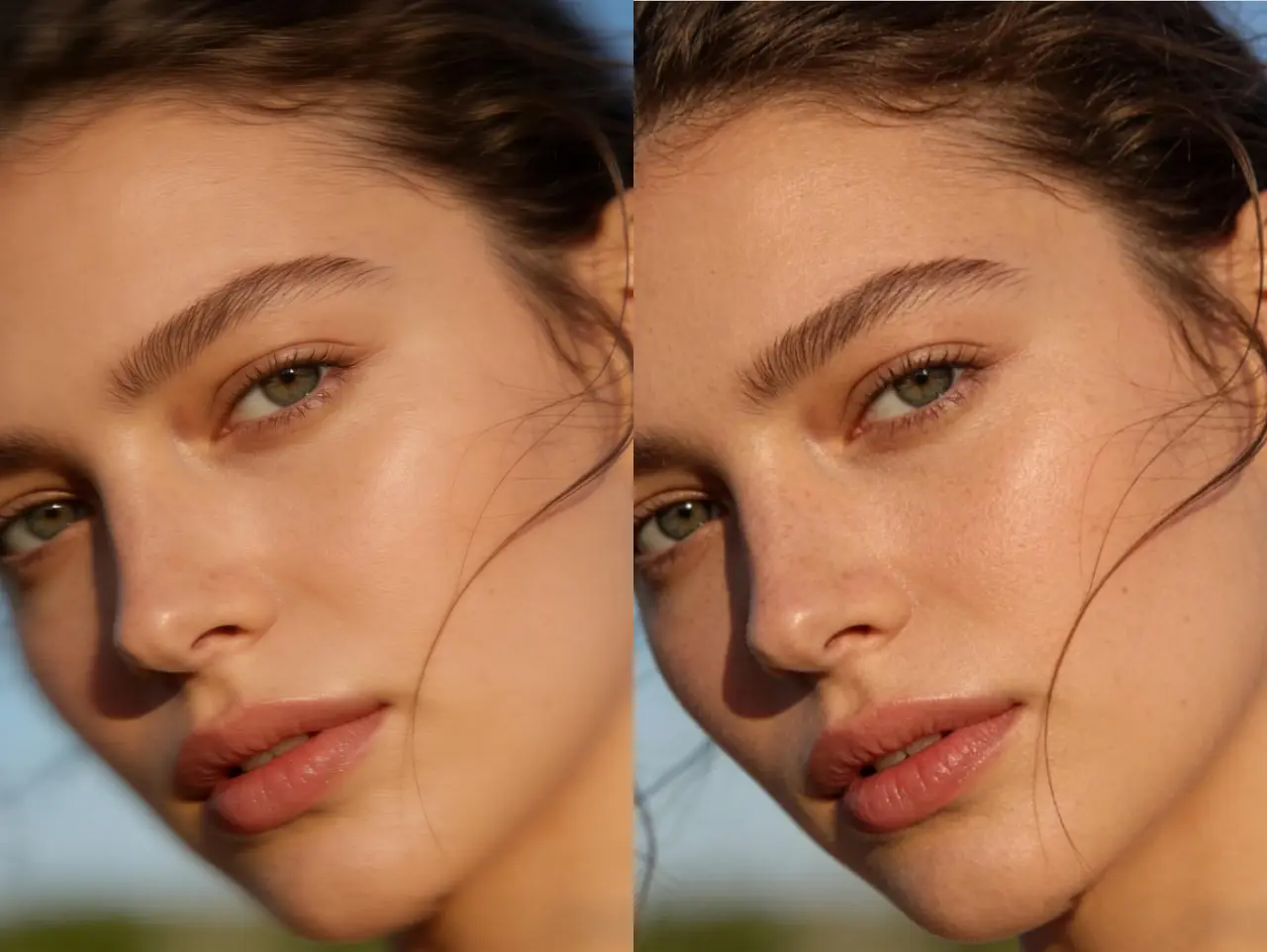
Traditional filters often ruin skin texture, leading to a "uncanny valley" effect. Our technology allows you to unblur a face or sharpen eyes while preserving natural pores and fine lashes. The Result: Professional-grade portraits that look captured, not manufactured.
3.AI-Generated Art: From "Soft" to "HD"
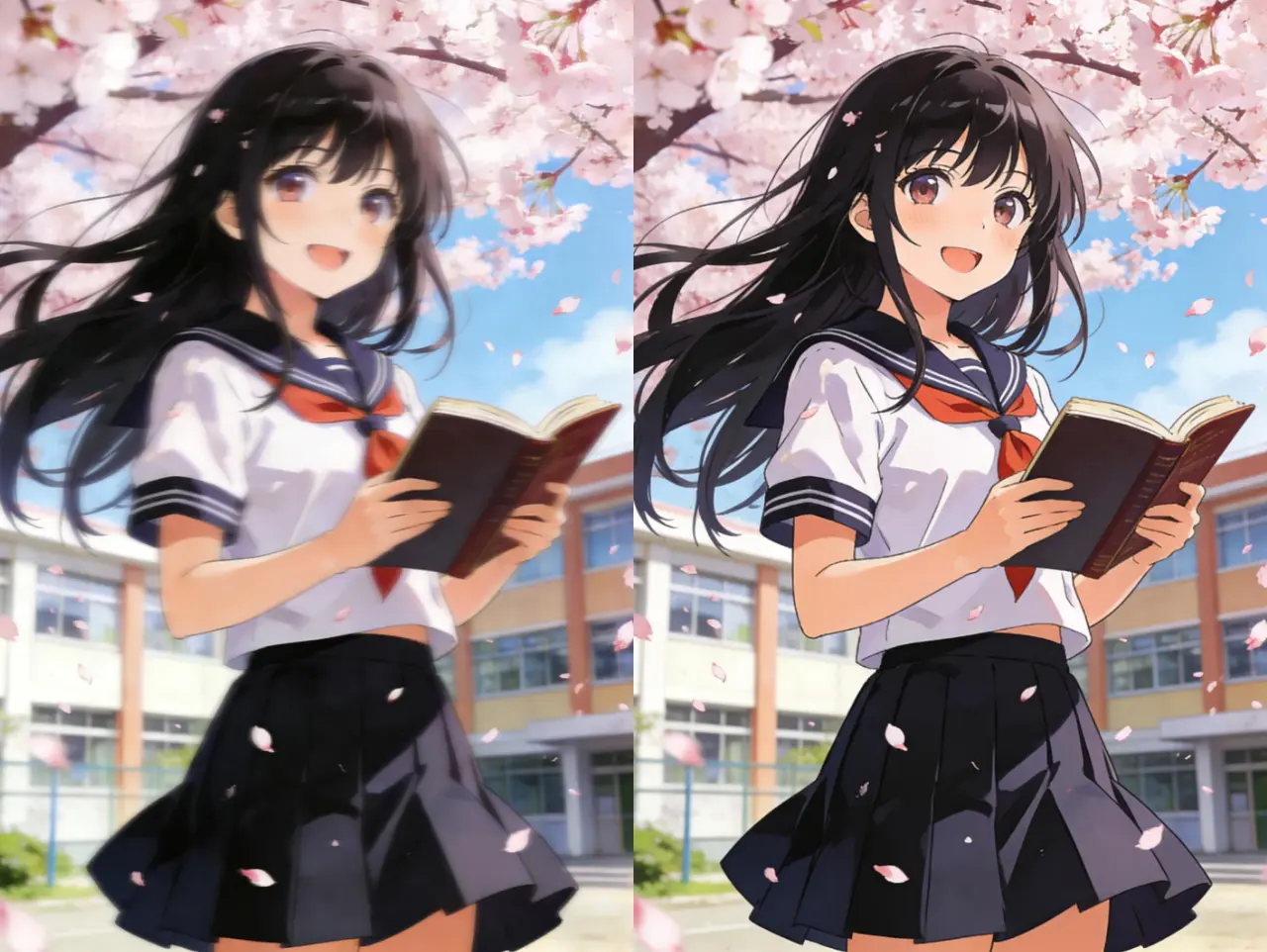
Midjourney and DALL-E outputs often suffer from a characteristic "AI softness" or blurry edges. By applying a dedicated image clarity enhancer, you can refine these generative outputs into crisp, gallery-ready masterpieces. The Result: AI art that holds up even on large-scale physical prints.
4.Document & Text Recovery: Readability Matters
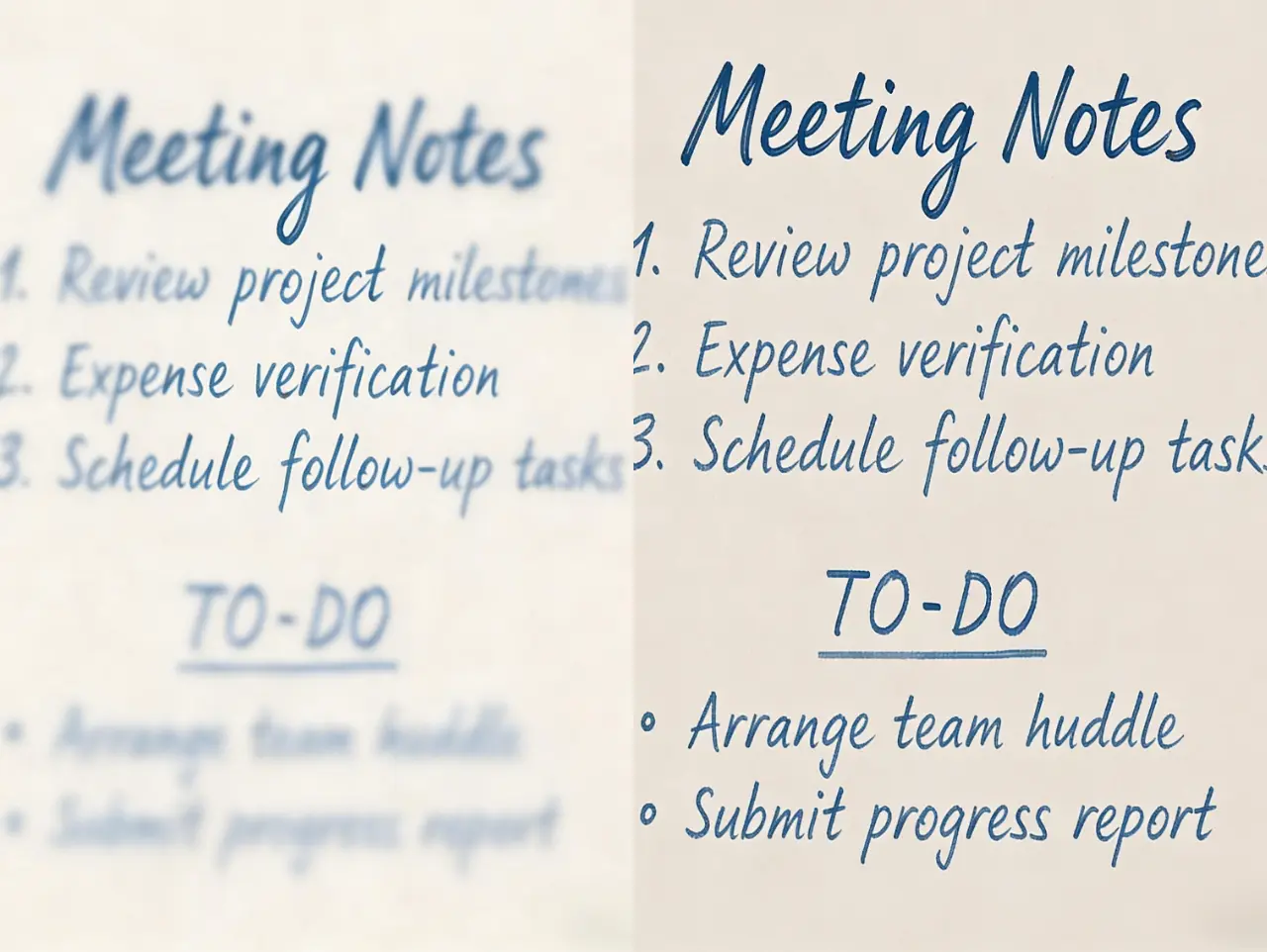
When you need to sharpen image files containing blurry text or scanned documents, AI reconstruction is the only way to restore legibility without creating ink-bleed artifacts. The Result: Crystal-clear archives and readable screenshots in one click.
Why EzEnhancer is the Best AI Image Sharpener in 2026
While many tools claim to use artificial intelligence, EzEnhancer.ai stands out by prioritizing texture integrity. Our "Deep-Refine" algorithm is specifically tuned to prevent the over-processed look common in older AI models. When you sharpen image files with our tool, the result is crisp, professional, and—most importantly—natural.
FAQ: Mastering Image Sharpness in 2026
1. Why does my photo have white lines after I sharpen it?
This is the "halo effect," caused by traditional contrast-based sharpening. To fix this, you should switch to an AI sharpen image tool that uses neural reconstruction.
2. Can I sharpen image files that were shot in low light?
Yes. Modern AI photo enhancers distinguish between low-light noise and actual image detail, allowing you to sharpen image quality without magnifying grain.
3. What is the best tool to sharpen image online for free?
In 2026, EzEnhancer.ai is the leading choice for a pro-grade AI sharpener that is fast, web-based, and requires zero technical skill.
4. Can AI sharpen image files generated by AI art tools?
Absolutely. AI-generated art often has "soft" edges. Using EzEnhancer helps define those edges, making the generated art look like a high-resolution photograph.
Conclusion
Don’t let distracting halo artifacts and over-sharpened edges undermine the quality of your professional portfolio. With EzEnhancer.ai, you can effortlessly enhance image clarity using advanced AI that restores natural detail, reduces noise, and delivers clean, artifact-free results. Elevate your visuals today and experience the future of intelligent, professional-grade image enhancement.
Restore Old Photos with AI: Complete Guide
Learn how to restore old, faded, and damaged photos using advanced AI technology. Complete step-by-step guide to bring your precious memories back to life.
Top 5 Remini Alternatives: Best Free AI Image Upscaler Tools
Discover the 5 best free and online Remini alternatives in 2026. Unblur faces, upscale photos, and restore images instantly directly in your web browser.